Question

Jamf Connect Login

  • November 23, 2021
  • 9 replies
  • 20 views

Forum|alt.badge.img+3

Hi everyone,

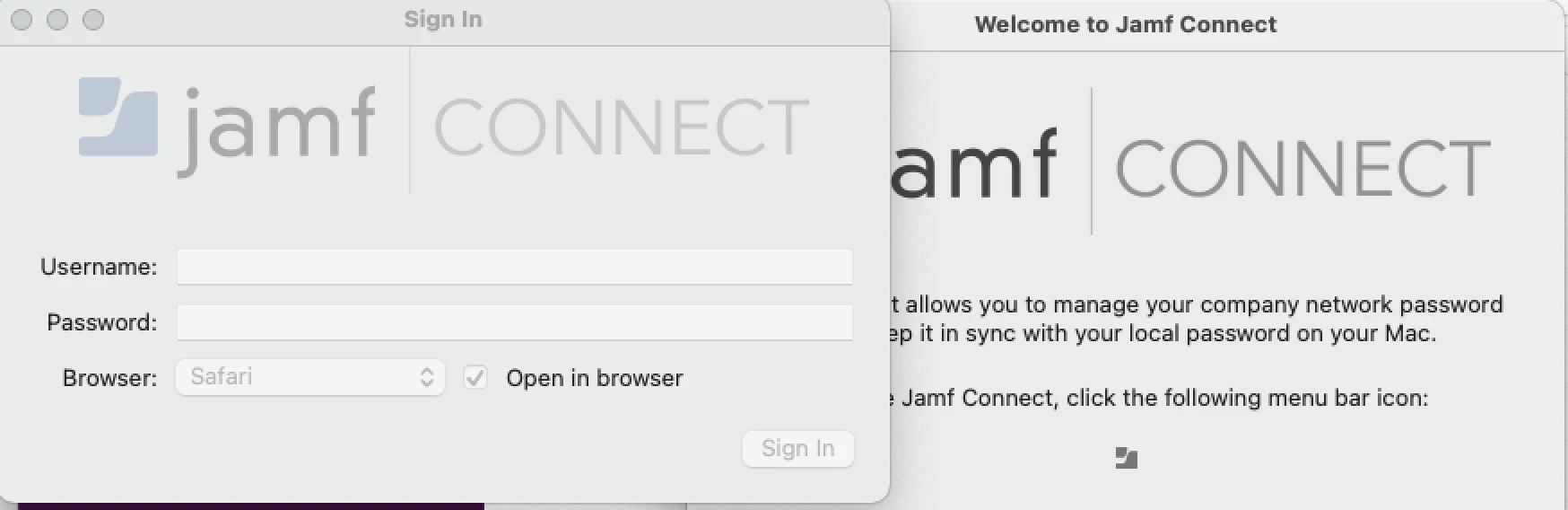
does anyone have issue with jamf connect being grey out? currently on jamf 2.6

9 replies

junjishimazaki
Forum|alt.badge.img+10
  • New Contributor
  • November 23, 2021

That looks like a Jamf Connect license issue, does the Jamf Connect welcome window show it's in trial mode or the license expired?


Forum|alt.badge.img+3
  • Author
  • New Contributor
  • November 23, 2021

That looks like a Jamf Connect license issue, does the Jamf Connect welcome window show it's in trial mode or the license expired?


didn't get any of that. if click on licensing, it show that i still got until end of december for expired.


junjishimazaki
Forum|alt.badge.img+10
  • New Contributor
  • November 23, 2021

How are you deploying the Jamf connect/login configuration?


Forum|alt.badge.img+3
  • Author
  • New Contributor
  • November 23, 2021

How are you deploying the Jamf connect/login configuration?


yes, I have two config. 

1 for the jamf connect key and the other one is for the connect plist.

it started failing this morning on some users because those user orginally were scope a tester for Nomad that had a nomad chrome extension install. 

I fix that issue with this Article here.

Here the post that i used to fix the nomad extension issue

after doing that fix, the jamf connect won't launch at start up. when select from the apps folder the sign-in are all grey out.

I'm wondering if it because those test machine never got the jamf connect launch agent install.


bwoods
Forum|alt.badge.img+14
  • Honored Contributor
  • November 23, 2021

I have that issue when the configuration profile isn't in place for the menu bar. Ensure that your configuration profile is on the computer first. 


Forum|alt.badge.img+3
  • Author
  • New Contributor
  • November 23, 2021

I have that issue when the configuration profile isn't in place for the menu bar. Ensure that your configuration profile is on the computer first. 


HI @bwoods ,

both config is on the user machine. 


bwoods
Forum|alt.badge.img+14
  • Honored Contributor
  • November 23, 2021

If you want the app to run at startup you should install the launch agent installer as well. Try redeploying your configs and removing any references to NoMAD from the profiles as well.


hodgesji
Forum|alt.badge.img+16
  • Contributor
  • November 29, 2021

We also have seen this issue from time to time and it was because our license was in trial mode.


Forum|alt.badge.img+4
  • Contributor
  • June 20, 2023

We also have seen this issue from time to time and it was because our license was in trial mode.


@hodgesji - how to check license status for jamf connect ?