Question

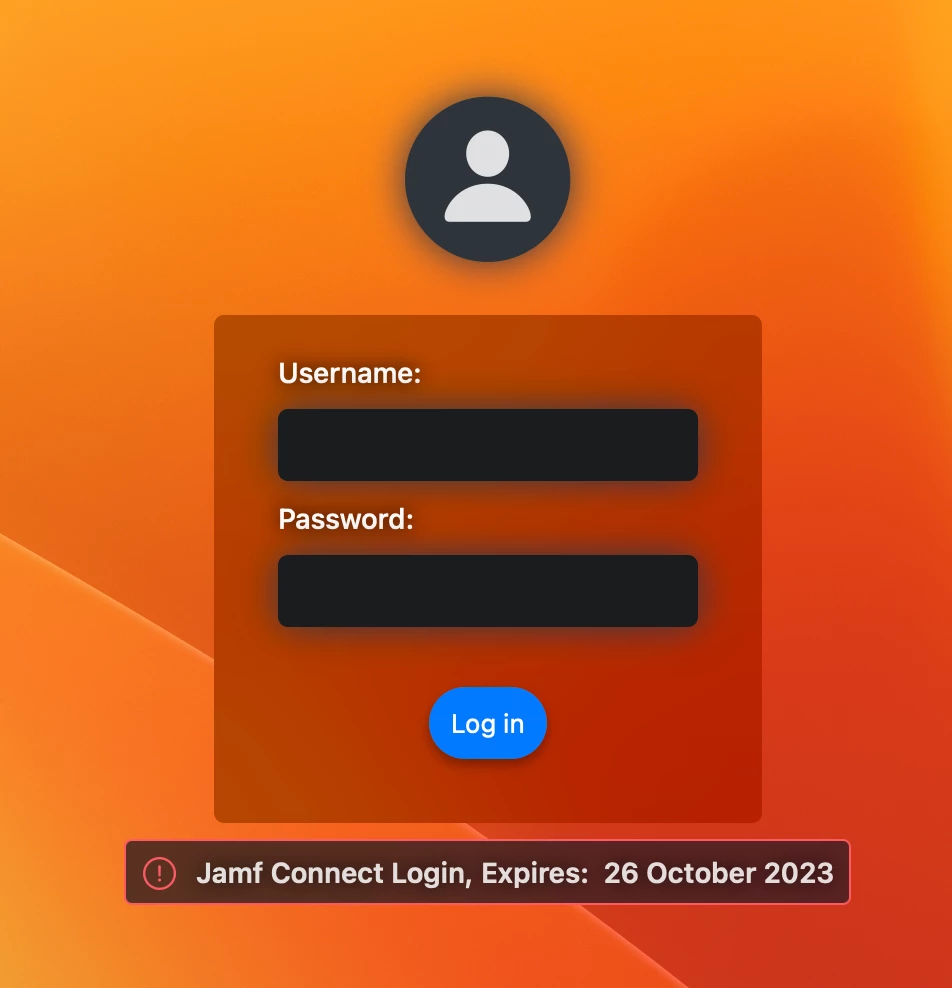
Jamf Connect Login, Expires

  • September 29, 2022
  • 9 replies
  • 96 views

Forum|alt.badge.img+1

Hi all,

When building/enrolling a new Macbook into Jamf, we are getting an error saying "Jamf Connect Login, Expires 27 October 2022".  We used to get these errors when we ran out of licenses.  But we currently have 65 license and only used 59 and this error is now coming up.

I'm pretty new to JAMF, so I'm not sure where to look.  All Tokens an Certificates are in date.

Can someone please assist me with this issue?  Or where can I raise a call with Jamf?

P.S.  We use Single Sign On with AzureAD.  

Thanks


9 replies

AJPinto
Forum|alt.badge.img+26
  • Legendary Contributor
  • September 29, 2022

I would not call it an error as much as I would call it a warning. My guess is your JAMF Now license is coming close to renewal. You need to reach out to your JAMF Customer Success Rep or reseller and get the renewal process going.


smcmjeff
Forum|alt.badge.img+2
  • New Contributor
  • February 1, 2023

Hello,

Did you ever figure tihs out? We just renewed our Jamf Pro contract and I applied the new license file for JAMF Pro.  We paid our Jamf Connect bill at the same time but I was not aware that we had to update the license for Jamf connect each year on our computers.

Thanks in advance.


Forum|alt.badge.img
  • New Contributor
  • February 20, 2023

Hello,

Did you ever figure tihs out? We just renewed our Jamf Pro contract and I applied the new license file for JAMF Pro.  We paid our Jamf Connect bill at the same time but I was not aware that we had to update the license for Jamf connect each year on our computers.

Thanks in advance.


Hi.

I had the same issue because i just had forgotten to update the new activation code in Jamf Pro after renewal.


Forum|alt.badge.img+4
  • Contributor
  • October 4, 2023

We are also having this issue, we have recently acquired a new license for Jamf Connect, uploaded to a Configuration Profile but still receiving a Jamf Connect Login expire message as it's like a trail license.


Forum|alt.badge.img+1
  • New Contributor
  • October 5, 2023

We are also having this issue, we have recently acquired a new license for Jamf Connect, uploaded to a Configuration Profile but still receiving a Jamf Connect Login expire message as it's like a trail license.


Experiencing this exact issue. Same date as well, oddly enough. Updated license file a few weeks back.


smcmjeff
Forum|alt.badge.img+2
  • New Contributor
  • October 5, 2023

When we initially setup Jamf Connect, the person who assisted us had us include the license file in the configuration profile(s).  when we renewed the license I found out that was not the recommended method.  I modified the the original config profile to remove the license, and added an additional configuration profile that only contained the updated license.  This resolved our issue.


Forum|alt.badge.img+4
  • Contributor
  • October 6, 2023

Experiencing this exact issue. Same date as well, oddly enough. Updated license file a few weeks back.


The issue for us was that the license file wasn't uploaded/applied to the configuration profile payload correctly. I would advise redownloading your license from your Jamf ID account and then reapply to the configuration profile. Hope it helps 


Forum|alt.badge.img+4
  • Contributor
  • October 6, 2023

We are also having this issue, we have recently acquired a new license for Jamf Connect, uploaded to a Configuration Profile but still receiving a Jamf Connect Login expire message as it's like a trail license.


The issue for us was that the license file wasn't uploaded/applied to the configuration profile payload correctly. I would advise redownloading your license from your Jamf ID account and then reapply to the configuration profile. Hope it helps 


cvangorp
Forum|alt.badge.img+12
  • Contributor
  • November 14, 2023

When we initially setup Jamf Connect, the person who assisted us had us include the license file in the configuration profile(s).  when we renewed the license I found out that was not the recommended method.  I modified the the original config profile to remove the license, and added an additional configuration profile that only contained the updated license.  This resolved our issue.


Will be running into this too, so what is the "new recommend"  method?