Question

Jamf Connect/Login user migration

  • Mar 18, 2019 2:26 PM UTC
  • 11 replies
  • 97 views

KyleEricson
Forum|alt.badge.img+17

I'm working with a customer and they want to use Jamf Login/Connect. I got this all deployed and setup. The issue I see is since this creates a new user account on their Mac what can we do with the old account data. They want all the data that was on the old local account. Is there a script that would be good to run so they can migrate data over? This is a deployment with out MDM yet.

11 replies

Forum|alt.badge.img+9
  • Contributor
  • Mar 18, 2019 3:18 PM UTC

You should be able to use the migrate flag:

defaults write /Library/Preferences/com.jamf.connect.login.plist Migrate -bool TRUE

defaults write /Library/Preferences/com.jamf.connect.login.plist MigrateUsersHide -array "localadmin" "managementaccount"

When set, the user should be able to log in, and then get presented with a list of accounts that are already on the system.

Here's a link to the documentation for these preferences.


KyleEricson
Forum|alt.badge.img+17
  • Author
  • Valued Contributor
  • Mar 18, 2019 3:42 PM UTC

This is only for Okta.

Migrate
Allow local accounts to be migrated to Okta-based accounts.
<key>Migrate</key>
<false/>


KyleEricson
Forum|alt.badge.img+17
  • Author
  • Valued Contributor
  • Mar 19, 2019 1:43 AM UTC

Just tested and works with Azure thanks.


Forum|alt.badge.img+4
  • Contributor
  • Apr 10, 2019 11:44 PM UTC

Does anyone know how to format this in the plist that is delivered by the configuration profile? I can't find this mentioned in the documentation. Where did you find this?


KyleEricson
Forum|alt.badge.img+17
  • Author
  • Valued Contributor
  • Apr 11, 2019 4:00 AM UTC

Forum|alt.badge.img+4
  • Contributor
  • Apr 16, 2019 7:37 PM UTC

Has anyone else been able to get this to work with Azure. Jamf support tells me it's not supposed to work but as we can see above it is working for some.


adhuston
Forum|alt.badge.img+9
  • Contributor
  • Apr 24, 2019 6:07 PM UTC

I haven't been able to get this to work under version 1.1.2.


Forum|alt.badge.img+1
  • New Contributor
  • May 31, 2019 3:27 PM UTC

I've used the Migrate flag with Azure and it works ok.

The problem I'm having is if you log out/restart afterwards and try and log in with the azure window the next time it loops back. Logging in with local auth is fine but kind of defeats the point of migrating.

I've since removed the Migrate flag for a test and it looks like it doesn't do it any more. Is this a known bug or is there a good way to avoid it?


Forum|alt.badge.img+1
  • New Contributor
  • Jan 10, 2024 10:50 PM UTC

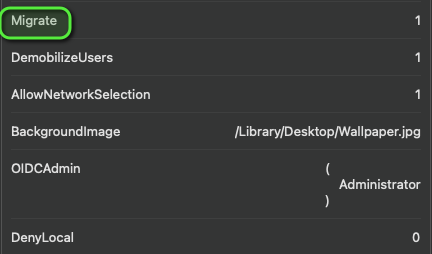
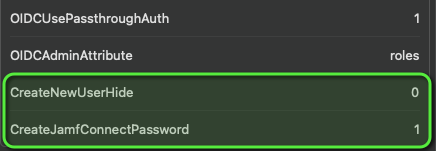
As you can see below I have used "Migrate" key in the payload and still after successful AzureAD sign-in its not presenting a window with list of existing local users for me choose and map. 


please assist


Forum|alt.badge.img+1
  • New Contributor
  • Jan 19, 2024 8:32 AM UTC

As you can see below I have used "Migrate" key in the payload and still after successful AzureAD sign-in its not presenting a window with list of existing local users for me choose and map. 


please assist


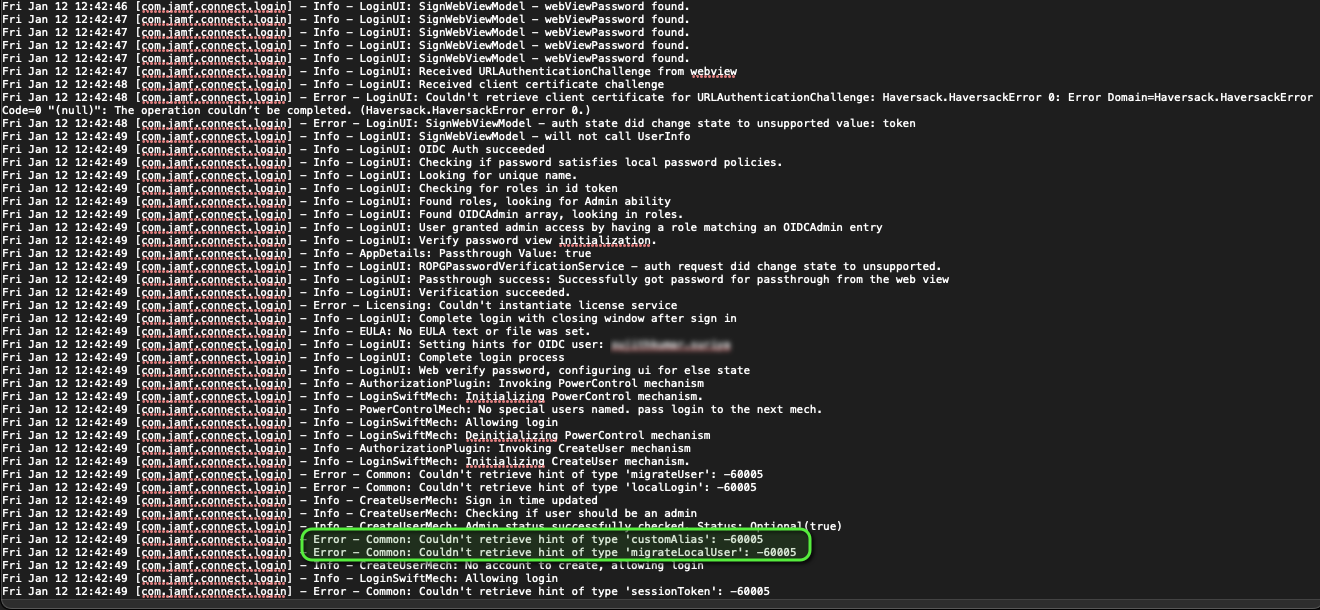
According to logs from this location /private/tmp/jamf_login.log it seems like JC is throwing error as shown below and I suspect migrate key isn't working as expected. please assist if you are aware of this issue. 


Forum|alt.badge.img+1
  • New Contributor
  • Mar 11, 2024 12:22 PM UTC

According to logs from this location /private/tmp/jamf_login.log it seems like JC is throwing error as shown below and I suspect migrate key isn't working as expected. please assist if you are aware of this issue. 


We are on the same phase, getting the same error, did you got any solution for this?