Question

Jamf Connect Login Window error

  • January 2, 2024
  • 11 replies
  • 404 views

Forum|alt.badge.img+13

I was setting up Jamf Connect on a device and was going through the steps but I signed in to the Menu Bar item and think it may have messed things up. When I logged out to get to the login window, I'm getting this error below:
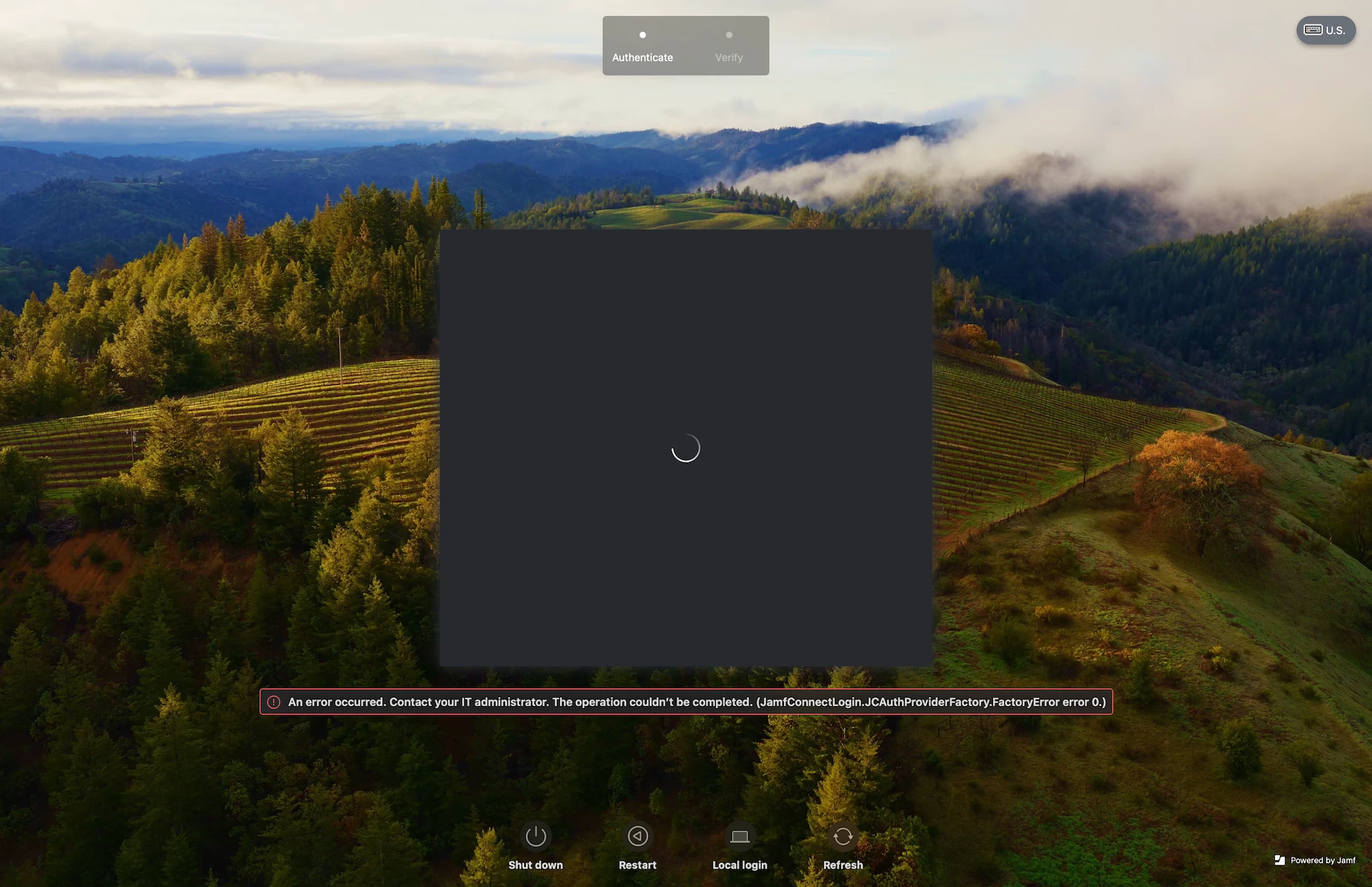
"An error occurred. Contact your IT administrator. The operation couldn't be completed. (JamfConnectLogin.JCAuthProviderFactory.FactoryError error 0.)"

To see if it was the Menu Bar item that messed it up, I was trying to log out but for the life of me can't find a way to log out/reset it back to a blank state.

I'm running:

  • Jamf Connect 2.30.0
  • macOS Sonoma 14.2.1

11 replies

AJPinto
Forum|alt.badge.img+26
  • Legendary Contributor
  • January 2, 2024

How are you creating the configuration profiles for Jamf Connect? Jamf Recommends using the JAMF Connect Configuration application if you are not using that already.


Forum|alt.badge.img+13
  • Author
  • Valued Contributor
  • January 5, 2024

How are you creating the configuration profiles for Jamf Connect? Jamf Recommends using the JAMF Connect Configuration application if you are not using that already.


We use the Jamf Connect configuration app for the profile


Forum|alt.badge.img+2
  • New Contributor
  • January 10, 2024

I am getting the same error as you @PhillyPhoto with the same OS and Connect version. I am using pre stages to enroll the newly imaged device. I will let you know if I figure out the issue.


Forum|alt.badge.img+13
  • Author
  • Valued Contributor
  • January 12, 2024

I am getting the same error as you @PhillyPhoto with the same OS and Connect version. I am using pre stages to enroll the newly imaged device. I will let you know if I figure out the issue.


So I was able ot reproduce this. This happens when you do NOT have a login profile installed AND the authbroker is set to Jamf Connect. You can either install a login profile or run the authbroker reset command.


Forum|alt.badge.img+2
  • New Contributor
  • January 12, 2024

@PhillyPhoto jamf connect dropped a new version yesterday and I am no longer seeing the error. Have you tried using the new jamf connect v.2.31.0 and updated launch agent?


TechGuy77
Forum|alt.badge.img+1
  • New Contributor
  • January 25, 2024

So I was able ot reproduce this. This happens when you do NOT have a login profile installed AND the authbroker is set to Jamf Connect. You can either install a login profile or run the authbroker reset command.


what is the full command for authbroker reset? I can't find any reference to that command. Thanks


Forum|alt.badge.img+2
  • New Contributor
  • February 12, 2024

I'm also having this issue. I'm running v 2.32.0 and still having it.


Forum|alt.badge.img
  • New Contributor
  • February 12, 2024

what is the full command for authbroker reset? I can't find any reference to that command. Thanks


I think they might have meant to say ‘authchanger’.


/usr/local/bin/authchanger -reset -JamfConnect


Forum|alt.badge.img+1
  • New Contributor
  • February 29, 2024

Up to that. I can't make it work.


Forum|alt.badge.img+3
  • New Contributor
  • April 5, 2024

Hi guys I have exactly the same problem. When I logged out to get to the login window, I'm getting this error.

With jamf connect version 2.33.
Has anyone solved the problem?

(JamfConnectLogin.JCAuthProviderFactory.FactoryError error 0.)


Steez
Forum|alt.badge.img+3
  • New Contributor
  • April 25, 2024

I ran into the same issue and PhillyPhoto's comment: "So I was able to reproduce this. This happens when you do NOT have a login profile installed AND the authbroker is set to Jamf Connect. You can either install a login profile or run the authbroker reset command." prompted me to resolve it.

It might not be relevant to other cases but what I had done prior to this breaking is omit our local service account that's created during enrollment from the scoping of our Jamf Connect Configuration Profiles and Launch Agent Policy. I have also configured our Macs to not allow Guest Accounts or to create Local Accounts outside of the Jamf Connect Login Window. Removing the omission of our Admin Service account from the scope of our Jamf Connect Configurations resolved the issue.

Does this only occur for newly enrolled devices or is it impacting your entire fleet, including devices it was previously working for?