Solved

Jamf Connect Menubar and Google

  • Feb 26, 2022 3:42 AM UTC
  • 11 replies
  • 145 views

KyleEricson
Forum|alt.badge.img+17

I thought I had the password syncing working in Jamf Connect with Google but it seems I don't.

When I log in to the Mac via Jamf Connect Google I click the Connect button on Jamf Connect Menubar and I get this error.
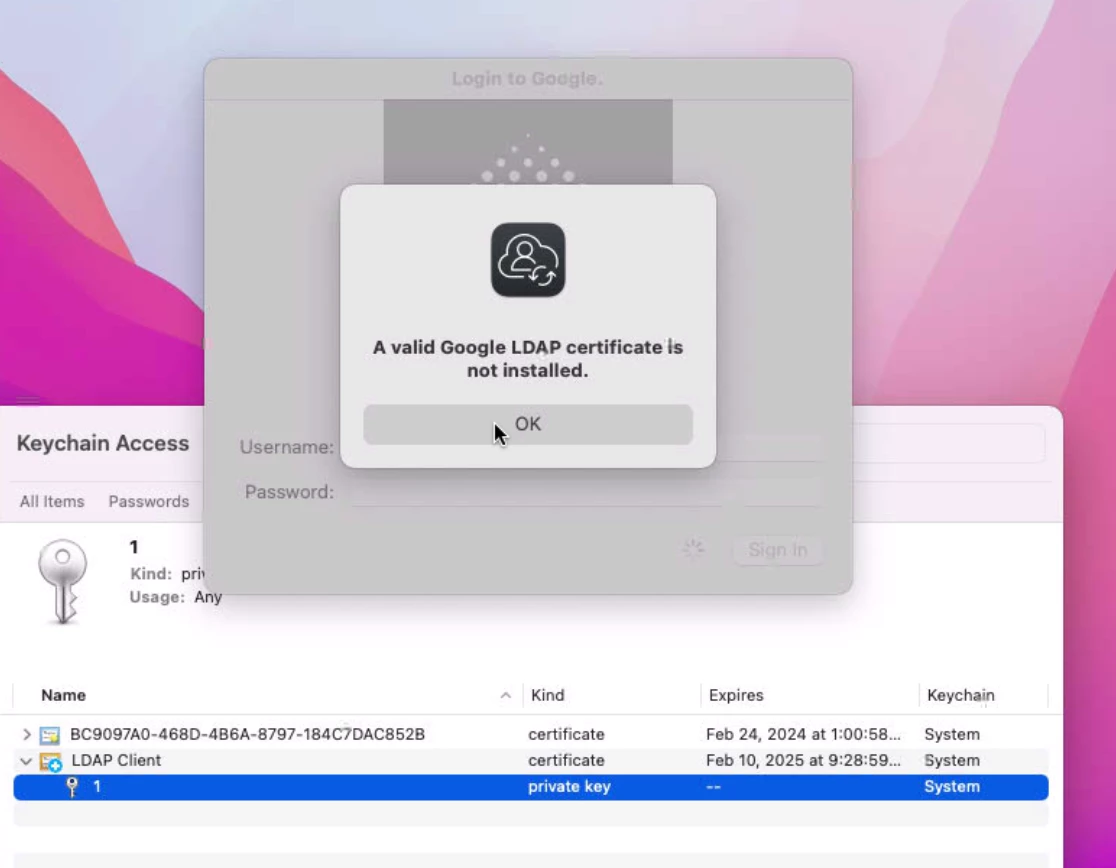
Yes, the cert deployed via Jamf Pro is set to Allow all app access.
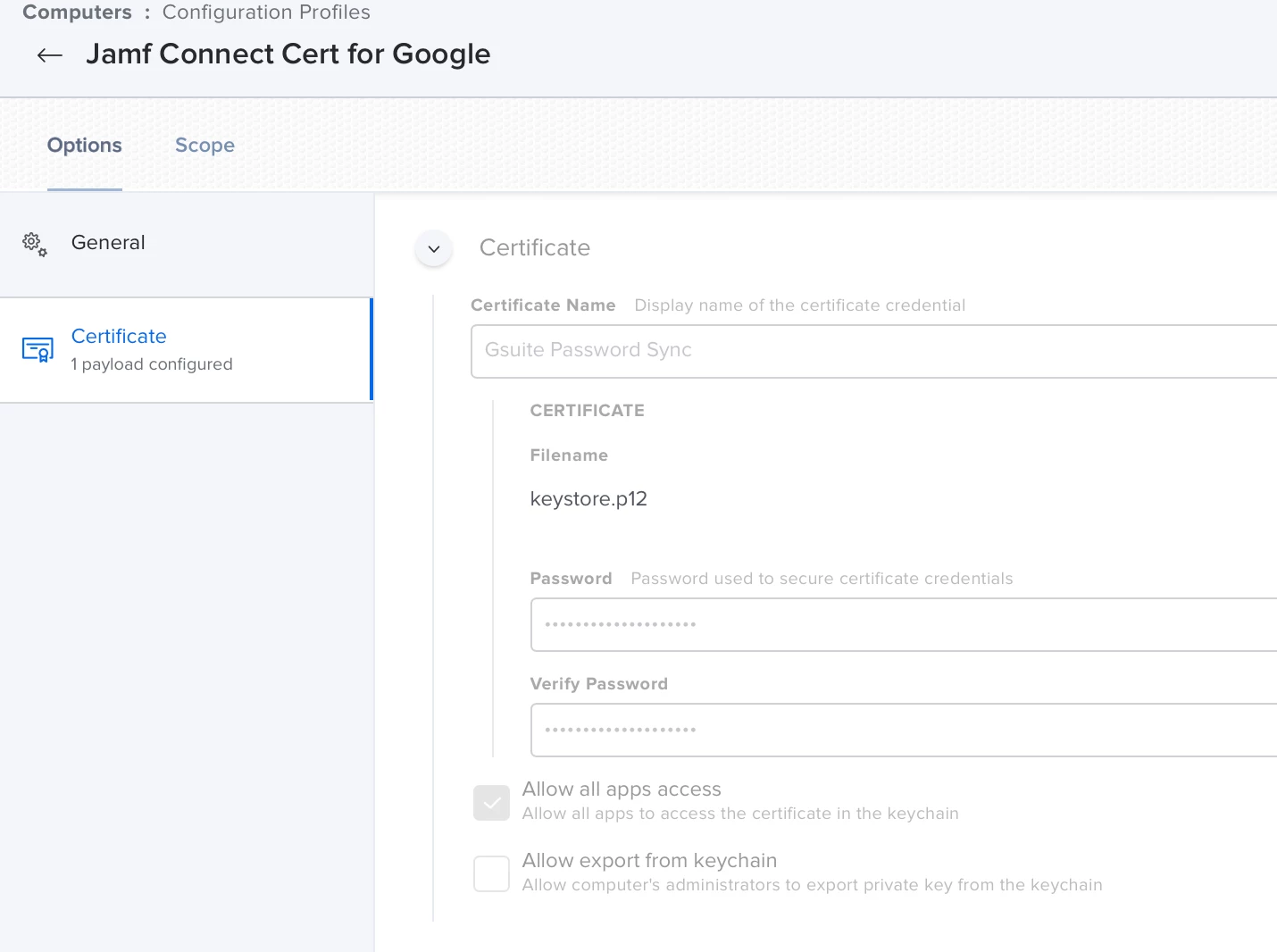
 

I have also tested running this command in terminal via @rabbitt 

LDAPTLS_IDENTITY="LDAP Client" ldapsearch -uLLL -w USERPASSWORDGOESHERE -D 'USERNAME@GOOGLEDOMAIN.EXT' -H ldaps://ldap.google.com -b 'dc=USERNAME@GOOGLEDOMAIN.EXT'

I get this error when running this with my username and password replaced above.


I have re-created the LDAP cert in Google over 4 times and Yes it's turned on.
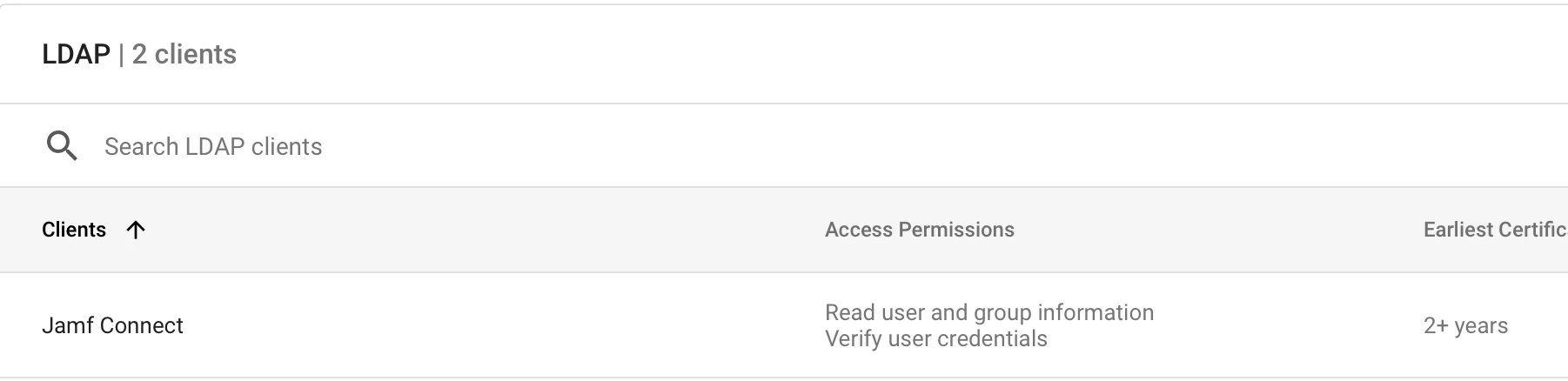
 

Is there anything else I'm missing to make this work?

Best answer by KyleEricson

The issue was express VPN turned on, switched off and everything started working.

View original

11 replies

KyleEricson
Forum|alt.badge.img+17
  • Author
  • Valued Contributor
  • Answer
  • Feb 26, 2022 4:50 AM UTC

The issue was express VPN turned on, switched off and everything started working.


ejadadic
Forum|alt.badge.img+10
  • Contributor
  • May 25, 2022 3:36 AM UTC

@KyleEricson we have an issue it doesnt auto prompt so sync the local and Idp password once the user is logged in. If I press manually Connect in the menu bar and type the credentials that is fine but shouldn't do it automatically?


KyleEricson
Forum|alt.badge.img+17
  • Author
  • Valued Contributor
  • May 27, 2022 4:20 AM UTC

Yeah it should auto do this make sure you are on the newest version of Jamf Connect @ejadadic 


Forum|alt.badge.img+3
  • New Contributor
  • Sep 28, 2023 5:03 PM UTC

The issue was express VPN turned on, switched off and everything started working.


hey @KyleEricson ,

where do you want to Turn off the VPN?

Please see the attached screenshot


Forum|alt.badge.img+3
  • New Contributor
  • Sep 28, 2023 5:04 PM UTC

hey @KyleEricson ,

where do you want to Turn off the VPN?

Please see the attached screenshot


KyleEricson
Forum|alt.badge.img+17
  • Author
  • Valued Contributor
  • Sep 28, 2023 5:04 PM UTC

hey @KyleEricson ,

where do you want to Turn off the VPN?

Please see the attached screenshot


Depends on where your VPN is.


Forum|alt.badge.img+3
  • New Contributor
  • Sep 28, 2023 5:14 PM UTC

Depends on where your VPN is.


Hey @KyleEricson , 

@KyleEricson Thank you for your quick response, I tried to find it on your Blog, But can't find it, if you can guide me here would really appreciate it. 


ejadadic
Forum|alt.badge.img+10
  • Contributor
  • Sep 28, 2023 5:22 PM UTC

Can confirm this was resolved after engaging with the slack community.


Forum|alt.badge.img

Any resolution you can share with us? 


AleRosmo
Forum|alt.badge.img+4
  • New Contributor
  • Oct 31, 2023 3:34 PM UTC

Can confirm this was resolved after engaging with the slack community.


Can you kindly please share it?


AleRosmo
Forum|alt.badge.img+4
  • New Contributor
  • Oct 31, 2023 3:46 PM UTC

In another post here in Jamf Community there is the solution:

https://community.jamf.com/t5/jamf-connect/google-ldap-certificate-troubleshooting/td-p/301625


.p12 keystore must be generated with the option

-legacy