
Question

Jamf Connect Random Lockout

  • March 31, 2026
  • 4 replies
  • 73 views

Forum|alt.badge.img+4

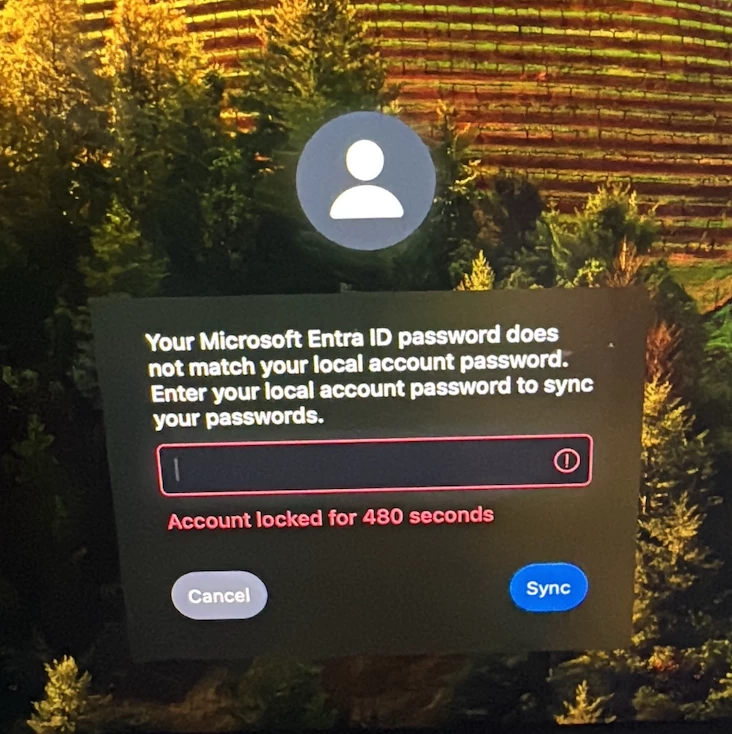
My Jamf Connect environment is interfaced with Entra ID. In our testing and pilot phases the deployment went well. However, now that I’m deploying to production we’ve had a sporadic issue where the Jamf Connect login window will claim that the network password doesn’t match the local password and also temporarily locks the account. The user might have to reboot and try again to get it. Anybody else deal with this?

 

4 replies

Chubs
Forum|alt.badge.img+24
  • Jamf Heroes
  • March 31, 2026

Seen something similar… did your license lapse even for a little bit at all?  JC configuration profiles are all up to date on the device(s)?


Forum|alt.badge.img+4
  • Author
  • Contributor
  • March 31, 2026

The license should be current on all devices.


Chubs
Forum|alt.badge.img+24
  • Jamf Heroes
  • March 31, 2026

The license should be current on all devices.

Should be, but was it renewed recently?  Are you sure that your configuration profiles are hitting them correctly?  We had a handful of devices not getting their configuration due to expired MDM certs (go to the Management tab on the device and there are zero MDM commands at the top).


Forum|alt.badge.img+3
  • New Contributor
  • April 2, 2026

I’ve run into this when the local login password / login keychain state drifts just enough that Jamf Connect thinks the network and local passwords no longer match.

Before going too far down the licensing path, I’d test one affected Mac by re-syncing the login keychain password (or recreating the login keychain if it won’t unlock cleanly) and then seeing whether the lockout stops.

Steps here: Change your keychain password to match with your login password.

If that stabilizes an affected machine, I’d look next at what’s changing the local password state around sign-in rather than the IdP auth itself.