Question

Jamf Pro 10.42 Now Available

  • October 19, 2022
  • 35 replies
  • 273 views

Show first post

35 replies

Forum|alt.badge.img+4
  • Contributor
  • October 28, 2022

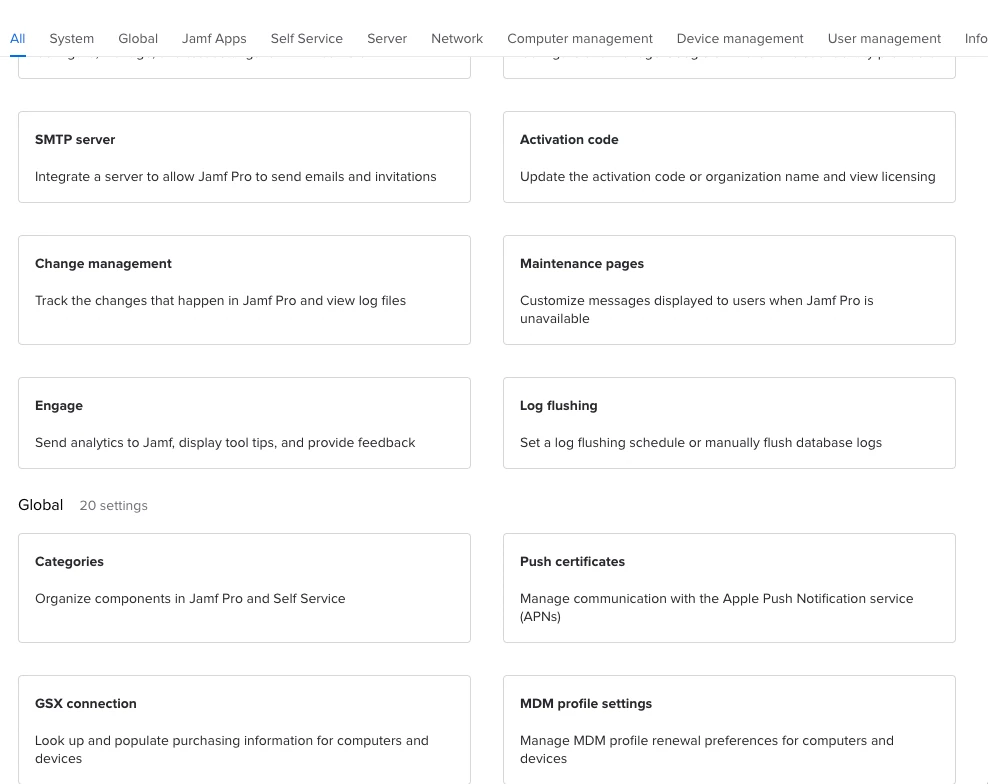
Who made this change and said "yeah this looks better??"


I totally agree. Why take something that was intuitive and people are familiar with and turn it into something totally confusing, half-baked and honestly it doesn't look good. Please bring back the old design.

And honestly you guys at JAMF should spend your time fixing your buggy system and adding useful things like a UI for the Managed login items instead of wasting it on something that nobody asked for.


jamf-42
Forum|alt.badge.img+17
  • Esteemed Contributor
  • October 28, 2022

I totally agree. Why take something that was intuitive and people are familiar with and turn it into something totally confusing, half-baked and honestly it doesn't look good. Please bring back the old design.

And honestly you guys at JAMF should spend your time fixing your buggy system and adding useful things like a UI for the Managed login items instead of wasting it on something that nobody asked for.


Why take something that was intuitive and people are familiar with and turn it into something totally confusing, half-baked”


System Settings 🙄


Forum|alt.badge.img+4
  • Contributor
  • October 28, 2022

Why take something that was intuitive and people are familiar with and turn it into something totally confusing, half-baked”


System Settings 🙄


I meant design/UI-wise.


Forum|alt.badge.img+7
  • Contributor
  • October 28, 2022

I totally agree. Why take something that was intuitive and people are familiar with and turn it into something totally confusing, half-baked and honestly it doesn't look good. Please bring back the old design.

And honestly you guys at JAMF should spend your time fixing your buggy system and adding useful things like a UI for the Managed login items instead of wasting it on something that nobody asked for.


Wholeheartedly agree with you.


Forum|alt.badge.img+1

Is anyone else experiencing issues with device records not pulling up in 10.42.0?  The web page just spins when opening certain device records.


Forum|alt.badge.img+7
  • Contributor
  • October 28, 2022

Is anyone else experiencing issues with device records not pulling up in 10.42.0?  The web page just spins when opening certain device records.


Yes, we have multiple S/N we can't load, and I have an active ticket with Jamf to fix this. First they asked if they could take down our Jamf instance to fix the issue, I said yes, then I got a reply from another staff asking me to do more troubleshooting instead of taking down the instance to fix the problem.

Really wonder sometimes about their support. 


Forum|alt.badge.img+1

Yes, we have multiple S/N we can't load, and I have an active ticket with Jamf to fix this. First they asked if they could take down our Jamf instance to fix the issue, I said yes, then I got a reply from another staff asking me to do more troubleshooting instead of taking down the instance to fix the problem.

Really wonder sometimes about their support. 


I am chatting with support now and this is the response I got:

Can we grab screenshots of this behavior? Unfortunately, this is a known issue that has started to occur after we updated Jamf Pro to 10.42At the moment, there is no PI for this issue since this issue is fairly new. We also do not have any information regarding a timeline but are aware that a fix is being worked on at the moment. At the moment we are unaware of a workaround. We can try enabling “Debug mode” within Jamf Pro Settings > Information > Jamf Pro Server Logs. We can try to navigate to the device record to see if it will load.


Forum|alt.badge.img+7
  • Contributor
  • October 28, 2022

I am chatting with support now and this is the response I got:

Can we grab screenshots of this behavior? Unfortunately, this is a known issue that has started to occur after we updated Jamf Pro to 10.42At the moment, there is no PI for this issue since this issue is fairly new. We also do not have any information regarding a timeline but are aware that a fix is being worked on at the moment. At the moment we are unaware of a workaround. We can try enabling “Debug mode” within Jamf Pro Settings > Information > Jamf Pro Server Logs. We can try to navigate to the device record to see if it will load.


That is so lame and terrible service for a paid product. If the changes you introduced cause database issues, revert the changes, don't put everyone in limbo "until a fix is ready".

I did all that, debug mode, sent server logs, etc. 


Forum|alt.badge.img+1

That is so lame and terrible service for a paid product. If the changes you introduced cause database issues, revert the changes, don't put everyone in limbo "until a fix is ready".

I did all that, debug mode, sent server logs, etc. 


Support has given us a workaround for the issue we are seeing when some device records are viewed in Jamf Pro, they spin infinitely and never load. There is now a Product Issue PI110632 for this issue.  The workaround is running a MySQL query to update the "Priority" column for devices that do not have a priority.  Essentially the MySQL query will just update the affected table's priority to have a priority.


Forum|alt.badge.img+14
  • Valued Contributor
  • November 3, 2022

Rough update for us. First, package downloads broke with error -1200. Word from our onsite applications support group and a few calls with Jamf was that the cipher suite needed updating. We get that addressed after almost a week of trying to get the right assistance from Jamf and now we're seeing the problem of not being able to pull up device info on various iPads. Hoping 10.42.1 fixes this.