Question

Jamf Pro 11 Dark Mode?

  • October 30, 2023
  • 29 replies
  • 160 views

JKingsnorth
Forum|alt.badge.img+7

Not really sure what the point of having a pure white and blinding GUI is but I can't seem to find where to turn on Dark Mode with the new v11 update.

Also find the new GUI to be very difficult to use with everything looking the exact same. 

29 replies

jamf-42
Forum|alt.badge.img+17
  • Esteemed Contributor
  • October 30, 2023

Forum|alt.badge.img+17
  • Valued Contributor
  • October 30, 2023

I agree. Big miss on QOL for Jamf Admins with this update and no dark mode or theme options. 


Forum|alt.badge.img+1
  • New Contributor
  • October 30, 2023

I also find the new interface to be difficult to use with no perceived benefit.  my dashboard view has so much wasted space with useless information.


Would 10 of 10 like to have a button to switch back


Forum|alt.badge.img+2
  • New Contributor
  • October 30, 2023

Commenting here to agree. We need a dark mode option.


Forum|alt.badge.img+1
  • New Contributor
  • October 30, 2023

Agreed, must have DARK MODE!! The new GUI is harmful to my eyes. 


DJ_macneb
Forum|alt.badge.img+1
  • New Contributor
  • October 30, 2023

Jamf Pro 11 Hurts my eyes! 😎


Forum|alt.badge.img+3
  • New Contributor
  • October 30, 2023

Don't be like Microsoft, don't make us suffer unnecessarily. My poor eyes are burning!! 


TechGuy77
Forum|alt.badge.img+1
  • New Contributor
  • October 30, 2023

Oh come on JAMF Devs....a new release without dark mode built-in already? Now I have to either wait for you to fix this or write my own theme and inject it with stylus. Ugh....total failure to not include this from day one. 


Forum|alt.badge.img+4
  • Contributor
  • October 30, 2023

Dark Reader works well, for now


Forum|alt.badge.img
  • New Contributor
  • October 30, 2023

Are the dev's coding on the beach with a beer in their hands? How can you not have dark mode by default today...now i have to leave my basement and go outside just to be able to stand looking at the JAMF dashboard without burning my eyes out...


TechGuy77
Forum|alt.badge.img+1
  • New Contributor
  • October 30, 2023

Dark Reader works well, for now


Yep this is what I went back too as my Stylus css was no longer working either. As long as I have dark mode is all that matter. 


Forum|alt.badge.img+2
  • New Contributor
  • October 30, 2023

If you're using Chrome you can enforce browser-wide dark mode with `chrome://flags/#enable-force-dark` 

It's a little bit janky but it is a dramatic improvement over the blinding doom of the Jamf Pro 11 interface/


Forum|alt.badge.img+1
  • New Contributor
  • October 30, 2023

Also super interested in native dark mode!


Forum|alt.badge.img+2
  • New Contributor
  • October 30, 2023

Oh also: remember to vote for Dark Mode in ideas — https://ideas.jamf.com/ideas/JN-I-15903


mm2270
Forum|alt.badge.img+24
  • Legendary Contributor
  • October 30, 2023

Dark Reader works well, for now


I wish this were the case, but for me at least, using the Dark Reader extension, the entire sidebar vanishes. It's there and can be clicked on, but it's not visible at all. As soon as I toggle the Dark Reader item off, the sidebar reappears in all it's blinding white glory.

Seems like this dark mode needs to come from Jamf. Why this wasn't included in the initial release of 11.x I don't know. I mean, did Jamf just forget that there was an old feature request from several years back already asking for a dark mode UI? It sure seems like that was forgotten.


Forum|alt.badge.img+1
  • New Contributor
  • October 30, 2023

+1 Dark Mode
I logged in today and was blinded. Everything is harder to see.


JonGaston
Forum|alt.badge.img
  • New Contributor
  • October 30, 2023

please do DM, My eye's can't take it very long.


Jay_007
Forum|alt.badge.img+7
  • Valued Contributor
  • October 30, 2023

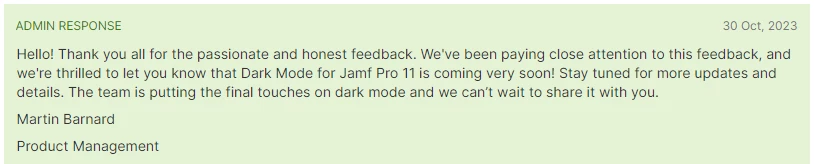
It's coming :)


mm2270
Forum|alt.badge.img+24
  • Legendary Contributor
  • October 30, 2023

It's coming :)


That’s excellent news! Thanks for sharing that @Jay_007 


Forum|alt.badge.img+20
  • Valued Contributor
  • October 31, 2023

Thank God I can look at JAMF without getting a scorching migraine. The white and blue are border line torture.


DJ_macneb
Forum|alt.badge.img+1
  • New Contributor
  • October 31, 2023

Found a suitable dark mode extension that displays MOST of the Jamf Interface properly. 

https://chrome.google.com/webstore/detail/dark-theme-for-google-chr/annfbnbieaamhaimclajlajpijgkdblo?utm_source=ext_sidebar&hl=en-US


jrocket9779
Forum|alt.badge.img
  • New Contributor
  • November 6, 2023

Absolutely, I need contrast, its distracting having it all white and blah. Bring Dark mode back please!


Forum|alt.badge.img+2
  • New Contributor
  • November 6, 2023

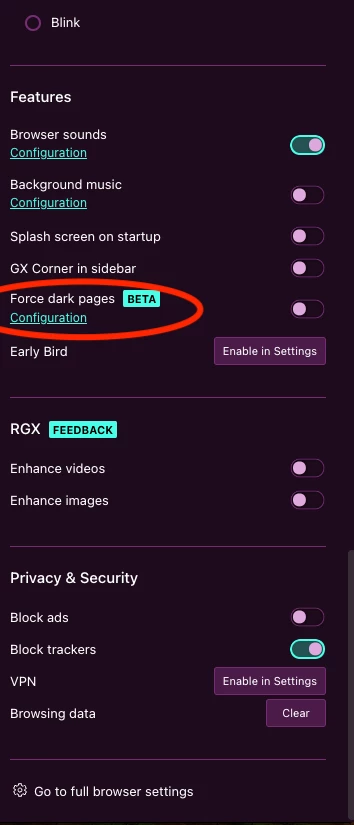
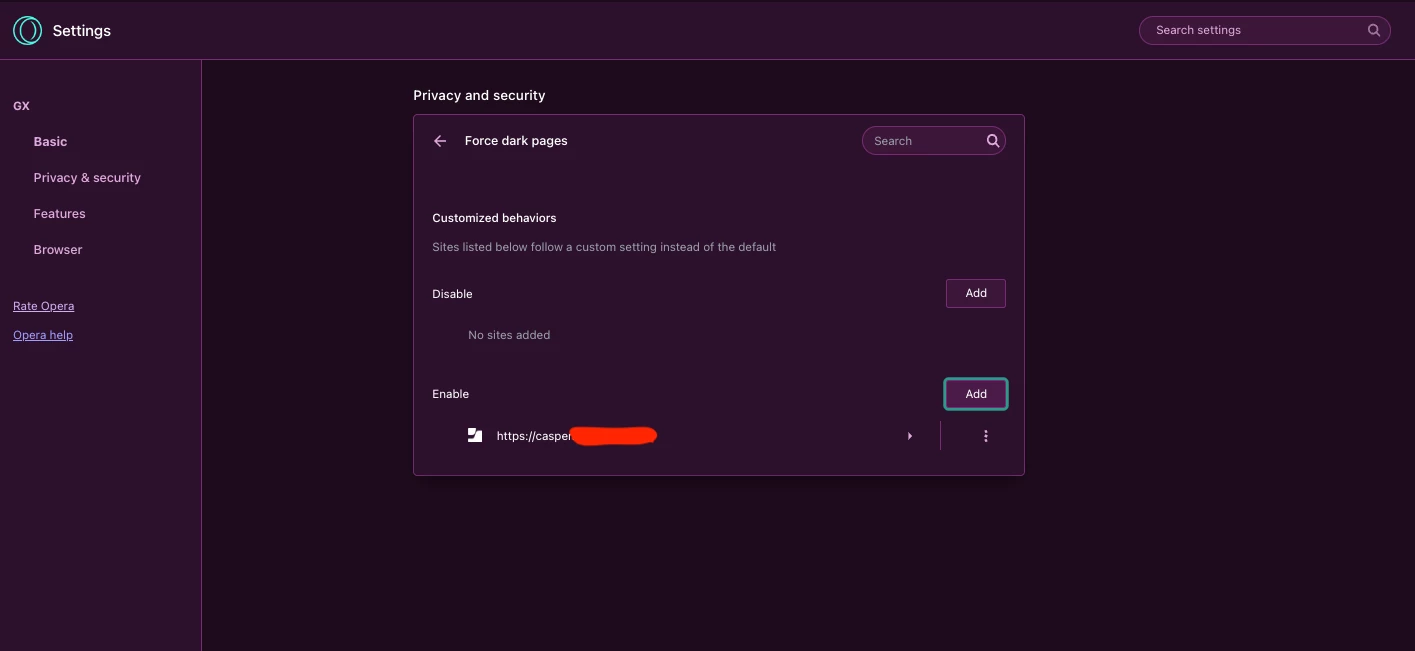
One way I am currently able to have Jamf Pro in dark mode is using the Opera GX browser which has a toggle switch to toggle on dark mode. If you don't want dark mode on everything, you can just put the URL for your Jamf Pro instance under the "enable" section for dark mode, then only Jamf Pro will run dark mode. Works for now


Forum|alt.badge.img+1
  • New Contributor
  • November 7, 2023

I have my system settings (Windows 11) set to dark. Then in chrome, I went to "chrome://flags", searched for dark mode, then selected "Enabled" to enable dark mode on web pages. This allows JAMF Pro 11 to be viewed in dark mode at all times. This is a work around, but it works for me. Hope this helps someone. It would be best if JAMF would make this an option. Oh well.


juliangerber
Forum|alt.badge.img+1
  • New Contributor
  • December 4, 2023

I don't like the new design, and without dark mode i start to hate my job now