Solved

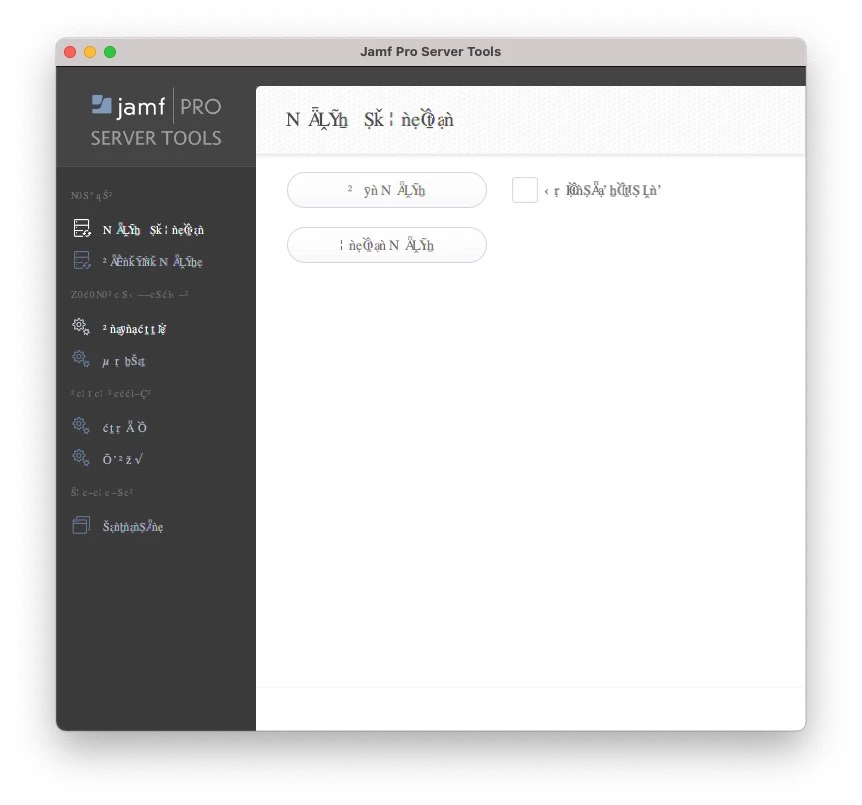
Jamf Pro Server Tools GUI

  • July 19, 2021
  • 3 replies
  • 19 views

Forum|alt.badge.img+6

Anyone encountered this issue before? How can we get it to show the correct fonts properly?

Best answer by c_archibald

If you submit a ticket, it's a JAVA issue. We had it 2 different times. Think part of it was a specific GUI version also. Check to see both are most recent. If you still have the issue, fill out a ticket.

3 replies

Forum|alt.badge.img+11
  • Contributor
  • July 19, 2021

That looks like a language setting. You sure you have your Language for your login set to English? You can find that in Account preferences 


Forum|alt.badge.img+7
  • Valued Contributor
  • Answer
  • July 19, 2021

If you submit a ticket, it's a JAVA issue. We had it 2 different times. Think part of it was a specific GUI version also. Check to see both are most recent. If you still have the issue, fill out a ticket.


AJPinto
Forum|alt.badge.img+26
  • Legendary Contributor
  • July 20, 2021

If you have not done so already I would suggest reinstalling Java and replacing the Server Tools. If you are not running Amazon Corretto take the time to install that instead since JAMF is recommending that instead of Oracle Java now.
