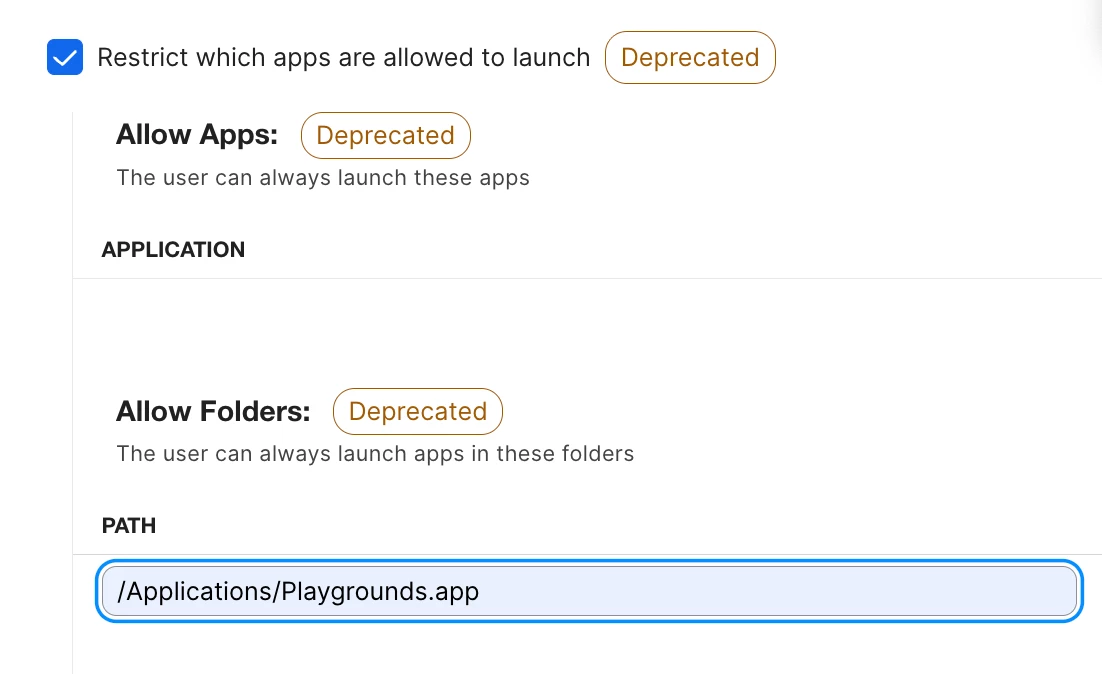
I have created a configuration profile in Jamf Pro for MacBooks that we are deploying as part of a prison education program. Because of the environment, these devices are locked down fairly tightly with several restrictions in place.
We have deployed Swift Playgrounds to all of the MacBooks through Jamf, and the application is installing successfully and appearing in the Applications folder. However, when I go to Restrictions > Applications > Allow Apps within the configuration profile, Swift Playgrounds does not appear as an available application to select.
Since the application was downloaded through Jamf and successfully pushed to the devices, I am not sure why it is not being recognized in the Allow Apps list.
Do you have any suggestions on what I may be missing or how I can get Swift Playgrounds to appear as an available application in the restriction settings?
Any advice would be greatly appreciated.