Question

Jamf School - Cannot update iOS27.01

  • Oct 1, 2026 9:08 AM UTC
  • 7 replies
  • 344 views

Forum|alt.badge.img+6

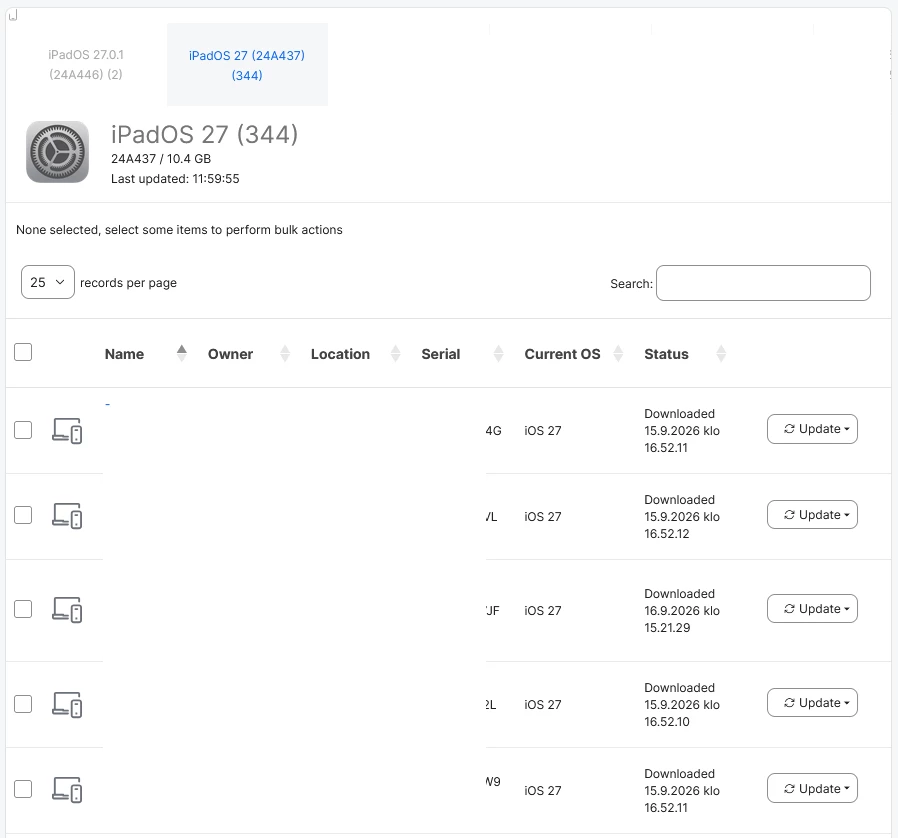
Cannot update devices from iOS 27 to 27.0.1. All iOS 27 devices are still shown under iOS Update 27, even though they have already been updated to version 27. Only iOS 26.x devices can be updated to 27.0.1.

 

7 replies

angryant
Forum|alt.badge.img+5
  • Contributor
  • Oct 1, 2026 9:55 AM UTC

GregBobbett
Forum|alt.badge.img+13
  • Jamf Heroes
  • Oct 1, 2026 12:49 PM UTC

As Angryant said. Jamf School removed the ability to use the ‘Updates’ section for 27 and later. The Devices > Updates page in Jamf School uses legacy MDM commands (specifically Apple's ‘AvailableOSUpdates’ query and ‘ScheduleOSUpdate’ command) to find available updates and push them to devices. Apple removed support for these MDM commands in iOS 27 and iPadOS 27. Without those commands, Jamf School has no way to check devices for available updates or trigger installations from that page.

Also see: iOS and iPadOS Updates • Jamf School Documentation • Jamf Learning Hub


Forum|alt.badge.img+4
  • Contributor
  • Oct 29, 2026 1:23 PM UTC

My experience today with Blueprints suggests that it is buggy right now. Unclear if that is from iPadOS 27.0 or Jamf School. There is insufficient error reporting to know.

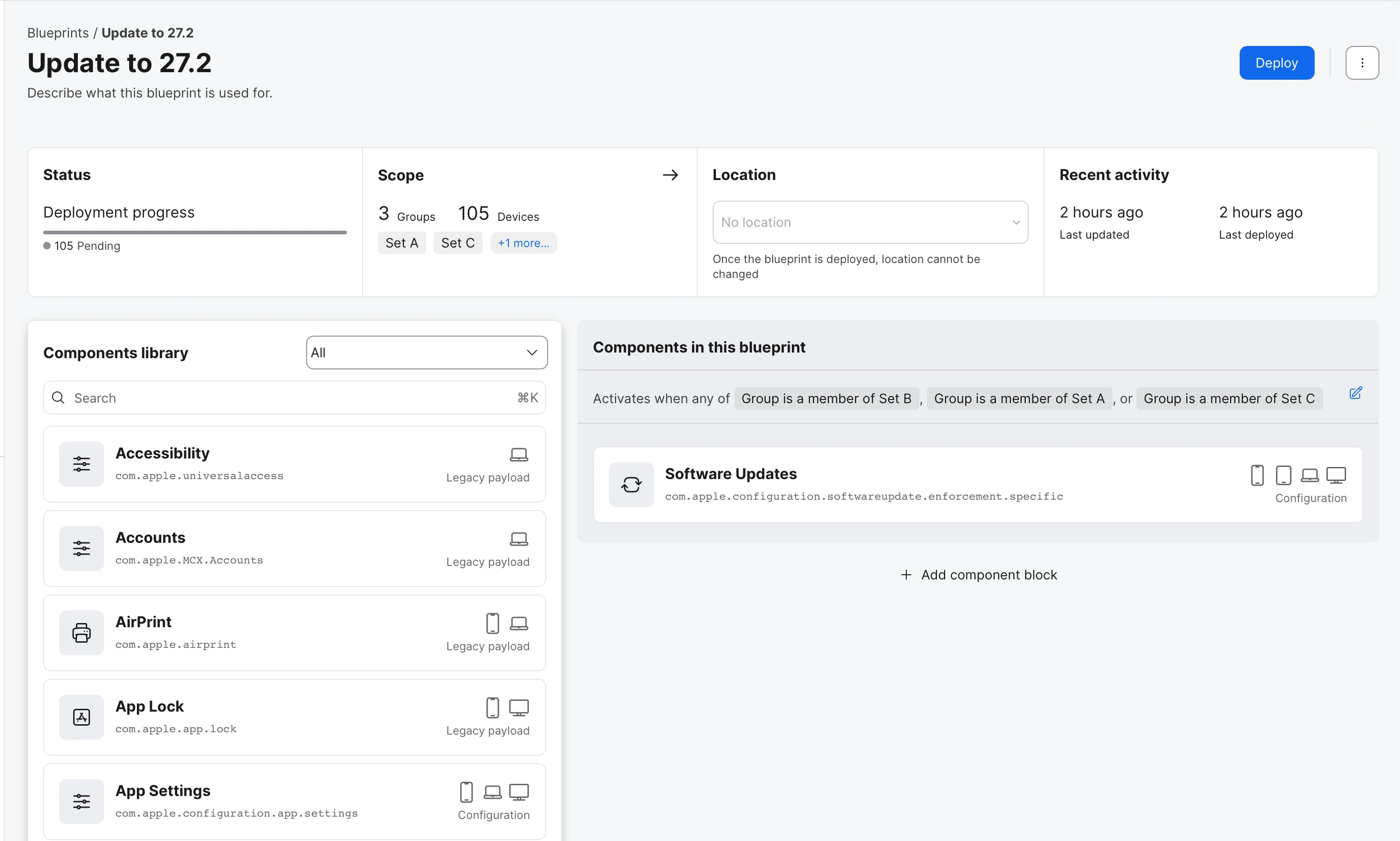
14 hours ago I set of the update to 27.2 as a Blueprint, most devices are running 27.09. 8 hours ago the issue was revisited. Updates are still pending. I see 105 pending on the blueprint with no change during this time.

There a several significant usability issues with the whole implementation that seriously need attention.

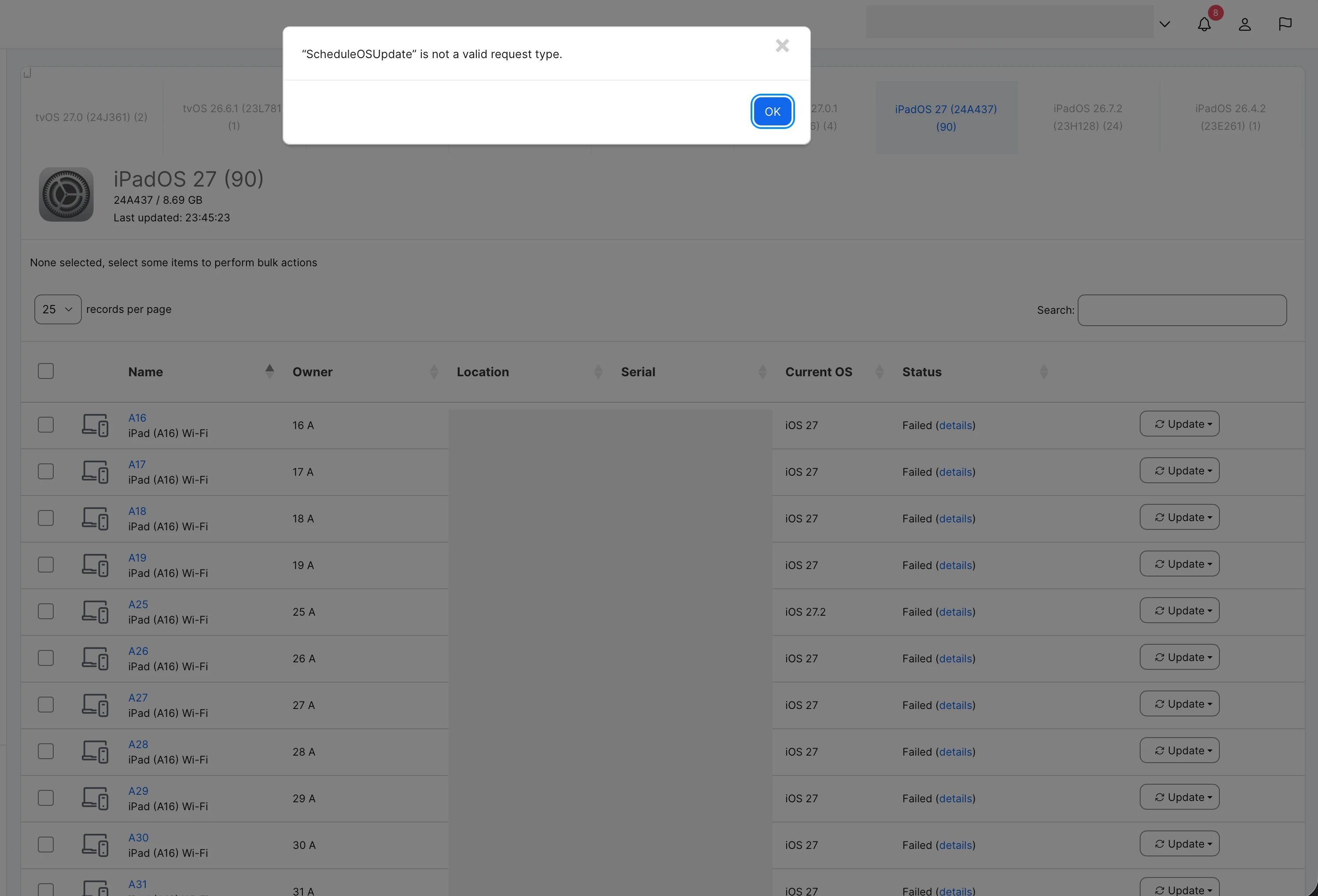
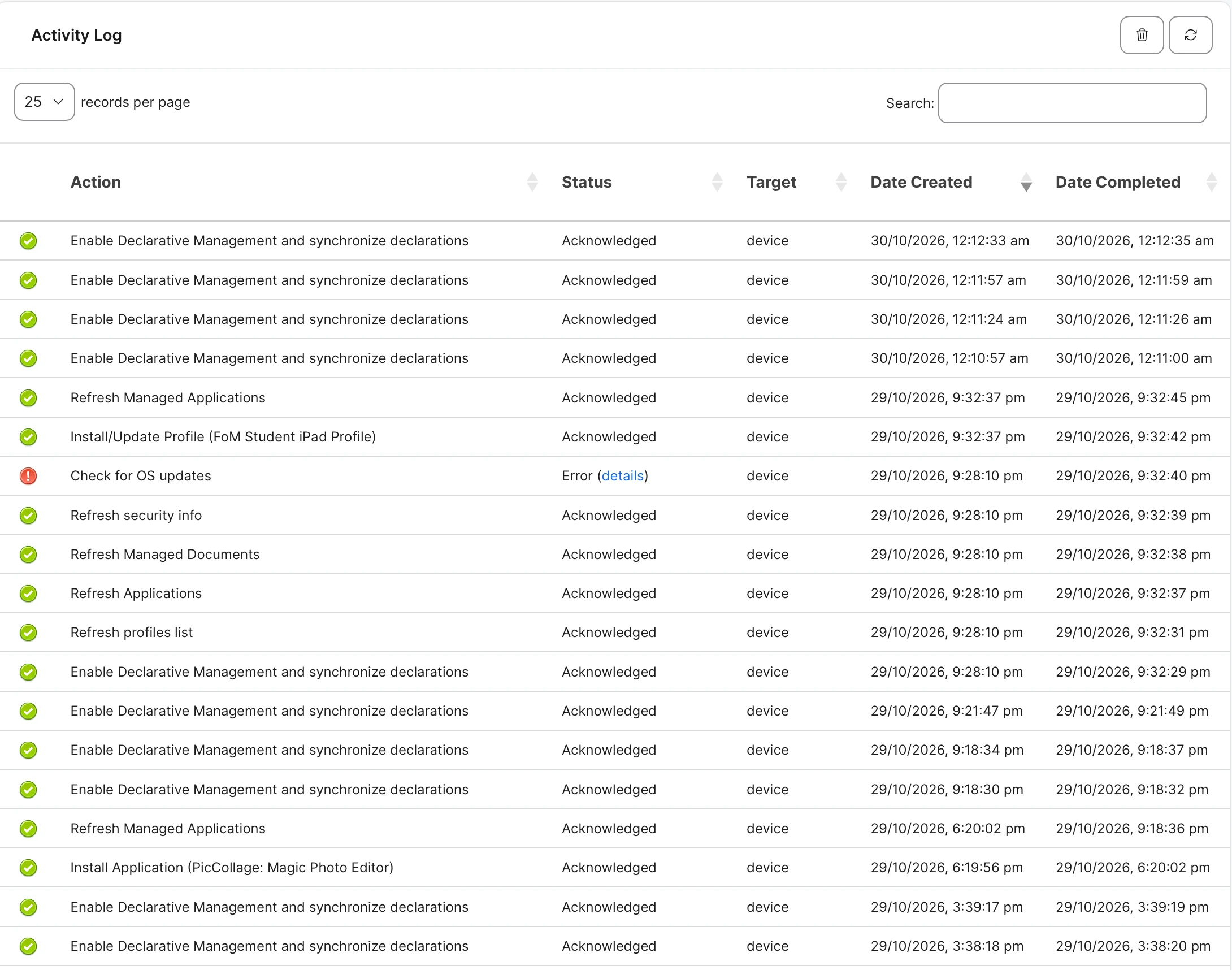
  1. Device > Inventory > Update reports that devices have failed and on inspection ScheduleOSUpdate is not a valid request type is return. This appears to be a pre-DDM device state and doesn’t seem to be validly reporting DDM device status. Inspection of the Activity Log shows that the device acknowledges the Blueprint request - Enabled Declarative Management and synchronise declarations. 
  2. Device > Inventory > Declarations has “No declarations to display”, I’m presuming that any DDM related state should be displayed here
  3. Blueprint > Status has two views associated one is deployment progress, the other shows 3 coloured states Deployed, Pending and Error - at present the information is not populated with actual values they are currently blank.

I now believe that the Devices > Inventory > Update and Devices > Updates are not currently compatible with DDM reporting given the ScheduleOSUpdate failure state.


Other general usability issues with Blueprints include:

  • If you accidentally or purposely update the component or rename the blueprint and have not yet deployed the updated blueprint, there is no way to observe the state of the existing blueprint. There is no undo action. There is no concept of a queue.
  • If you have a pending Blueprint and do make changes and deploy again, my understanding is that the system should preserve and expose the history of deployed revisions, including which revision has been superseded and which declaration state each device has reported, so if that is the case the state of all pending blueprints should be made visible and there is no concept of a version ID which could be reported in Activity Log ie. which version of the blueprint has been acknowledged by the device
  • At the top level, Blueprint state is not visible, you have to drill into each to view the state. Seems to be a missed opportunity to show the overall progress of the deployed blueprint. eg. Have all devices received and responded to the blueprint?

The fundamental issue is not simply that the software update has failed to proceed. It is that Jamf School provides insufficient visibility into the declarative management lifecycle to determine where the failure has occurred.

The Activity Log confirms that the device acknowledges the request to enable DDM and synchronise declarations. However, the device's Declarations inventory is empty, and the Blueprint reports all 105 devices as Pending.

There is no visible correlation between the Blueprint revision, the declarations generated by Jamf School, their delivery to the device, their activation state, and the device's subsequent execution or error reporting.


Forum|alt.badge.img+4
  • Contributor
  • Oct 29, 2026 2:00 PM UTC

Having thought further about the current state of Blueprints in Jamf School, and reflected on the differences between the Jamf Pro and Jamf School experiences, I've arrived at a question:

Has the shared Blueprint architecture retained the Jamf School requirement that administrators can inspect the current known deployment state of every device directly from the configuration being deployed?

Historically, Jamf School has presented the current known state of a configuration across its scope, with per-device visibility, error reporting and, in some cases, individual device controls.

With Blueprints, we now have an aggregate deployment status, but no direct view of which devices are deployed, pending or experiencing errors. Administrators must navigate to individual devices to investigate.

This feels like a significant design regression.

The distinction is important. Jamf School has traditionally presented administrators with what the system currently knows, rather than requiring them to go looking for that information.

DDM should make this model more effective, not less. The device takes greater responsibility for applying configurations and reporting its state, but that shouldn't mean administrators lose visibility into the deployment lifecycle.

A shared management architecture across Jamf Pro, School and Now makes sense. Losing the operational visibility that distinguished Jamf School does not.


angryant
Forum|alt.badge.img+5
  • Contributor
  • Oct 29, 2026 2:19 PM UTC

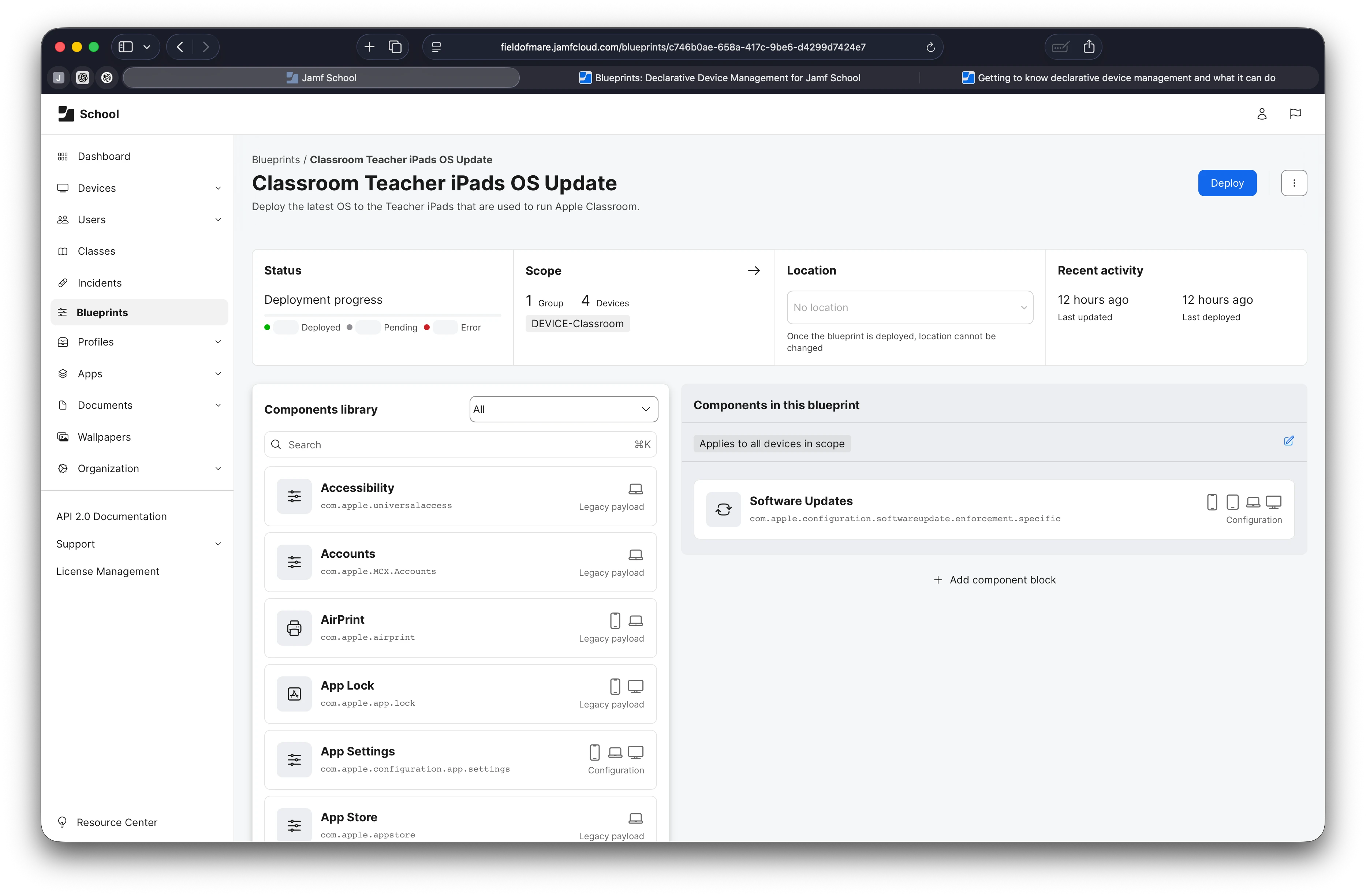
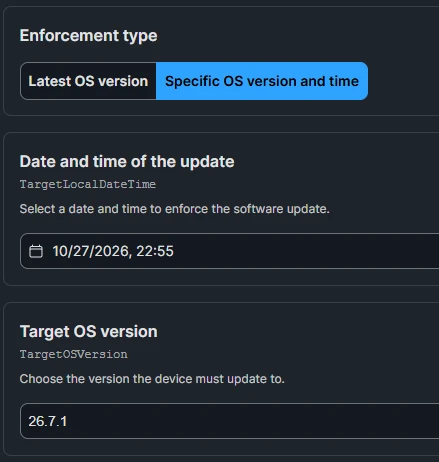
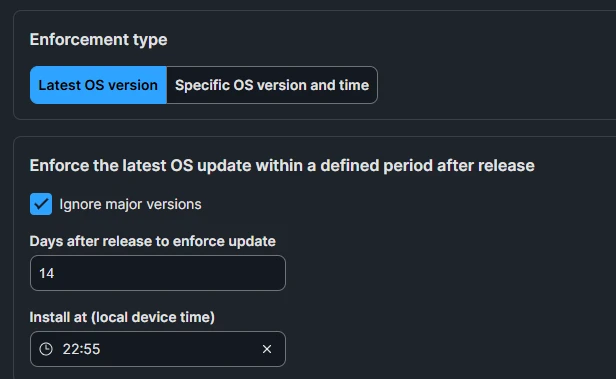
You havent include a photo of the Software Updates Settings, like these:

The update wont be enforced until the date and time you have specified in here.  Users on the devices will get notifications to update but it wont reboot and install until your enforcement time is reached.


angryant
Forum|alt.badge.img+5
  • Contributor
  • Oct 29, 2026 4:14 PM UTC

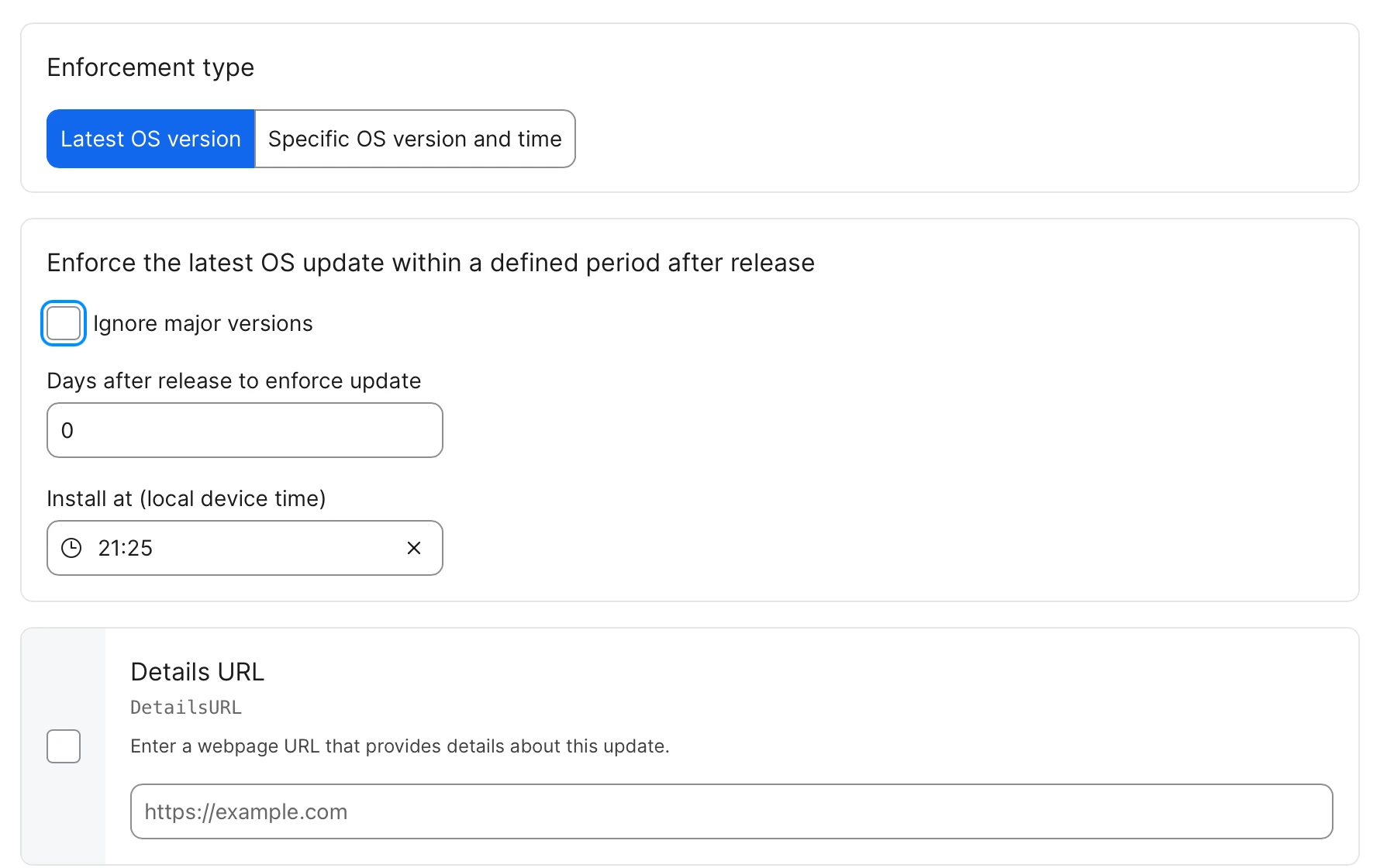
You havent include a photo of the Software Updates Settings, like these:

The update wont be enforced until the date and time you have specified in here.  Users on the devices will get notifications to update but it wont reboot and install until your enforcement time is reached.

Forgot to add the other settings with enforcement time and days after release.


Forum|alt.badge.img+4
  • Contributor
  • Oct 29, 2026 8:30 PM UTC

Was set at the time of creation.