Question

Jamf School is there a way of restricting a managed device to only use a managed apple ID

  • June 24, 2026
  • 2 replies
  • 14 views

Forum|alt.badge.img+3

Jamf School is there a way of restricting a managed device to only use a managed apple ID.


We are looking to go to managed apple Id’s with our Ipads and our New NEO’s. So we are interested if we can do this.

2 replies

Chubs
Forum|alt.badge.img+26
  • Jamf Heroes
  • June 24, 2026

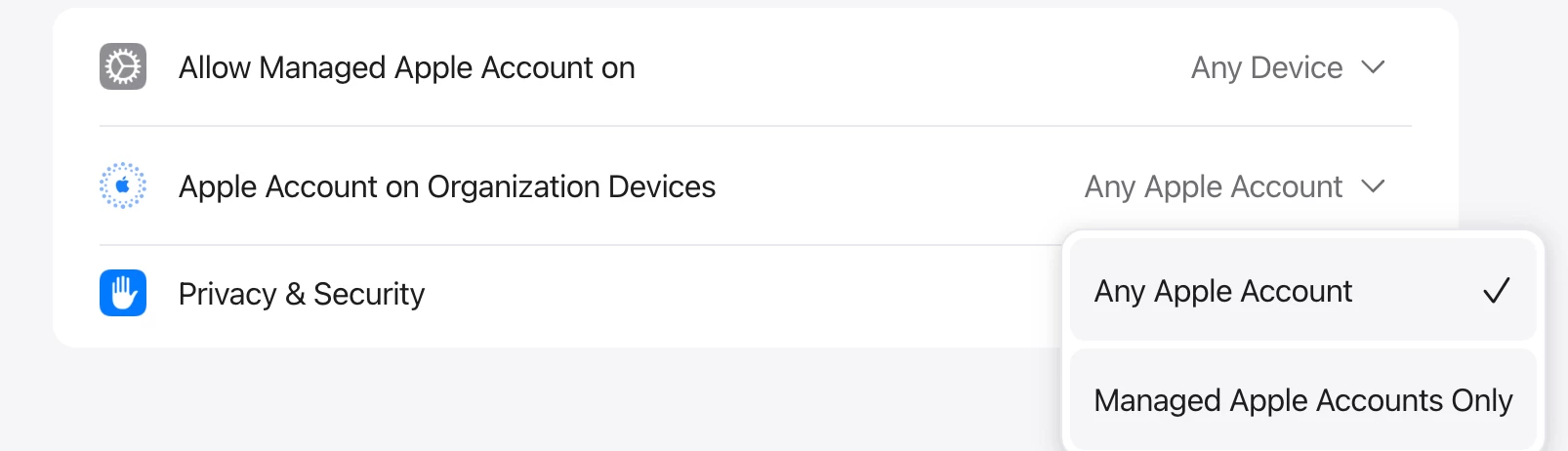
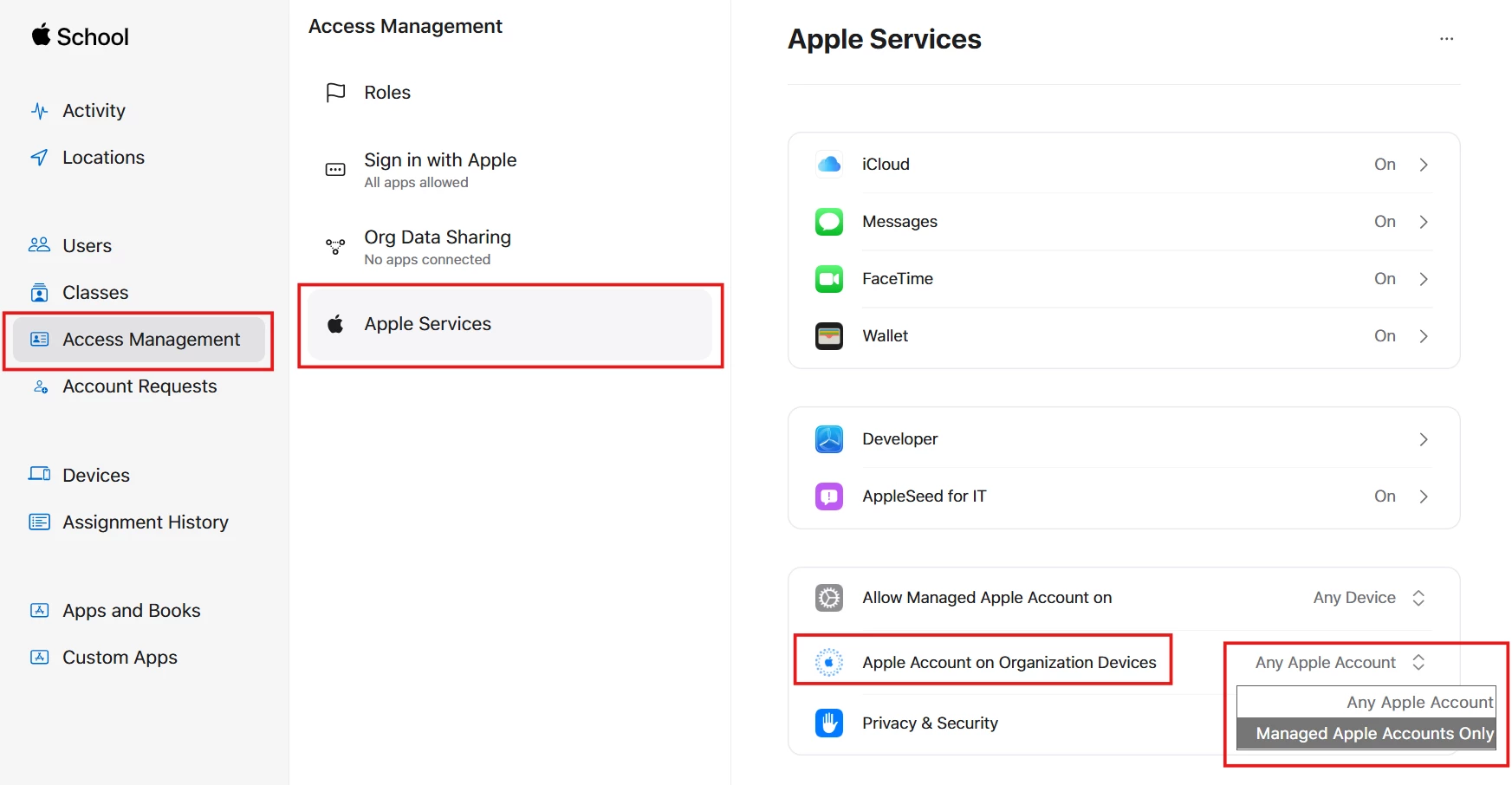
Unsure if ASM looks like ABM, but you can limit this under Settings»Apple Services» Apple Account on Organization Devices» Managed Apple Accounts Only


GregBobbett
Forum|alt.badge.img+12
  • Jamf Heroes
  • June 24, 2026

To add to ​@Chubs’s answer. It is available to do through ASM, but not through Jamf School. 

To activate this ability, you go to ASM > Access Management > Apple Services > Apple Account on Organizational Devices > choose Managed Apple Accounts Only.

The biggest hang up (for us anyway) is that this is org wide setting. If you have any devices in your org’s ASM account that you DON’T want to have blocked from unmanaged Apple Accounts, you can not activate this option. It won’t boot them off, but if the non-managed Apple Account logs off an org owned device, they won’t be able to log back on unless they are using an organizationally managed Apple Account.

I hope this helps!