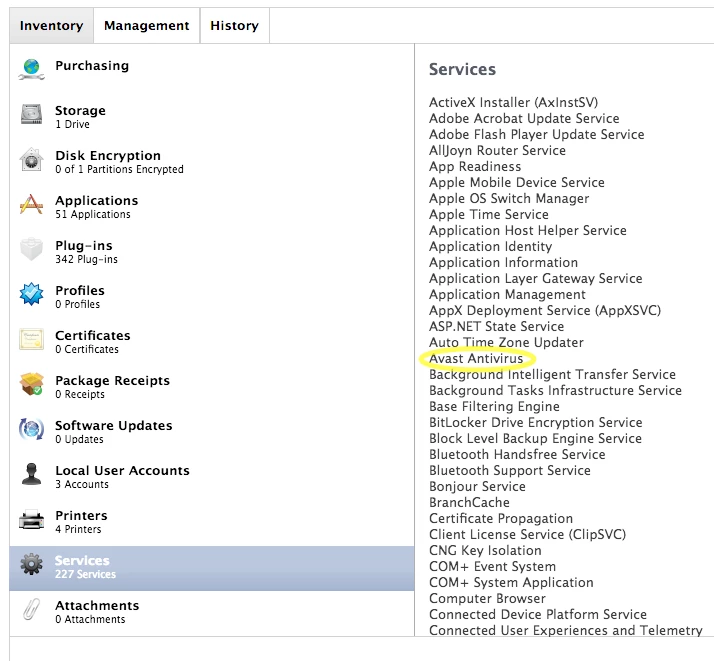
I feel I may have missed this while searching around, but have not found an answer. Most search results include "Self Service" "JSS Service" ect.
On my current JSS version 9.92.1466020067, I am not able to create a search for computer Services. See screenshot, I would like to search for computers for "Services"
I want to search for computers with the "Avast" Service. The closest search attribute I see is "Running Services" but this does not catch any computers.
Best answer by aaronf
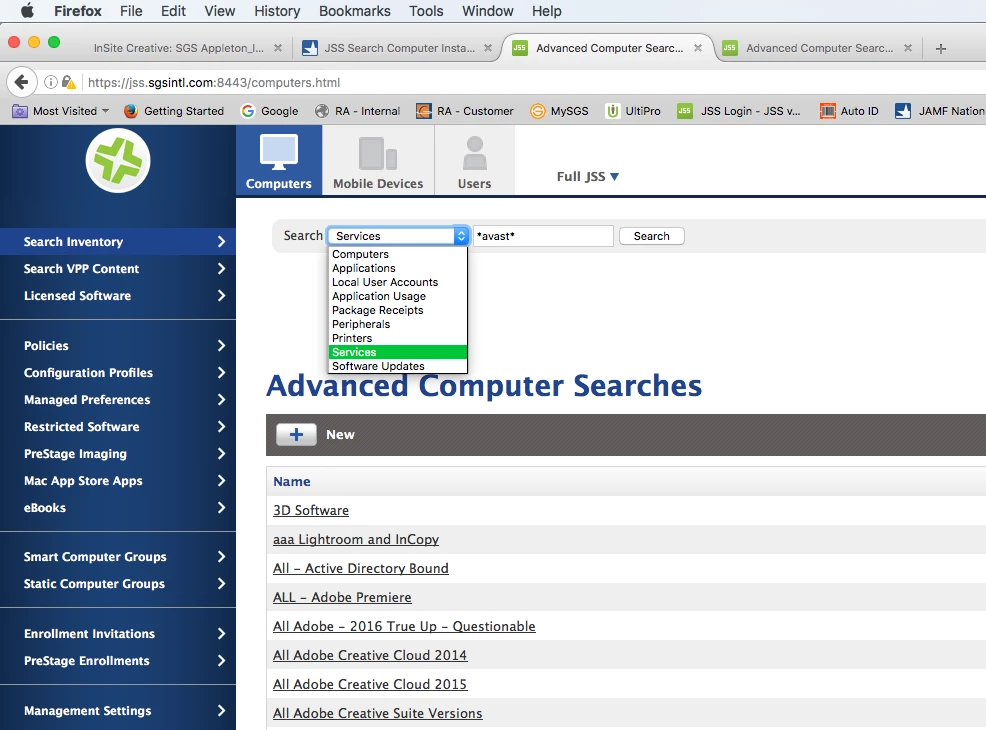
Have you tried to bookend "avast" with wildcards? We run a different AV in our environment but from the "Computer" tab with "Search Inventory" selected in the sidebar. Choose "Services" from the pull-down menu. Entering "avast" into the search field bookended by wildcards should return the correct results.
It appears that you are but you should verify the "Collect Active Services" is checked in the "Computer Inventory Collection" settings as well.
Have you tried to bookend "avast" with wildcards? We run a different AV in our environment but from the "Computer" tab with "Search Inventory" selected in the sidebar. Choose "Services" from the pull-down menu. Entering "avast" into the search field bookended by wildcards should return the correct results.
It appears that you are but you should verify the "Collect Active Services" is checked in the "Computer Inventory Collection" settings as well.