Question

Just need a sanity check on screen lock Configuration Profile

  • March 10, 2025
  • 12 replies
  • 161 views

thebrucecarter
Forum|alt.badge.img+15

Greetings all,

We are trying to enforce screen lock time limits (which InfoSec wants), but when we do, it also enforces a particular screensaver module (which InfoSec doesn't care about in the least).  Some of our users don't like "Flurry" and want to set their own.  These two seem joined at the hip in the GUI.  Copilot had a suggestion using a script, but it didn't work for me.

Does anybody have these two things functioning, but separately.  It doesn't seem like a big deal to me, but some of our users are really not happy about not being able to set their preferred screen saver.

12 replies

AJPinto
Forum|alt.badge.img+26
  • Legendary Contributor
  • March 10, 2025

Unless you specify a screensaver path within the configuration profile the users should be able to change it from the default. What happens if a user goes in to system settings and attempts to set their perfered screen saver?


sdagley
Forum|alt.badge.img+25
  • Jamf Heroes
  • March 10, 2025

@thebrucecarter Have you tried creating a signed Configuration Profile with https://imazing.com/profile-editor to force screen lock time limits (sign before uploading to Jamf Pro so the settings aren't mangled)? As you've discovered Jamf's GUI for creating Configuration Profiles often brings along unwanted baggage, but the iMazing Profile Editor allows creating very granular profiles. The question is does Apple disable the UI for selecting screensaver options when the time is forced like they do for Notification options if you have a profile that forces Notifications to be enabled for an app but don't set the specifics.


thebrucecarter
Forum|alt.badge.img+15
  • Author
  • Jamf Heroes
  • March 10, 2025

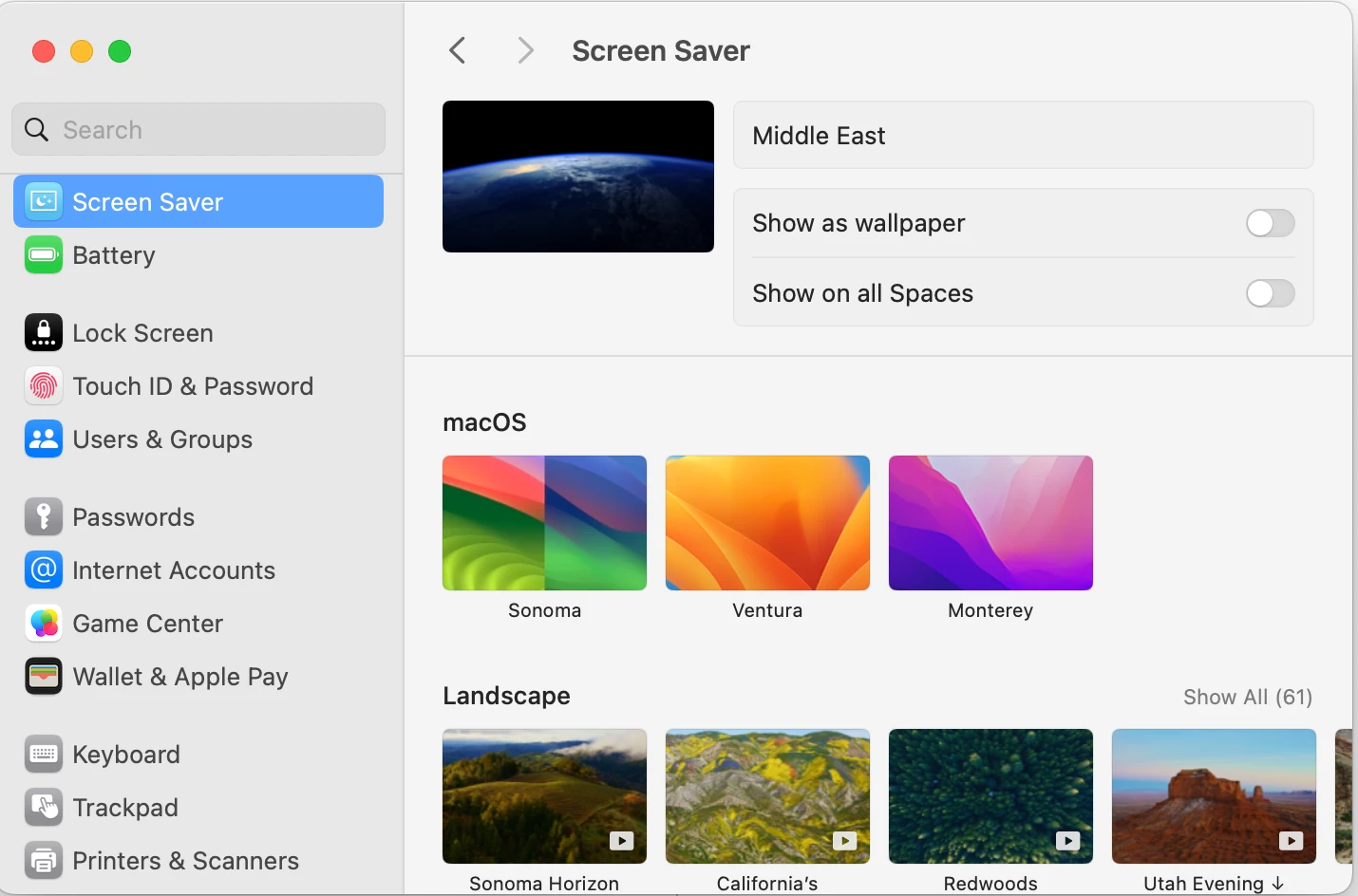
Unless you specify a screensaver path within the configuration profile the users should be able to change it from the default. What happens if a user goes in to system settings and attempts to set their perfered screen saver?


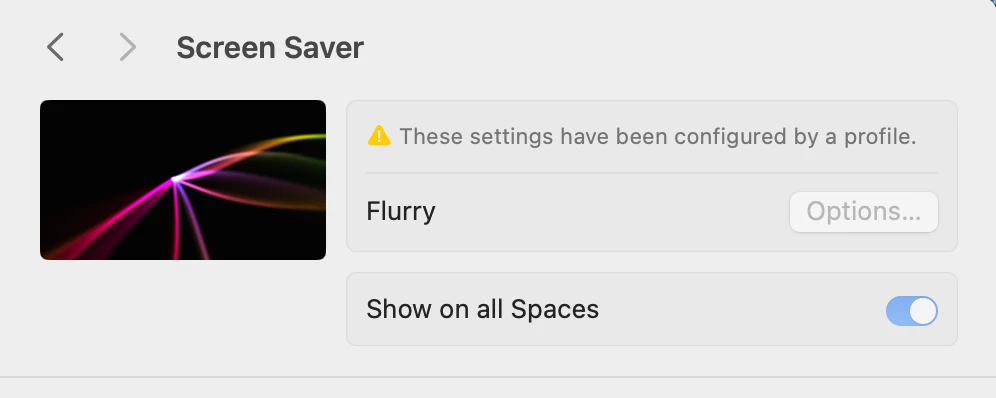
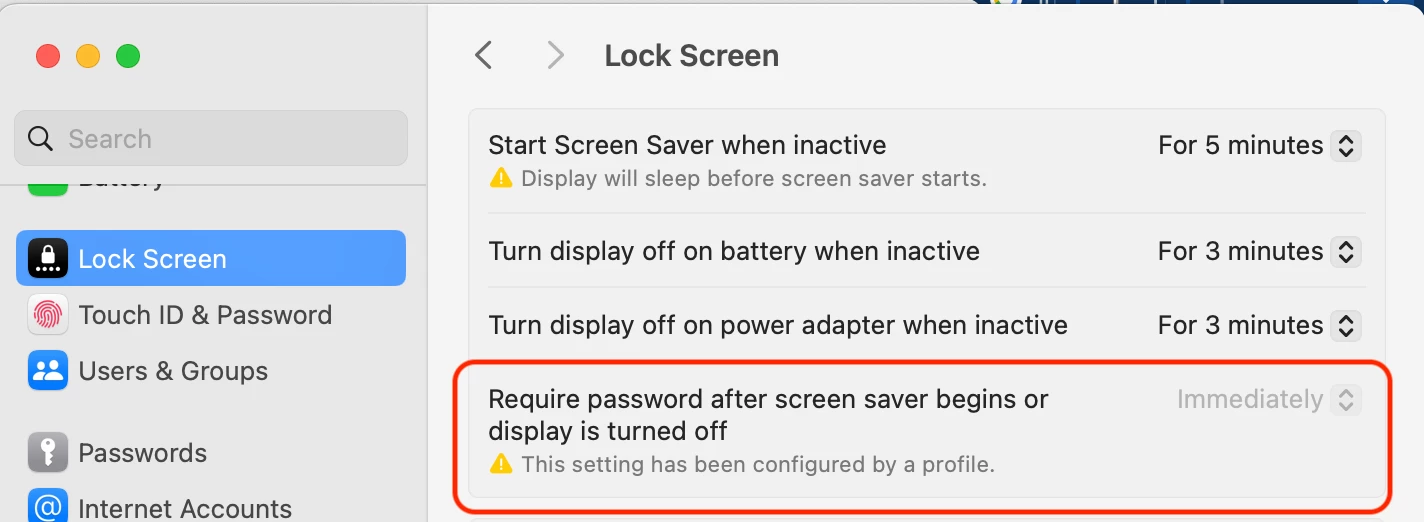
It shows up as above (from a test unit) with everything grayed out and the message about it being configured by a profile.  When we just leave out the screensaver it defaults to Flurry anyway, unless this has changed recently.  We even tried raw XML, but no go.  I need to try some more experimentation with this now that we are in the cloud product, but thus far I have not been able to come up with a combination that gives us the lock screen function that InfoSec wants along with the freedom to select a screensaver at will that the users want.


thebrucecarter
Forum|alt.badge.img+15
  • Author
  • Jamf Heroes
  • March 10, 2025

@thebrucecarter Have you tried creating a signed Configuration Profile with https://imazing.com/profile-editor to force screen lock time limits (sign before uploading to Jamf Pro so the settings aren't mangled)? As you've discovered Jamf's GUI for creating Configuration Profiles often brings along unwanted baggage, but the iMazing Profile Editor allows creating very granular profiles. The question is does Apple disable the UI for selecting screensaver options when the time is forced like they do for Notification options if you have a profile that forces Notifications to be enabled for an app but don't set the specifics.


I have not tried that specifically.  We kind of assumed we'd get the same result as the raw XML, but I am definitely not opposed to giving it a whirl.  Thank you for the suggestion!


agungsujiwo
Forum|alt.badge.img+8
  • Contributor
  • March 11, 2025

Hi @thebrucecarter ,

You can try the following Configuration Profiles:
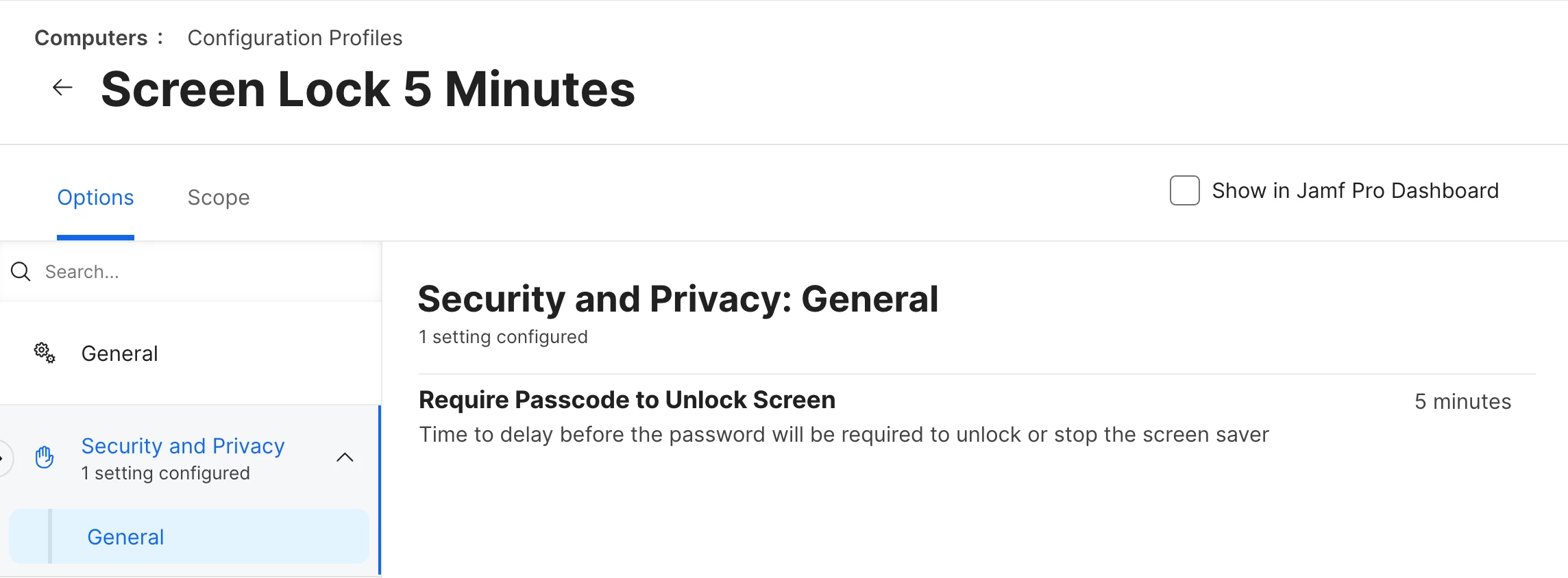
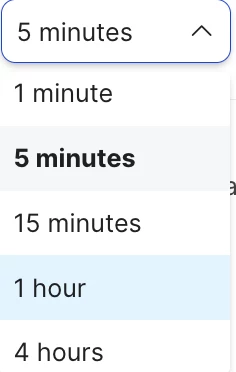
Go to Configuration Profiles > Options > Security & Privacy > General > Require Passcode to Unlock Screen, then select the desired timeout duration in minutes.
Tested on Sonoma OS works.


sdagley
Forum|alt.badge.img+25
  • Jamf Heroes
  • March 11, 2025

I have not tried that specifically.  We kind of assumed we'd get the same result as the raw XML, but I am definitely not opposed to giving it a whirl.  Thank you for the suggestion!


@thebrucecarter The issue with using Jamf's Application & Custom Settings payload to apply settings is that they are wrapped in "Forced" and "mcx_preference_settings" keys which don't work for some settings. Profiles created by the iMazing Profile Editor don't use those keys.


thebrucecarter
Forum|alt.badge.img+15
  • Author
  • Jamf Heroes
  • March 11, 2025

@thebrucecarter The issue with using Jamf's Application & Custom Settings payload to apply settings is that they are wrapped in "Forced" and "mcx_preference_settings" keys which don't work for some settings. Profiles created by the iMazing Profile Editor don't use those keys.


Interesting, I will put that into our Book of Knowledge!


thebrucecarter
Forum|alt.badge.img+15
  • Author
  • Jamf Heroes
  • March 11, 2025

Hi @thebrucecarter ,

You can try the following Configuration Profiles:
Go to Configuration Profiles > Options > Security & Privacy > General > Require Passcode to Unlock Screen, then select the desired timeout duration in minutes.
Tested on Sonoma OS works.


Thank you, agungsujiwo, we will experiment with this as well!


emojination
Forum|alt.badge.img+3
  • New Contributor
  • February 18, 2026

@thebrucecarter Having this same issue. Did you manage to find a way around being locked into a specific screensaver?


thebrucecarter
Forum|alt.badge.img+15
  • Author
  • Jamf Heroes
  • February 18, 2026

No.  I don’t know what we are doing wrong, but no matter what we try, the screensaver selection stays.  I’m going to dig back into this again and see what is up.  The last time I tried it, it would let me change it in the GUI, but the change never actually took effect.


emojination
Forum|alt.badge.img+3
  • New Contributor
  • February 19, 2026

Got it. Thanks for the update, Bruce. This probably is working as designed, which is why we cannot find a way around it. Will look at Blueprints next. The Screensaver component appears to allow individual selection of the idleTime key, but only looking at it now and have not tested behavior, yet.


emojination
Forum|alt.badge.img+3
  • New Contributor
  • February 19, 2026

Confirmed the module name is required as documented here: https://developer.apple.com/documentation/devicemanagement/screensaver

Before that, tried it in Blueprints and upon attempting to click Add after ONLY specifying the idleTime value, it displayed the error:

“One or more keys contain errors. Review all settings, including any hidden by current filters.”

In red under the moduleName key was the message:

“This field is required”