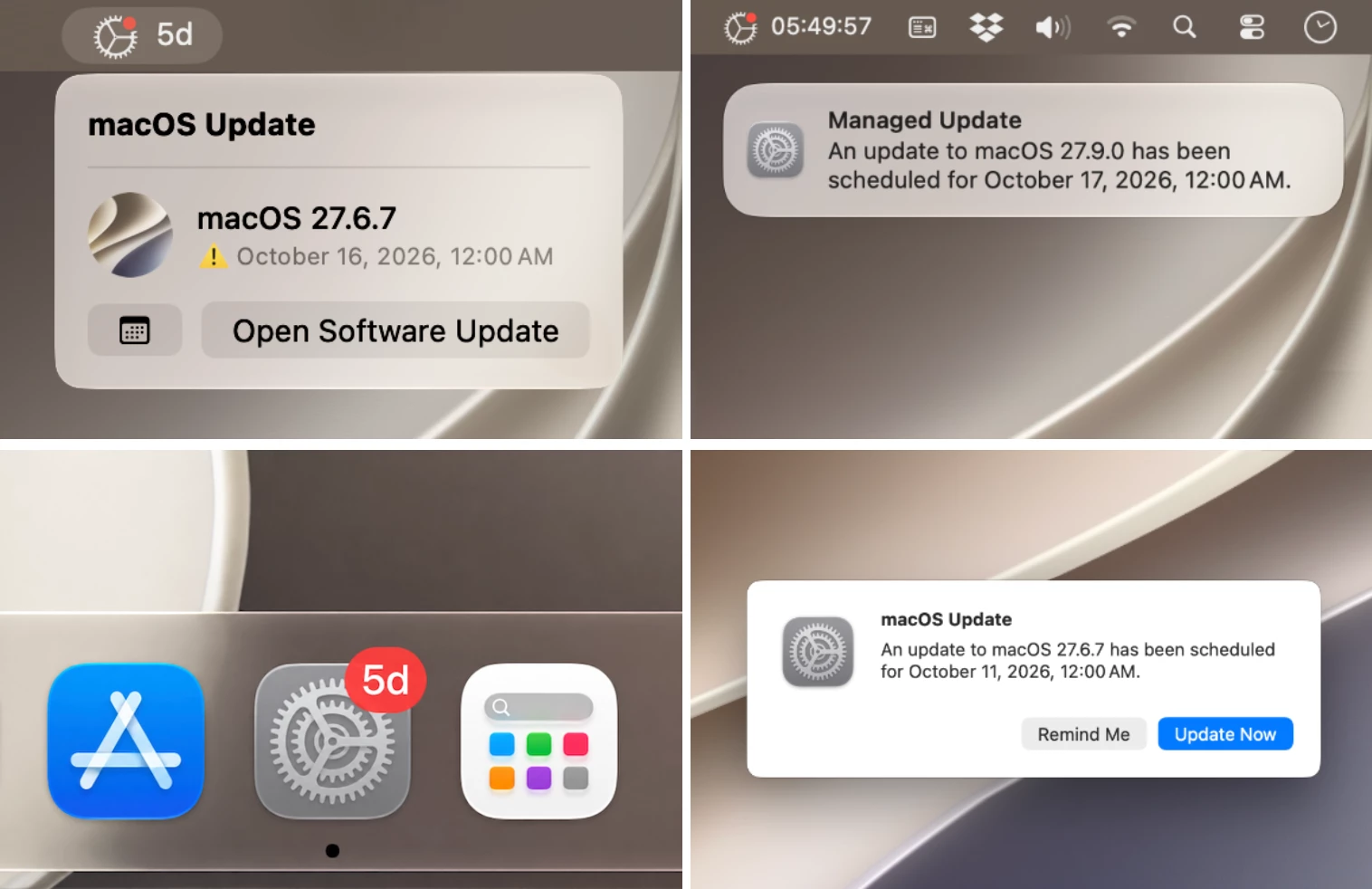
Live countdown for Blueprint/DDM updates

  • September 11, 2026
  • 3 replies
  • 251 views

JRM5513
Forum|alt.badge.img+4

I really like using Blueprints/DDMs for macOS fleet upgrades. Apple is so close to finally giving us a solid mass update workflow, but in my opinion, two main flaws remain:

  • Users get no clear feedback when an update installation is scheduled.
  • Notifications are way too scarce and easy to miss. Users have even told me they sometimes only see them on the final day.

To solve this at my company, I added a live countdown in the menu bar so everyone has a constant reminder that their Mac is scheduled for a restart and update. 48 hours before the deadline, it also sends persistent notifications every two hours, so I can be sure users are properly informed.

I know other tools exist for this, but none of them quite hit the mark for me on UI/UX. After two months of fine tuning, the app is out of beta and I'm sharing the source code with the community. While I won't be taking feature requests, I'll do my best to maintain it and fix bugs as long as I'm using it myself.

3 replies

dletkeman
Forum|alt.badge.img+19
  • Jamf Heroes
  • September 11, 2026

I like it.  Definitely going to give this a test drive.


Forum|alt.badge.img+3
  • New Contributor
  • September 14, 2026

I find it better to just set the version and due date manually in the blueprint enforcement type, giving visibility to the user right when it is received and onwards. I want to test each update anyway. I also ensure Notification preference for updates scheduled by declarations is on, otherwise they only see it in the dying stages. 


JRM5513
Forum|alt.badge.img+4
  • Author
  • Contributor
  • September 27, 2026

I've published some new features since last time. The main goal is to draw attention when an enforced update is scheduled via Blueprints, but without interrupting the user with a big popup in the middle of the screen. The new release is on GitHub.

What's new:

  • A sound picker for notifications

  • A dot-blinking option in the menu bar

  • A few quality-of-life features for Mac admins (a quick-copy button for settings, an uninstaller, a patch definition for the Jamf Title Editor)