
Question

Logic Pro 12 Update Issues

  • January 30, 2026
  • 23 replies
  • 1662 views

m4ttj4co
Forum|alt.badge.img+3

Morning,

Anyone else experienced this issue since updating to Logic Pro 12 - We’ve got Jamf Pro at my org and currently push out Logic Pro via Apps store on Jamf which takes care of the updates and deployment to our various smart groups but since updating to version 12 yesterday we receive this error everytime we launch LP:


The application cannot be used because the App Store authentication failed or no Network is available.
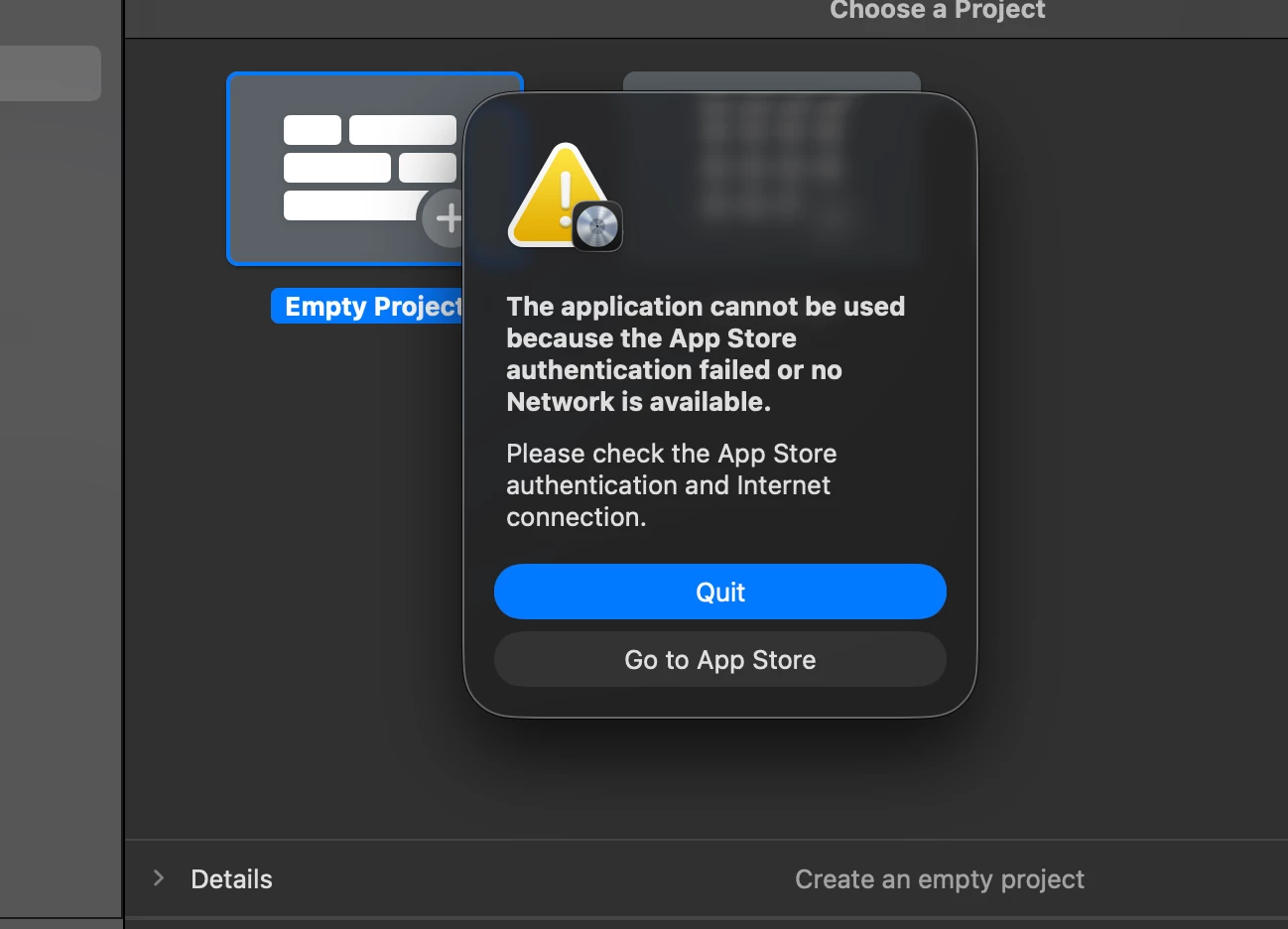
Any ideas?

Any advice or tips is greatly appreciated.

23 replies

MightyMystic123

We manage many different schools, and they are having the same problem.

We have not had any response from Apple yet.


m4ttj4co
Forum|alt.badge.img+3
  • Author
  • New Contributor
  • January 30, 2026

Thanks least its not just me then!


Forum|alt.badge.img+5
  • New Contributor
  • January 30, 2026

Yep - only solution at my Org was to roll back those who updated to 11.22 with a PKG version and pause auto updates until Apple fixes it. 


etmoore
  • New Contributor
  • January 30, 2026

This is happening at our university too.


Forum|alt.badge.img+16
  • Contributor
  • January 30, 2026

Check ASM/ABM there are now two versions of Logic Pro much like the iWork apps. One is macOS only and the other is universal. The Creator Studio subscription is the blame here.


PaulHazelden
Forum|alt.badge.img+12
  • Jamf Heroes
  • January 30, 2026

Testing here.
A fresh install works just fine. Upgrading gives the error.

However...
The Sound Libraries have now been relocated from a central location, that requires an administrator to approve the install, to the Users local Music folder. Up to about 50 Gb each time. Which in my education situation is going to give me nightmares, the hard drive will run out of space fast at that rate, we can have 20 - 30 students use the same Mac, and if they all hit that install all button, well I dont want to think about that.


Forum|alt.badge.img+5
  • New Contributor
  • January 30, 2026

You can use the Loops 2.0 script to automatically download the libraries and set a specific location for the content. 


PaulHazelden
Forum|alt.badge.img+12
  • Jamf Heroes
  • January 30, 2026

You can use the Loops 2.0 script to automatically download the libraries and set a specific location for the content. 

Where do I find the Loops 2.0 script, please?


red_beard
Forum|alt.badge.img+8
  • Valued Contributor
  • January 30, 2026

Happening for us as well.


  • New Contributor
  • January 31, 2026

We are experiencing it here in our college too.


Specialist_IT
  • New Contributor
  • February 1, 2026

Upgrade from 11.2.2 to 12.0 on an Apple Silicon machine worked fine

Upgrade from 11.2.2 to 12.0 on an Intel machine failed.

Deleted the whole App on the Intel iMac and reinstalled it back from the App Store. Fixed the issue.


theRealKahn
Forum|alt.badge.img+1
  • New Contributor
  • February 2, 2026

We have noticed this issue too, We have licenses purchased through VPP, but did find a few links on the interwebs saying Apple is EOL EDU Logic Pro for the subscriptions.   I hope this can all be sorted out quickly. 


Loudworks
  • New Contributor
  • February 3, 2026


It seems that the issue can occur in two cases. First, if there is no internet connection, and second, if you are not logged into the account from which Logic 12 was downloaded.


theRealKahn
Forum|alt.badge.img+1
  • New Contributor
  • February 3, 2026

We have noticed this issue too, We have licenses purchased through VPP, but did find a few links on the interwebs saying Apple is EOL EDU Logic Pro for the subscriptions.   I hope this can all be sorted out quickly. 

To follow up I did some further testing.

Lab Computer Environment for our Midi Lab

  • Clean machine (VM) with fresh copy of macOS 26.2.   
  • Enrolled into Jamf 
  • Assigned Logic Pro  through JAMF (managed distribution = existing VPP and configured Business Manager)
  • Logic Pro 12 installs. (This is the version Jamf/Apple are pushing out)
  • Launching LogicPro and get prompted I need an AppleID.
  • With out an Apple ID (Or what appears to be a valid subscription) Logic Pro quits

So it looks like we are waiting for Apple to figure out a solution? I can not have my entire campus purchase a subscription for Logic Pro.  We are looking at no longer using Logic Pro and using Avid (which I really really don’t want to do) as we have no options.


Any help is always appreciated.

-DK


Forum|alt.badge.img+5
  • New Contributor
  • February 3, 2026

You can use the Loops 2.0 script to automatically download the libraries and set a specific location for the content. 

Where do I find the Loops 2.0 script, please?

You can request loops from your Apple SE.  It has been presented at the monthly office hours a few times.

We were lucky enough to have a mac offline when 12 hit so a quick capture of 11 with composer and the lab is back up and running.  Make sure you open a ticket with AppleCare Education Support, the more submissions, the quicker they’ll address it (weirdly enough, they created a hardware ticket for a software issue).


theRealKahn
Forum|alt.badge.img+1
  • New Contributor
  • February 3, 2026

You can use the Loops 2.0 script to automatically download the libraries and set a specific location for the content. 

Where do I find the Loops 2.0 script, please?

You can request loops from your Apple SE.  It has been presented at the monthly office hours a few times.

We were lucky enough to have a mac offline when 12 hit so a quick capture of 11 with composer and the lab is back up and running.  Make sure you open a ticket with AppleCare Education Support, the more submissions, the quicker they’ll address it (weirdly enough, they created a hardware ticket for a software issue).

Totally Agree!  We are greater in numbers!  

Also here is a link to Loopdown, written in python for those that are dabbling with large libraries.  
https://github.com/carlashley/loopdown


theRealKahn
Forum|alt.badge.img+1
  • New Contributor
  • February 3, 2026

Check ASM/ABM there are now two versions of Logic Pro much like the iWork apps. One is macOS only and the other is universal. The Creator Studio subscription is the blame here.

Hello,

I do see two versions HOWEVER, once you pull them into your MDM, JAMF in my case, the licenses and such only reflect one app.  This makes me think Apple or perhaps Jamf and where their source app is being pulled from  needs to be looked at.


Help us Jamf ! 

-dave


rcole
Forum|alt.badge.img+7
  • New Contributor
  • February 4, 2026

Upgrade from 11.2.2 to 12.0 on an Apple Silicon machine worked fine

Upgrade from 11.2.2 to 12.0 on an Intel machine failed.

Deleted the whole App on the Intel iMac and reinstalled it back from the App Store. Fixed the issue.

Thought about this one and tried this also… But… no luck. 


rob1
Forum|alt.badge.img+8
  • Contributor
  • February 4, 2026

We were having the issue too with version 12, we deploy the app through Apple School Manager to Jamf School. If the learners sign in to the App store on the Mac with their managed accounts, the issue appears to go away.


Forum|alt.badge.img+26
  • Honored Contributor
  • February 4, 2026

@theRealKahn did the same workflow as I did to test this and we found the exact same thing. This on an M4-based Mac mini. Though it does the same thing on an iMac.


theRealKahn
Forum|alt.badge.img+1
  • New Contributor
  • February 4, 2026

@blackholemac thanks for the info.  Apple got back to me regarding this:

Yes, Apple is aware of this issue with Logic Pro 12 and it is being worked on. I don’t at this time have information about when it will be resolved, but I’ve added your campus to the internal case for it. We’ll let you know when we get an update.”

 😳🙄🙄


Forum|alt.badge.img+26
  • Honored Contributor
  • February 4, 2026

@theRealKahn 


So I was getting ready to deploy new hardware to replace the music lab this summer here at our high school and am right now testing all that we use. I can say that this doesn’t affect Final Cut Pro 12.0, Motion 6.0, Compressor 5.0 or MainStage 4.0. Keynote, Numbers, and Pages 14.5 launch perfectly as well. We were running macOS 26.2 for the test. Otherwise same workflow. We just need to get Apple to fix this. I’m somewhat lucky that the current lab (not the new hardware) still has 11.2.2 on all the workstations. At least I am getting this solved now. I did see that carlashley updated loopdown to help get that deployed FWIW.


m4ttj4co
Forum|alt.badge.img+3
  • Author
  • New Contributor
  • February 4, 2026

I’ll try and find a Mac at my org which still has 11 installed and make a copy using composer as suggested in the meantime.