Question

Looking for blocking chatGPT acces on iPad

  • August 27, 2026
  • 4 replies
  • 142 views

Forum|alt.badge.img+4

Hello,

I manage a fleet of iPads used for exams with my on-premises Jamf Pro instance. I push a configuration profile to restrict all of the iPad’s features and only allow students to access Safari and a whitelist of approved websites.

I was informed that students might be able to use ChatGPT on the iPads by exploiting a vulnerability.

I haven’t been able to verify this yet, but is there a way to block access to ChatGPT through a configuration profile?

Thank you in advance for your help.

4 replies

Chubs
Forum|alt.badge.img+26
  • Jamf Heroes
  • August 27, 2026

Would have to know what vulnerability they are referencing to posture around that. 
 

Any chance you’re using jamf protect?


Forum|alt.badge.img+4
  • Author
  • Contributor
  • August 27, 2026

I will go to ask for further information and bring it back


dkmansion
Forum|alt.badge.img+7
  • Contributor
  • August 29, 2026

Hello,

I manage a fleet of iPads used for exams with my on-premises Jamf Pro instance. I push a configuration profile to restrict all of the iPad’s features and only allow students to access Safari and a whitelist of approved websites.

I was informed that students might be able to use ChatGPT on the iPads by exploiting a vulnerability.

I haven’t been able to verify this yet, but is there a way to block access to ChatGPT through a configuration profile?

Thank you in advance for your help.

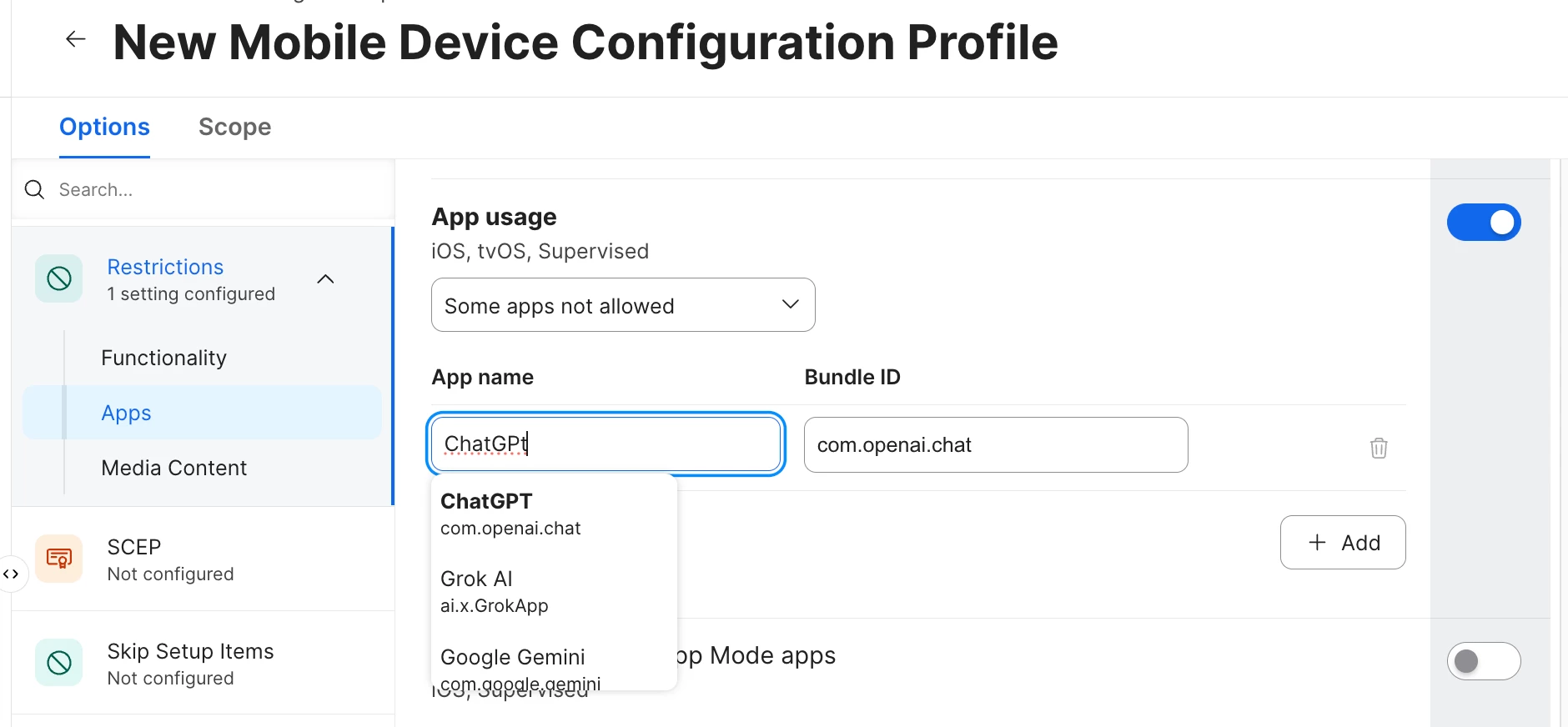
You should be able to use a ‘restriction’ configuration profile and use the App usage section with “some apps not allowed” then add the single ChatGPT item or multiple (claude, etc) as an AI Not Allowed config.

I don’t specifically use this today but do this for others apps.
This config profile will merge with others hiding apps or you *can make a monolithic config for all apps you don’t want to allow.


Additionally if the concern is accessing ChatGPT via the browser,
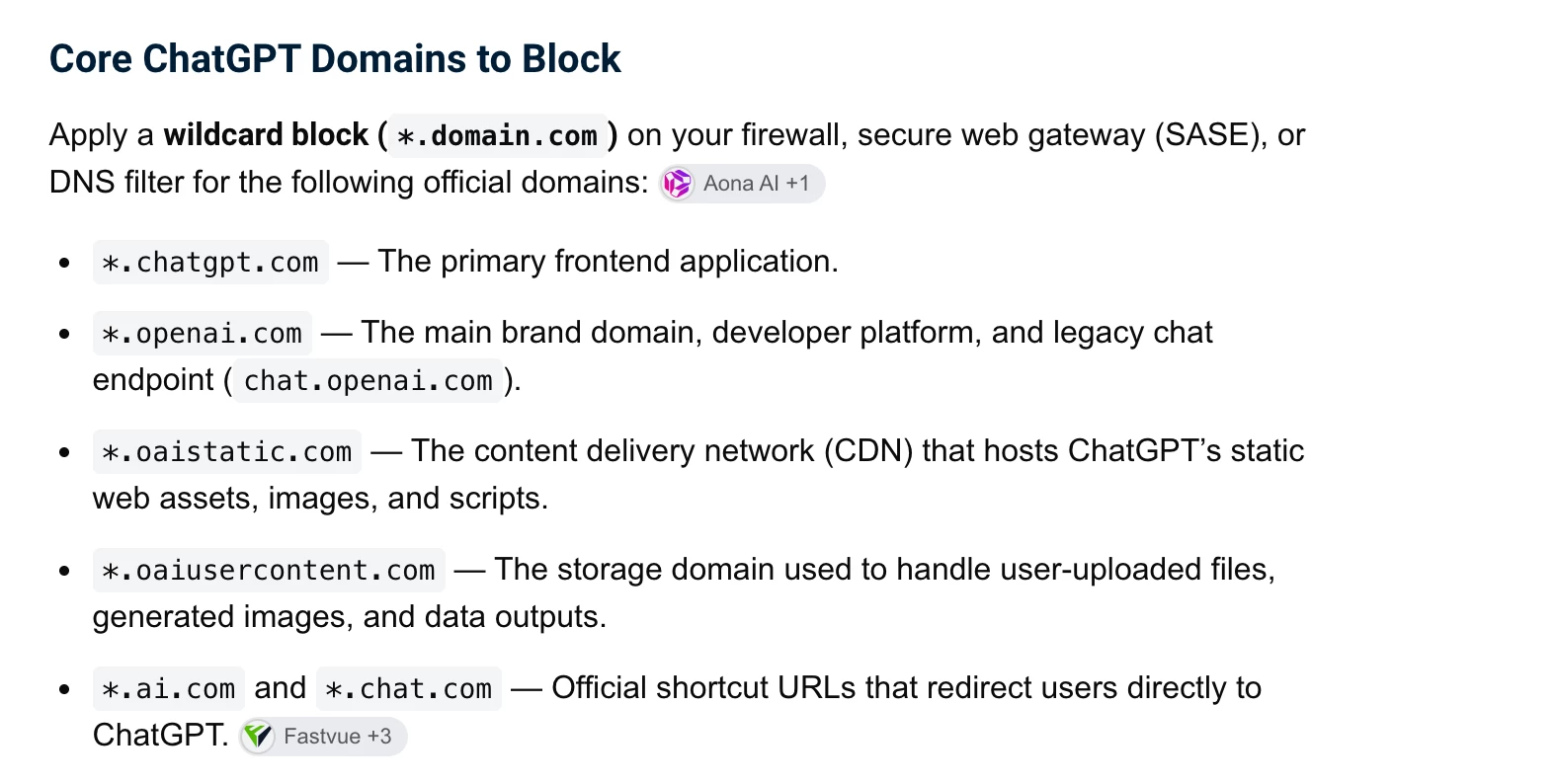
You can use the Content Filter to blocklist the chatgpt and other AI urls…


avagrace
Forum|alt.badge.img+1
  • New Contributor
  • September 6, 2026

If you already have a strict web whitelist in place, the "vulnerability" is almost certainly students using OAuth popups or third-party links (like a "Sign in with Google" or a privacy policy link) on one of your approved sites to navigate outside the sandbox. Kids find those detour links fast.

A couple of quick thoughts from dealing with this on exam iPads:

Check the domains embedded in your whitelisted sites. If any allow external redirects, they can bounce straight to an AI login or mirror.

If these are strictly exam machines, look into Single App Mode or Assessment Mode (AAC) rather than relying purely on Safari whitelists. Locking them into a dedicated secure browser container during testing tends to plug those leak paths much better than web filter profiles alone.

Curious if you ever found out the specific trick they were using?