Question

MacOS 26.6 Upgrade Black screen

  • July 30, 2026
  • 4 replies
  • 68 views

Misosoup
Forum|alt.badge.img

Anyone having some users upgrade to macOS 26.6 and now after they login with username password they are then greeted with a black screen. They can’t do anything else.


We use Jamf Connect, users didn’t have any issues until they upgraded to macOS 26.6.

4 replies

woaikonglong
Forum|alt.badge.img+9
  • Jamf Heroes
  • July 30, 2026

I have had one user report a black screen so far, likely one of our only users on that OS. We do not manage our macs, so it is unrelated to Connect for us. The user ended up “turning off and on again” twice before it loaded properly.


Chris_Hafner
Forum|alt.badge.img+27
  • Jamf Heroes
  • July 30, 2026

We’re in the roll up to normal adoption so we only have 14 users currently on 26.6 but none have reported any specific issues. On Occassion, I’ve seen this behavior in the past, usually on machines that are encrypted with FV2 (Hence the user name and password request on some reboots) resolved like you said, by a forced restart. Just what we’ve noticed. 


Forum|alt.badge.img+8
  • Valued Contributor
  • July 30, 2026

On first login, our machines show a black screen before proceeding to the desktop. This cropped up last year around the time Connect was split into Self Service+ and Login.


beggleton
Forum|alt.badge.img+1
  • New Contributor
  • July 30, 2026

We have seen this in our environment when users update major macOS versions (e.g. from macOS 14 to macOS 15) 


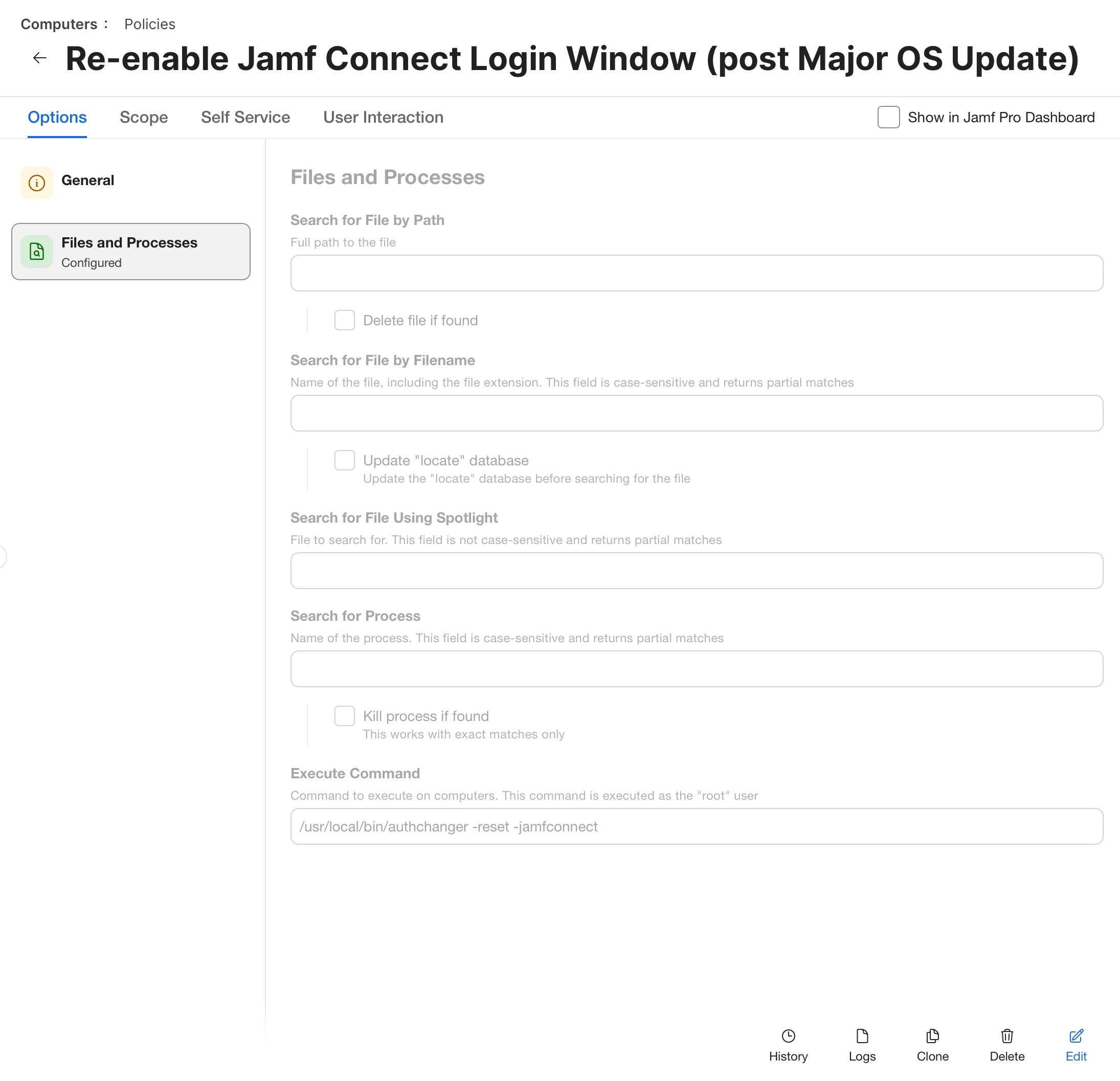
There’s a command you run to reset the login window:

/usr/local/bin/authchanger -reset -jamfconnect


You can also setup a Jamf policy to run this command after a major update if you run into it