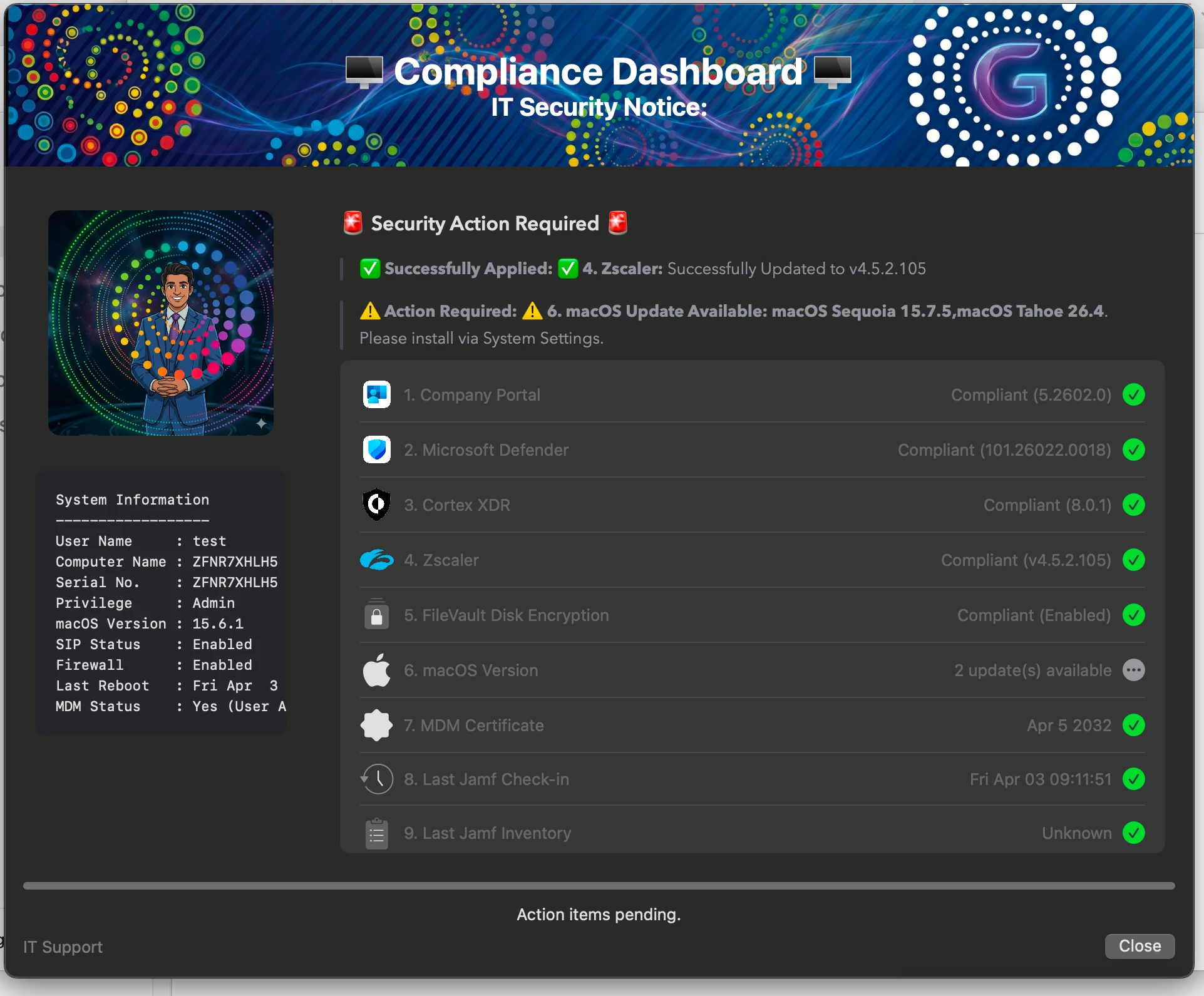
macOS Compliance Dashboard with Automated Remediation using SwiftDialog & Jamf

  • April 3, 2026
  • 6 replies
  • 280 views

GovindSharma
Forum|alt.badge.img+1

Shifting compliance checks left—giving control directly to end users via Self Service
As part of improving endpoint security and reducing operational overhead, I built a macOS compliance dashboard using SwiftDialog and Jamf, available to users via Self Service.

This solution focuses on managing third-party vendor applications that are not updated through Jamf VPP/App Catalog or Installomator. These apps are maintained using internal PKG deployments, with the script enforcing organization-defined required versions.

From an admin perspective, the key objective is to eliminate dependency on service desk tickets for compliance. Users can proactively check their device status and remediate issues themselves, without needing to raise a ticket.

The script performs real-time validation of critical security controls such as FileVault, Firewall, SIP, and MDM enrollment, along with verifying that required security applications are installed and up to date.

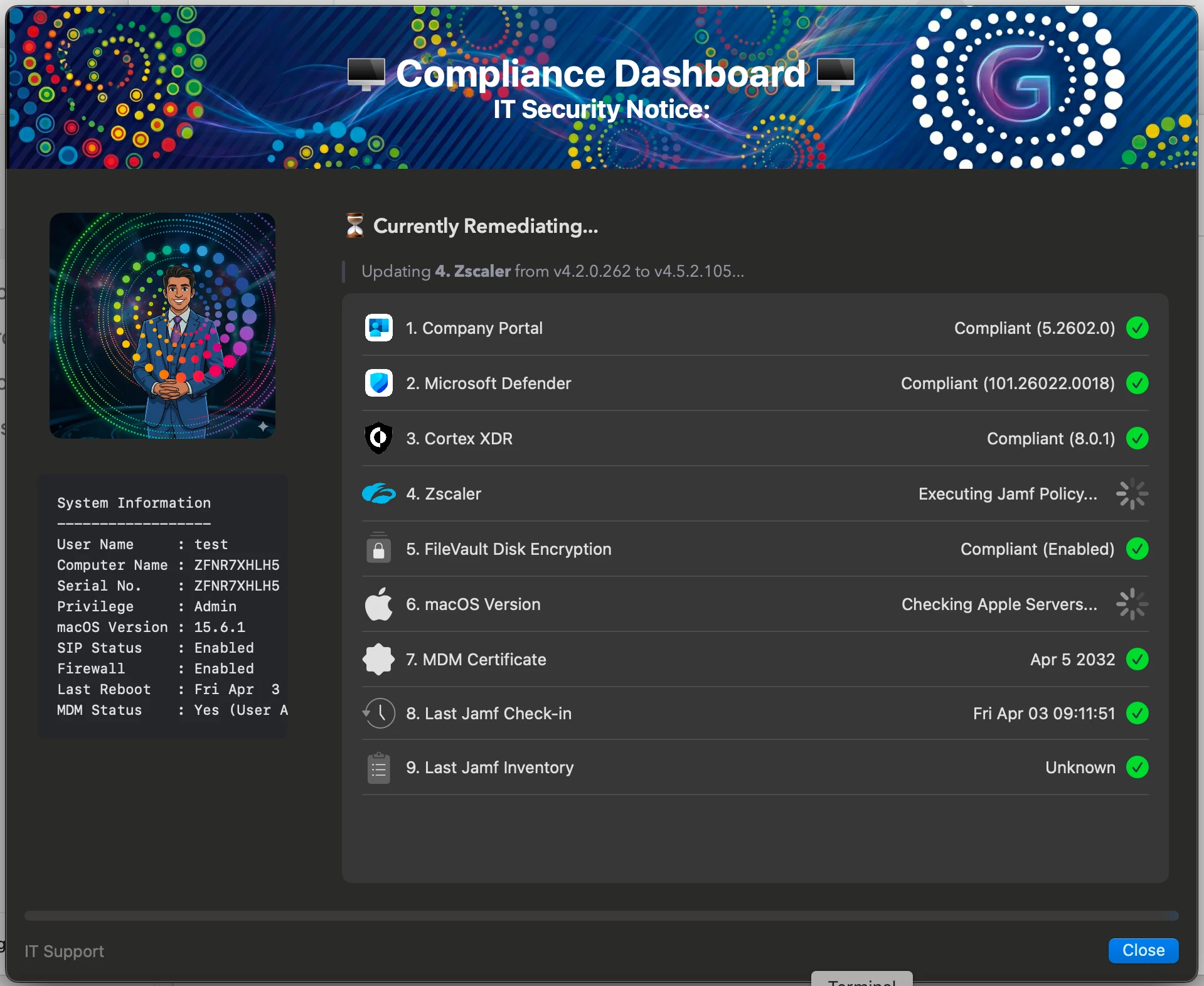
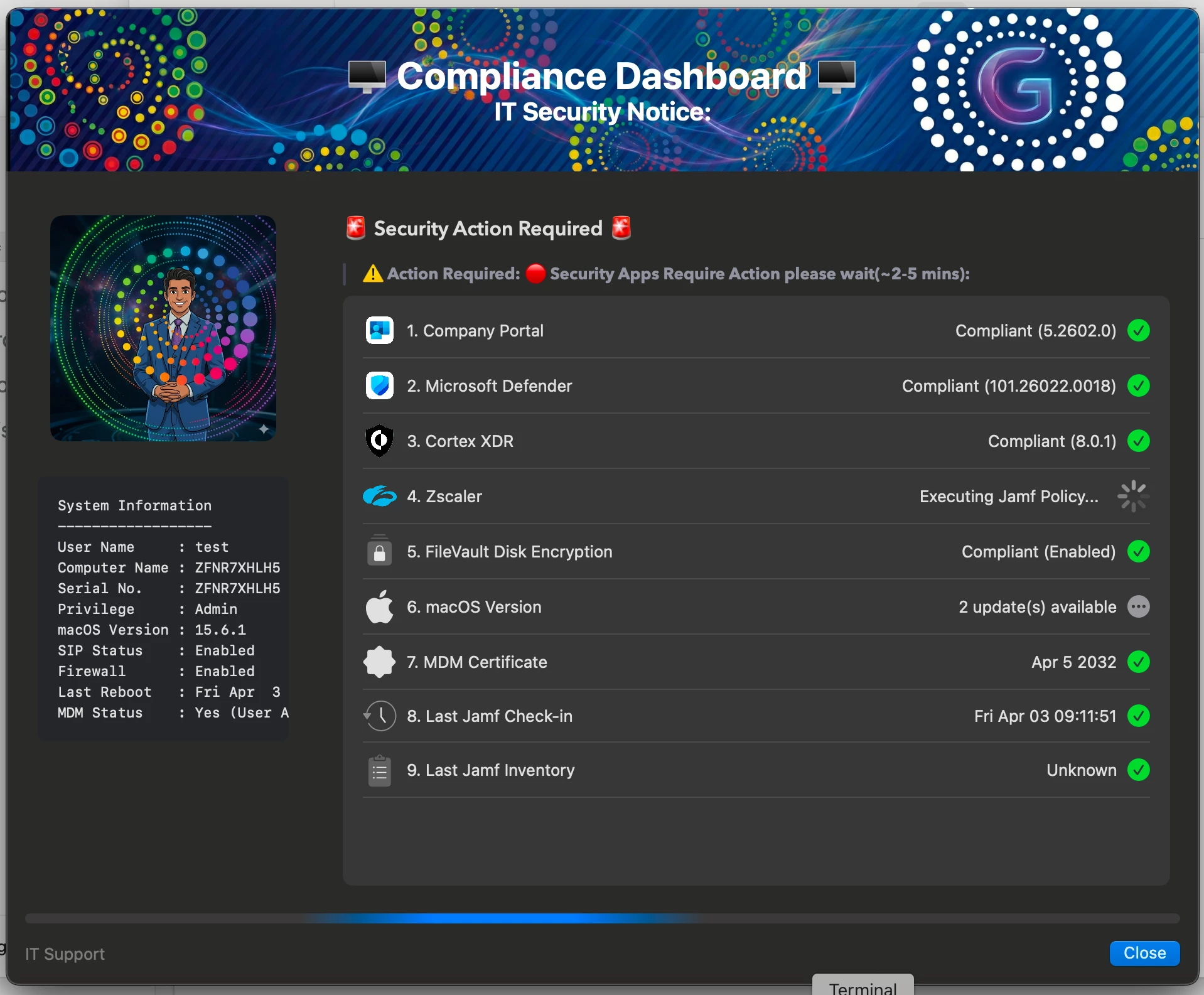
If any application is missing or outdated, remediation is automatically triggered via Jamf policies. The interactive dashboard provides live updates, clearly showing compliance status, ongoing fixes, and any required user action.

Any suggestions or feedback from the admin community would be really helpful to enhance this further. 👍

Thanks 

6 replies

GovindSharma
Forum|alt.badge.img+1
  • Author
  • New Contributor
  • April 3, 2026

Shifting compliance checks left—giving control directly to end users via Self Service
As part of improving endpoint security and reducing operational overhead, I built a macOS compliance dashboard using SwiftDialog and Jamf, available to users via Self Service.

This solution focuses on managing third-party vendor applications that are not updated through Jamf VPP/App Catalog or Installomator. These apps are maintained using internal PKG deployments, with the script enforcing organization-defined required versions.

From an admin perspective, the key objective is to eliminate dependency on service desk tickets for compliance. Users can proactively check their device status and remediate issues themselves, without needing to raise a ticket.

The script performs real-time validation of critical security controls such as FileVault, Firewall, SIP, and MDM enrollment, along with verifying that required security applications are installed and up to date.

If any application is missing or outdated, remediation is automatically triggered via Jamf policies. The interactive dashboard provides live updates, clearly showing compliance status, ongoing fixes, and any required user action.

Any suggestions or feedback from the admin community would be really helpful to enhance this further. 👍

Thanks 



sandhyakachhap3
Forum|alt.badge.img+2

Really nice implementation 👏 I like how you’ve combined visibility with automated remediation—this is exactly the kind of user-driven compliance approach that reduces IT overhead. Thanks for sharing!


ktrojano
Forum|alt.badge.img+21
  • Jamf Heroes
  • April 6, 2026

@GovindSharma this would be a great JNUC session!


GovindSharma
Forum|alt.badge.img+1
  • Author
  • New Contributor
  • April 6, 2026

Thanks ​@ktrojano . Definately will plan for JNUC next year. but need some more improvement in it.


Forum|alt.badge.img+3

Lots of good info on the dashboard, nice and transparent to the user. I’m curious about the use case here. Whenever I hear about compliance, I think of Azure/Entra environments and in Intune → Connectors & Tokens → partner compliance management where JAMF Pro reports to Intune which devices are compliant along with status changes. (sorry for the run-on sentence). If your SSO configuration requires compliant devices and a device doesn’t meet the baseline requirements, user cannot sign in. 


Can you shed more light on whether that’s the case here? 


GovindSharma
Forum|alt.badge.img+1
  • Author
  • New Contributor
  • April 8, 2026

@CaffeinatedMacAdmin Thanks.

Thanks for your input. At the moment, this UI is designed primarily from an end-user perspective to help them view the compliance status of applications.

Your suggestion is very valuable—especially around leveraging compliance data from Azure Entra and Intune when conditional access is enabled. Currently, we are using an extension attribute to reflect Azure compliance status.

For future enhancements, I plan to integrate this compliance status into the dashboard along with corresponding remediation actions.