Question

macOS Monterey and Cisco AnyConnect System Extension Issue

  • October 29, 2021
  • 6 replies
  • 50 views

Forum|alt.badge.img+7

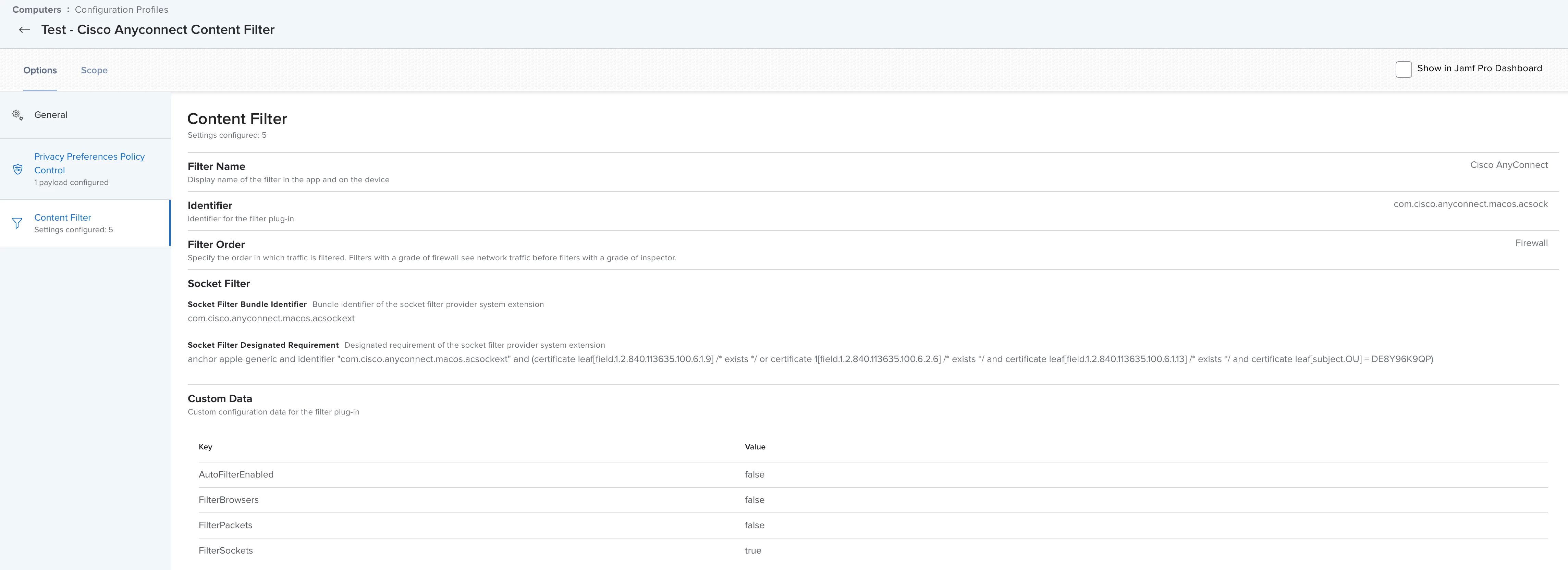
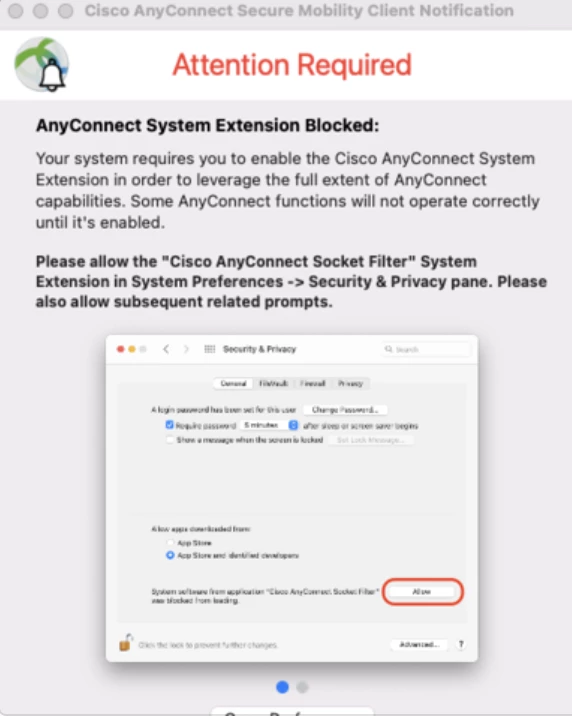
We have Cisco AnyConnect 4.10.03104 working great on Mojave-Big Sur, with users not receiving any popups.  When upgrading from any OS to macOS Monterey, we receive the popup below, regarding a system extension being blocked.  Our configuration profile is scoped to all devices.  When reloading a Mac fresh from Monterey, users do not see the message below.  It only appears to be happening after an upgrade.  Just wondering if anyone has a solution. 
6 replies

Forum|alt.badge.img+7
  • Contributor
  • October 29, 2021

Pushing a configuration profile allowing System Extensions will only be processed by the OS one time on install. For any OS below 10.15.4, as they do not know about the preference key, nothing is done. You would need to ensure that the profile is only pushed to systems that are 10.15.4+


mhasman
Forum|alt.badge.img+22
  • Valued Contributor
  • January 4, 2022

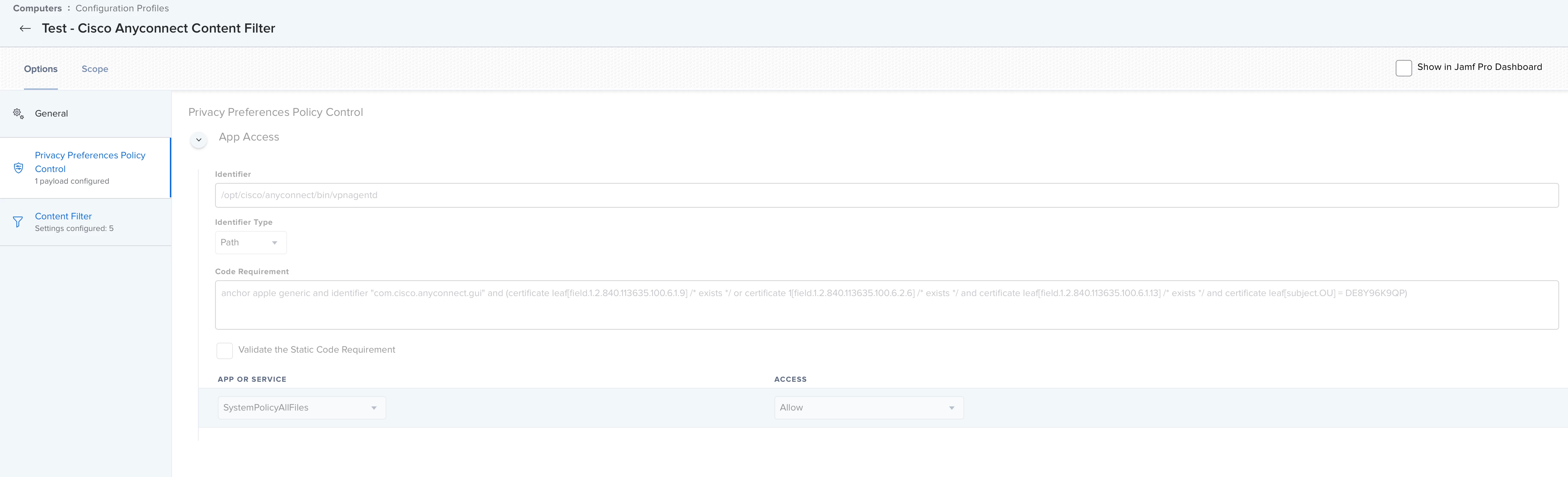
Does AnyConnect require anything being added to PPPC section in Config Profile? 


  • February 10, 2022

Does AnyConnect require anything being added to PPPC section in Config Profile? 


There is nothing to set to PPPC. We only configure "System Extensions, Content Filter" and for the older Macs "Approved Kernel Extensions" in a configuration profile. We have different configuration profiles:
one for MacOS earlier than Monterey one for Intel Mac and one for M1 Mac.


Forum|alt.badge.img+2
  • New Contributor
  • March 15, 2022

There is nothing to set to PPPC. We only configure "System Extensions, Content Filter" and for the older Macs "Approved Kernel Extensions" in a configuration profile. We have different configuration profiles:
one for MacOS earlier than Monterey one for Intel Mac and one for M1 Mac.


Hi Novellus, could you please share how do you create a profile for each macOS earlier than Monterey one for Intel Mac, and one for M1 Mac


  • March 29, 2022

Hi Novellus, could you please share how do you create a profile for each macOS earlier than Monterey one for Intel Mac, and one for M1 Mac


@EddyLara sorry for my late reply.
1st, I create a smart computer group for each platform (M1 and INTEL)

Then I create a configuration profile for these two platforms and assign the profiles (in "Targets") to the corresponding smart groups, that's all.

The other way is, to exclude the unwanted smart computer group (in "Exclusions"), so that you can scope the policy to any other wanted computer group.


Forum|alt.badge.img
  • New Contributor
  • October 30, 2022

Thanks for sharing your setup! how did you get the cert info and the syntax of the Socket Filter Designated Requirement?