Question

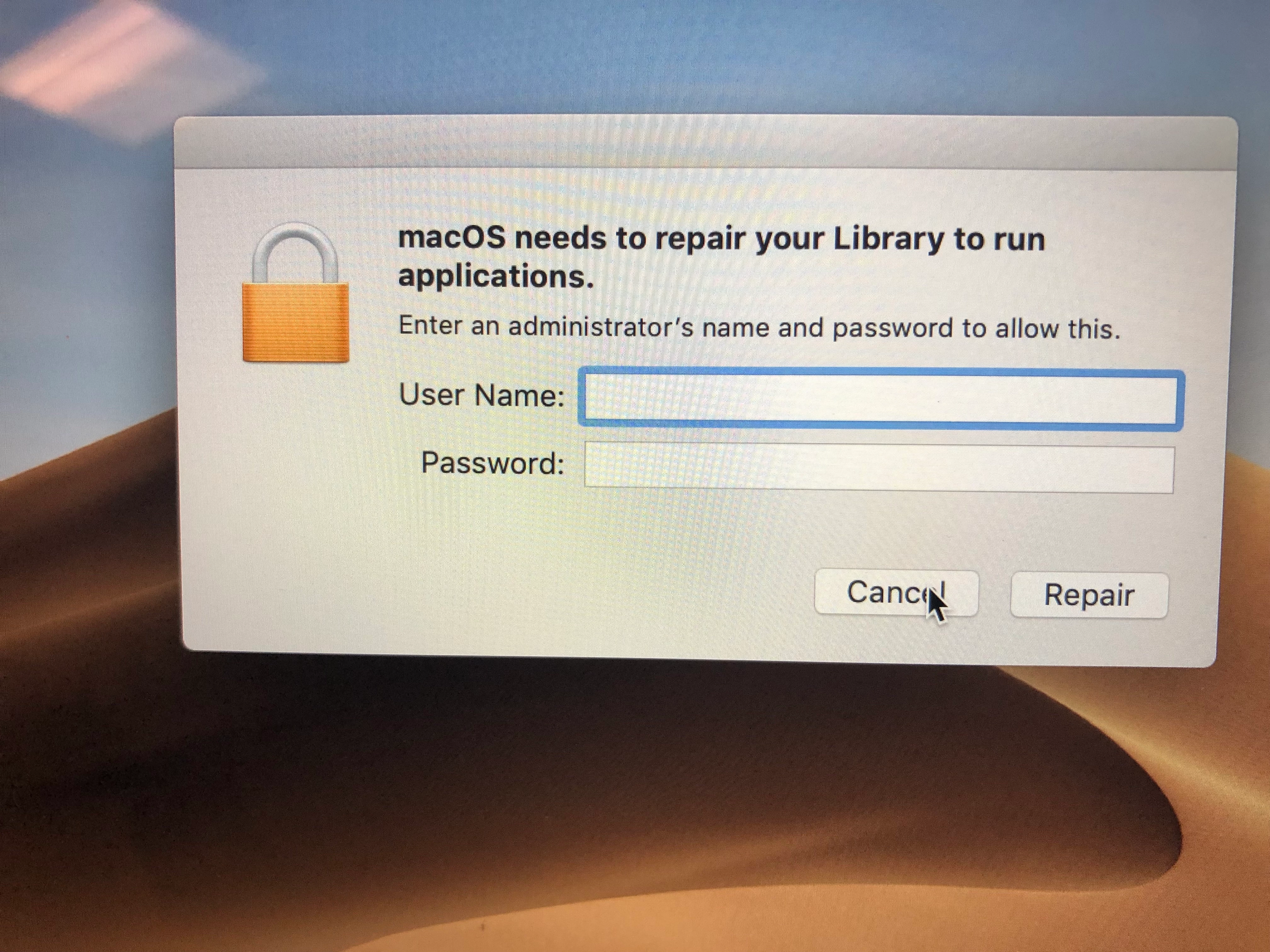
“macOS needs to repair your Library to run applications.” in Mojave

  • January 10, 2019
  • 37 replies
  • 261 views

Show first post

37 replies

FutureFacinLuke
Forum|alt.badge.img+9

Is this unique to Mac with T2 (in my case 2019 MacBook Pro 15")? A group OF MacBooks with the same set up as a group of iMacs has been hit by this but the iMacs don't suffer despite some policies FUT DMGs.


Forum|alt.badge.img+18
  • Esteemed Contributor
  • October 24, 2019

iMacs don't have T2 chips (except the Pro), but its also about if a change is made to a users library folder (IE you have something set to Fill templates), to fix you can either disable SIP or reimage without filling the user template.

Gabe Shackney
Princeton Public Schools


Forum|alt.badge.img+11
  • Valued Contributor
  • October 24, 2019

@RedWings That's not true. I still do plenty by writing to the User Template without any issues whatsoever.


Forum|alt.badge.img+18
  • Esteemed Contributor
  • October 24, 2019

@allanp81 Its only certain things in the User Template that don't affect it currently, but this is not something I'd recommend you keep doing for the long run. It will eventually break, and its probably better to find your work arounds now. Between SIP and the T2 your almost guaranteed to have issues going forward playing with the user template.

Gabe Shackney
Princeton Public Schools


Forum|alt.badge.img+11
  • Valued Contributor
  • October 24, 2019

I don't see why, depending what you do. I generally only use it for populating things in preferences to make software work, or occasionally populate things in the documents folder if an app needs something there.


Forum|alt.badge.img+18
  • Esteemed Contributor
  • October 24, 2019

Because of the above. Thats a folder that SIP tries to keep exempted, but changes still can cause problems depending on usage (specifically one I know of is Safari preferences being filled in User Templates) and will flag as a bad library when the user logs in. Otherwise Apple doesn't support changes to anything in /System. Many of the discussions of SIP and T2 security here on jamf confirm this and I would say most have moved away from FUT deployments. There are other workarounds and its all very annoying, but again probably better to be ahead of this.

Gabe Shackney
Princeton Public Schools


Forum|alt.badge.img+11
  • Valued Contributor
  • October 24, 2019

@gshackney Apple's documentation is a bit vague with regards to how much of /System is actually protected. Their page https://support.apple.com/en-gb/HT204899 suggests that the whole of /System is protected but obviously that's not the case.


Forum|alt.badge.img+18
  • Esteemed Contributor
  • October 24, 2019

@allanp81 For a bit of a deep dive perhaps take a look at SIP security which is a great write up by our friend @rtrouton
He shows how to identify SIP exempted folders in /System . I think based on the above article though Apple states the entire /System is protected, which I take as "it will eventually be true".

Gabe Shackney
Princeton Public Schools


Forum|alt.badge.img+11
  • Valued Contributor
  • October 24, 2019

User Template is now located outside of /System by the look of it in Catalina.


Forum|alt.badge.img+11
  • Valued Contributor
  • October 24, 2019

@gshackney Looking at the docs on rtrouton's site also suggests that /System/Library/User Template isn't included in the protection. I've confirmed this on one of my devices by checking the rootless.conf file and seeing the asterisk before the listing.


Forum|alt.badge.img+7
  • Author
  • Contributor
  • October 28, 2019

@allanp81 Since we stopped writing anything to the User Template, our issues are all resolved. All we were writing to them were preferences. Either way, I've talked to a former colleague of mine at Apple and he confirmed that Apple does not want anything writing to the User Template.


Forum|alt.badge.img+11
  • Valued Contributor
  • October 28, 2019

Why did they explicitly exclude it then?