Question

macOS Simplified Setup for Platform Single Signon

  • June 4, 2026
  • 12 replies
  • 68 views

BGSICTSupport
Forum|alt.badge.img+6

I’m just wondering if anyone has got this to work via Jamf Pro on-prem?

I’ve created a package deployment of the latest Company Portal, configured the SSO extension profile as explained in the Jamf guide for Entra, and setup the pre-stage enrolment but when I go through the setup on my test MacBook Neo it doesn’t work.

It takes over 15 minutes to try and install the Company Portal and then just moves on to the ‘create user’ step. If I restart the MacBook Neo it may eventually pick up the Company Portal and SSO extensions but then after signing in via Entra it shows a “Sign in to your organisation” screen with a box for username and a box for password, which will not accept any kind of credential.

I can access the package URL and download the pkg file in seconds via a browser. I’ve reloaded Tahoe on the MacBook Neo and deleted and recreated the SSO extensions, still nothing.

Thanks

12 replies

yugandhar
Forum|alt.badge.img+1
  • New Contributor
  • June 4, 2026

I’m just wondering if anyone has got this to work via Jamf Pro on-prem?

I’ve created a package deployment of the latest Company Portal, configured the SSO extension profile as explained in the Jamf guide for Entra, and setup the pre-stage enrolment but when I go through the setup on my test MacBook Neo it doesn’t work.

It takes over 15 minutes to try and install the Company Portal and then just moves on to the ‘create user’ step. If I restart the MacBook Neo it may eventually pick up the Company Portal and SSO extensions but then after signing in via Entra it shows a “Sign in to your organisation” screen with a box for username and a box for password, which will not accept any kind of credential.

I can access the package URL and download the pkg file in seconds via a browser. I’ve reloaded Tahoe on the MacBook Neo and deleted and recreated the SSO extensions, still nothing.

Thanks

Have you added the Company portal package  to the pre-stage enrollment??


BGSICTSupport
Forum|alt.badge.img+6
  • Author
  • Contributor
  • June 4, 2026

Hi,

Yes, the package was added to the pre-stage enrolment along with the Platform SSO Configuration Profile.


yugandhar
Forum|alt.badge.img+1
  • New Contributor
  • June 4, 2026

Hi,

Yes, the package was added to the pre-stage enrolment along with the Platform SSO Configuration Profile.

Just to confirm,

  1. what is the priority you kept for the company portal package while uploading it to Packages
  2. In Prestage Enrollment, Enrollment Packages sections did you selected the Distribution point as Cloud Distribution Point ( If Cloud platform)

BGSICTSupport
Forum|alt.badge.img+6
  • Author
  • Contributor
  • June 4, 2026

Priority for the package is “1” we only have one package.

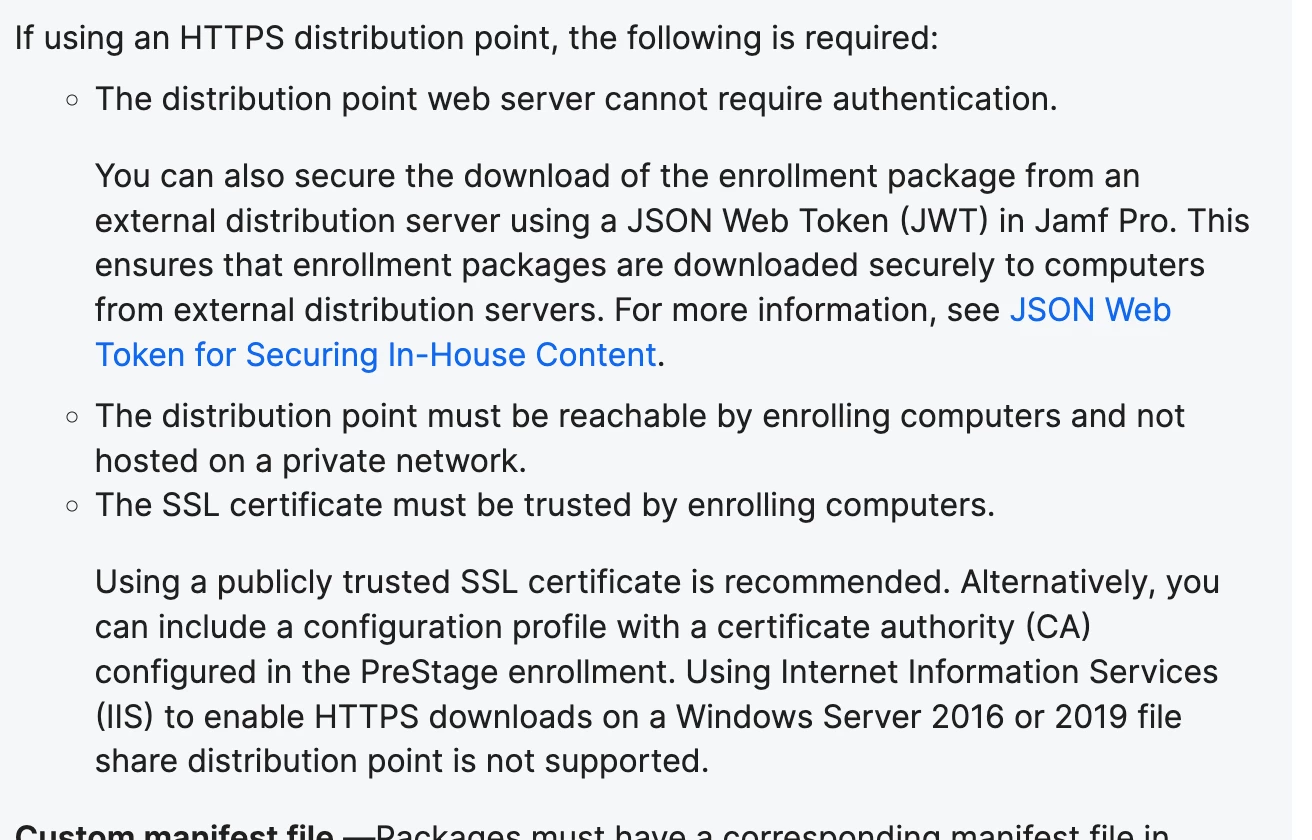
We are on-prem Jamf so the package is deployed via an HTTPs distribution point configured on a separate web server. I can see from the IIS logs that the MacBook Neo does access the pkg file on the web server


yugandhar
Forum|alt.badge.img+1
  • New Contributor
  • June 4, 2026

Priority for the package is “1” we only have one package.

We are on-prem Jamf so the package is deployed via an HTTPs distribution point configured on a separate web server. I can see from the IIS logs that the MacBook Neo does access the pkg file on the web server


yugandhar
Forum|alt.badge.img+1
  • New Contributor
  • June 4, 2026

Priority for the package is “1” we only have one package.

We are on-prem Jamf so the package is deployed via an HTTPs distribution point configured on a separate web server. I can see from the IIS logs that the MacBook Neo does access the pkg file on the web server


Refer this


yugandhar
Forum|alt.badge.img+1
  • New Contributor
  • June 4, 2026

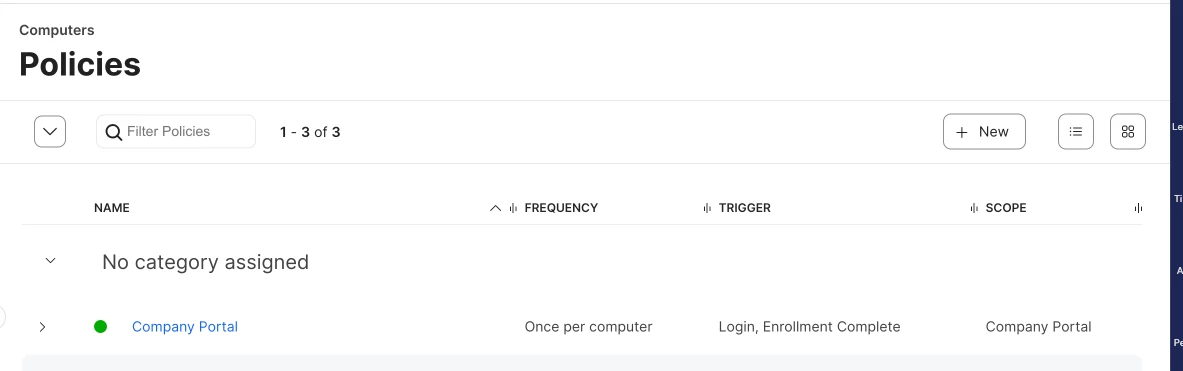
To add this, did you added policy for the company portal also


BGSICTSupport
Forum|alt.badge.img+6
  • Author
  • Contributor
  • June 4, 2026

Hi,

The HTTPS distribution point is secured with an external certificate and doesn’t require any authentication.

I don’t have a Policy for Company Portal, what would this contain, I don’t think I’ve seen it mentioned in the documentation I’ve read.


yugandhar
Forum|alt.badge.img+1
  • New Contributor
  • June 4, 2026

Create a policy for installing Company portal package and select trigger action as enrolment complete. During prestage, company portal will get installed once enrolment is finished. 


BGSICTSupport
Forum|alt.badge.img+6
  • Author
  • Contributor
  • June 4, 2026

Thanks, I thought that having the Package assigned to the Pre State Enrolment would have been enough for it to be installed during setup


yugandhar
Forum|alt.badge.img+1
  • New Contributor
  • June 4, 2026

Adding won’t be enough. we need to create a separate policy scoping to devices. 


BGSICTSupport
Forum|alt.badge.img+6
  • Author
  • Contributor
  • June 4, 2026

Didn’t work unfortunately, the MacBook Neo moved on to the create user account page after a period of time skipping past PSSO.

The policy to install company portal completed after the above had occurred

On a restart PSSO is picked up during setup but after signing in via Entra I’m prompted for a username and password that won’t accept any credentials.

Jamf Logs say this over and over until it was restarted - 

[WARN ] [Tomcat-26  ] [DeviceConfiguredHelper   ] - Device 64 failed verify await configuration complete check