Question

Manage the login possibility to MacOS

  • March 3, 2026
  • 2 replies
  • 27 views

Forum|alt.badge.img+1

Hello,

My organization has asked me to explore whether it’s possible to control macOS login behavior based on Active Directory group membership.

The goal is to automatically log out a user if they belong to a specific AD group. Additionally, as long as the user remains in that AD group, they should be prevented from logging in to macOS at all. We would also like to block all local unlock methods (password, Touch ID, etc.) while the user is in that AD group.

Is this type of workflow achievable? Does Jamf provide functionality that can enforce these restrictions?


2 replies

dan682lee
  • New Contributor
  • March 3, 2026

Hello!

Jamf alone doesn’t provide a built‑in way to block or auto‑logout macOS users based on AD group membership. To achieve this, you’d typically need Jamf Connect integrated with your identity provider (Azure AD/Okta), which can enforce login restrictions tied to directory groups. Policies can be scoped to AD groups, and custom scripts can check membership at login to trigger logout or block access, but local unlock methods (like Touch ID) can only be disabled globally, not conditionally per group. In short, the workflow is possible with Jamf Connect plus scripting, but not natively in Jamf Pro.


mvu
Forum|alt.badge.img+21
  • Jamf Heroes
  • March 3, 2026

Is your organization using Device Compliance? Could block other access, depending on your criteria.

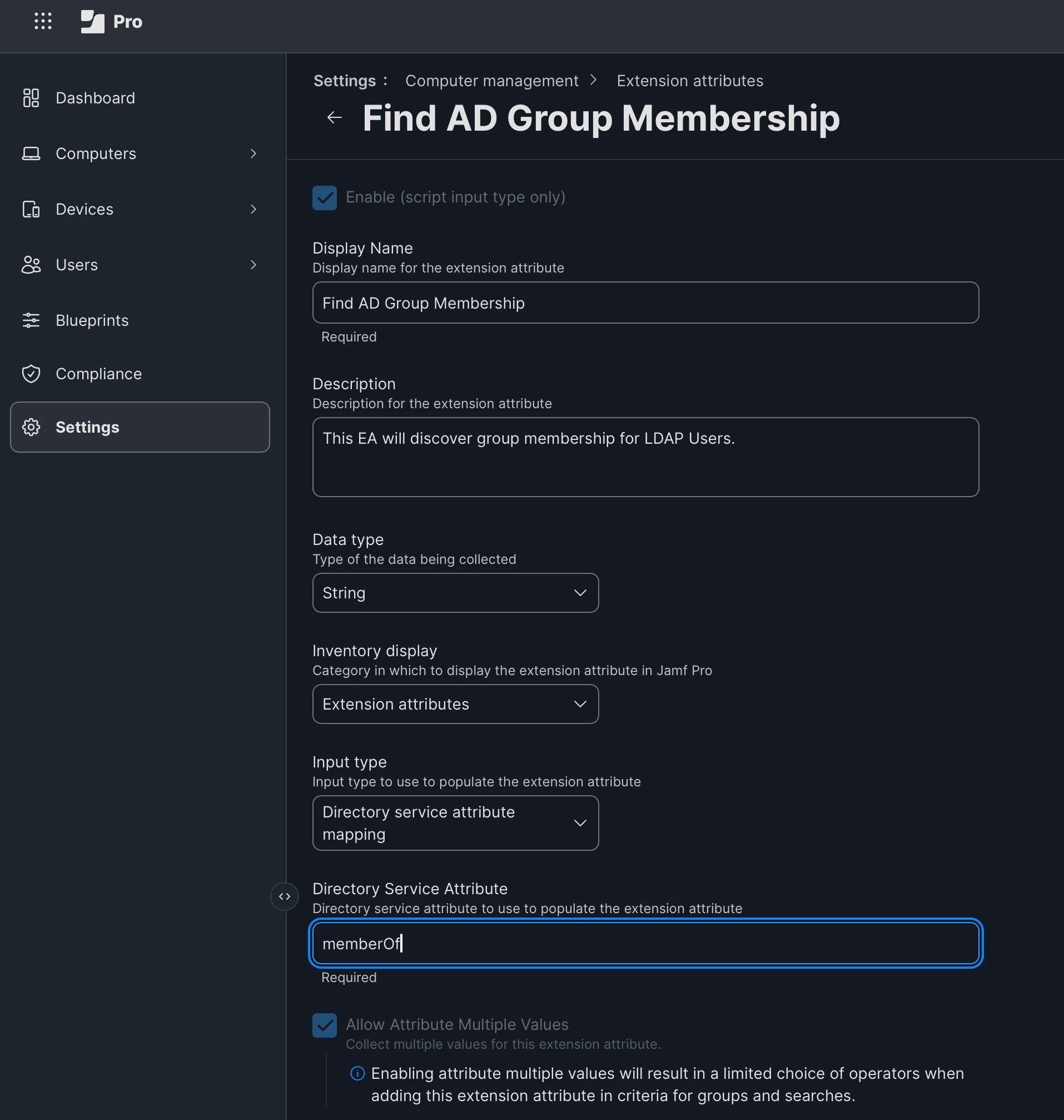
Here is how we setup our Extenstion Attributes for iOS and macOS. From there, we great smart groups of the AD memberships and scope desired policies to them. Similar to what ​@dan682lee mentioned.

You could do other functionality thingys, like change wallpaper, flip out the Dock, remove apps or access. Depending on how far you need to go ...