
Solved

Managed Login Items - Cisco Thousand Eyes

  • August 7, 2024
  • 3 replies
  • 26 views

dmccluskey
Forum|alt.badge.img+8

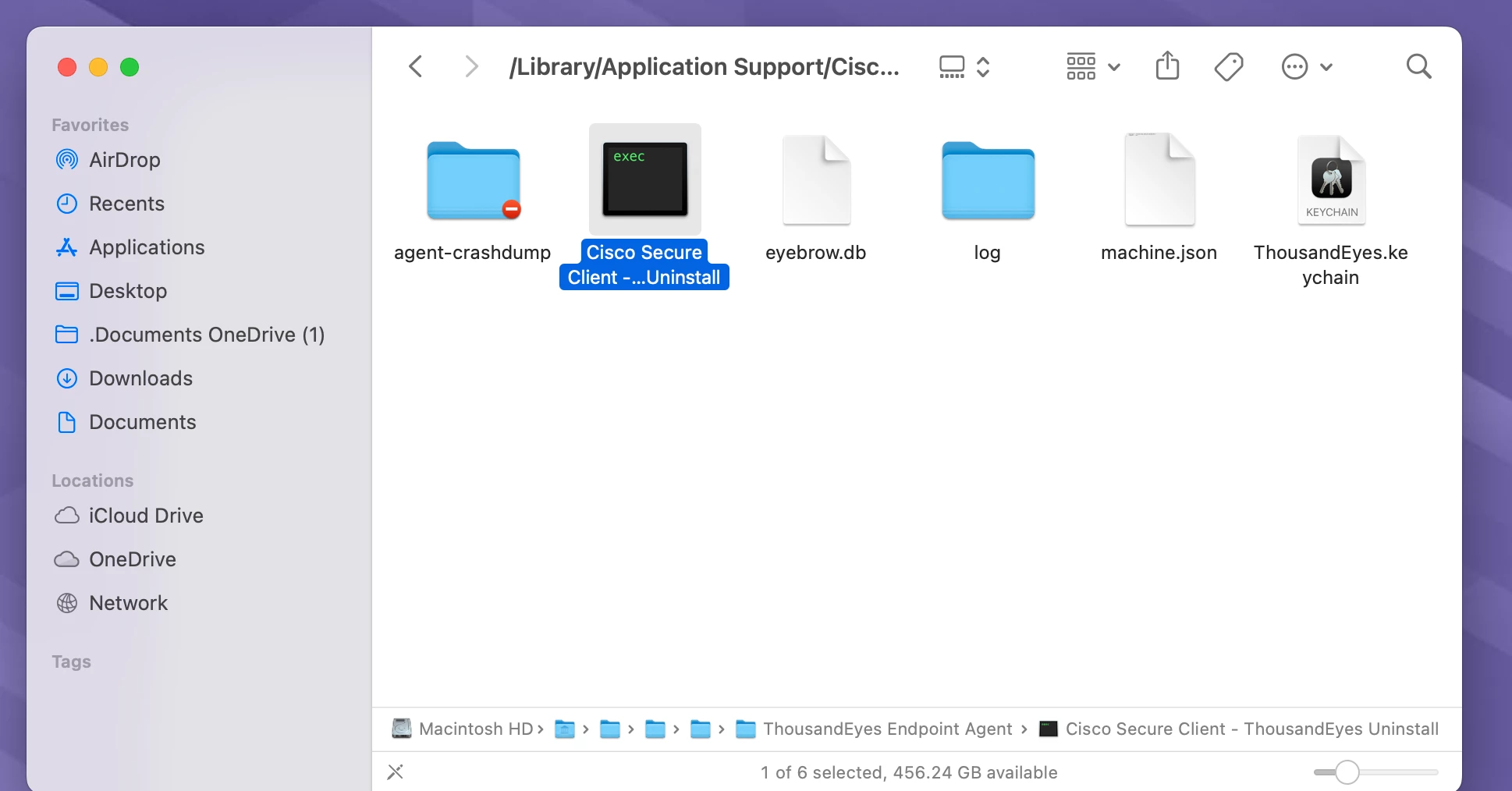
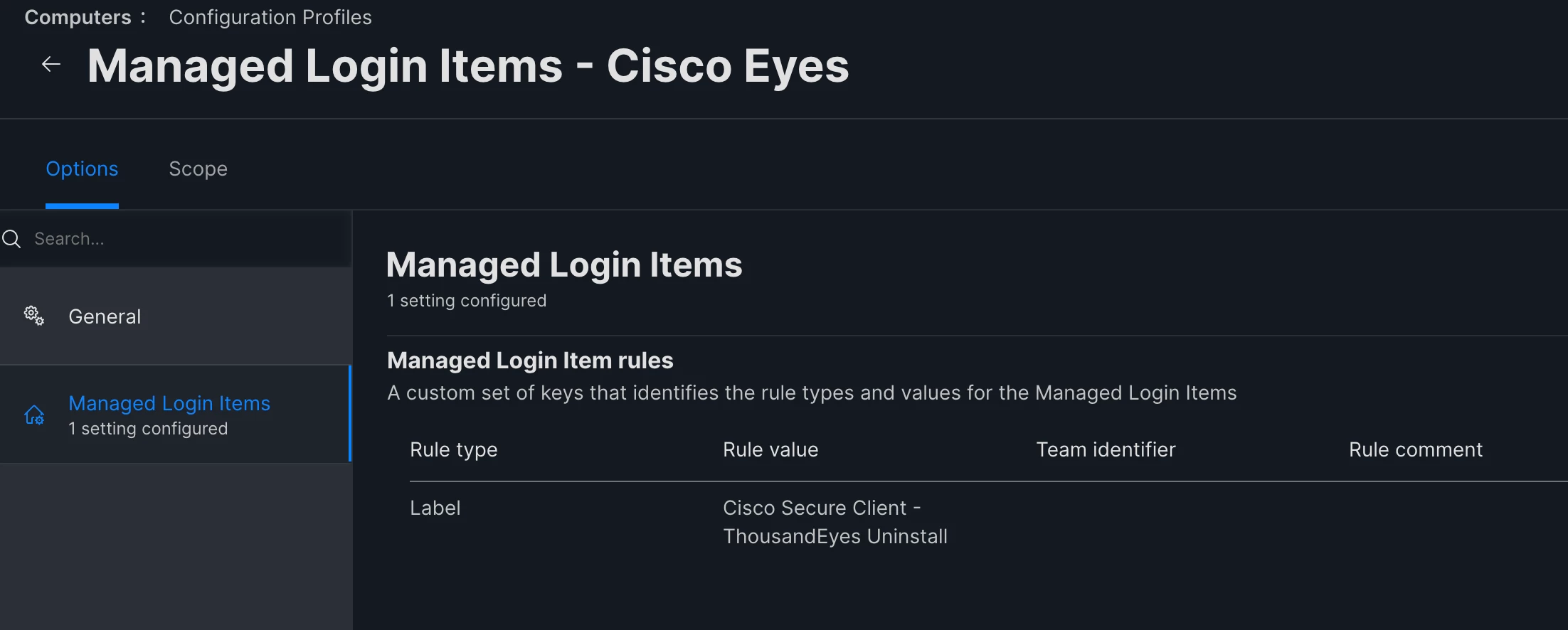
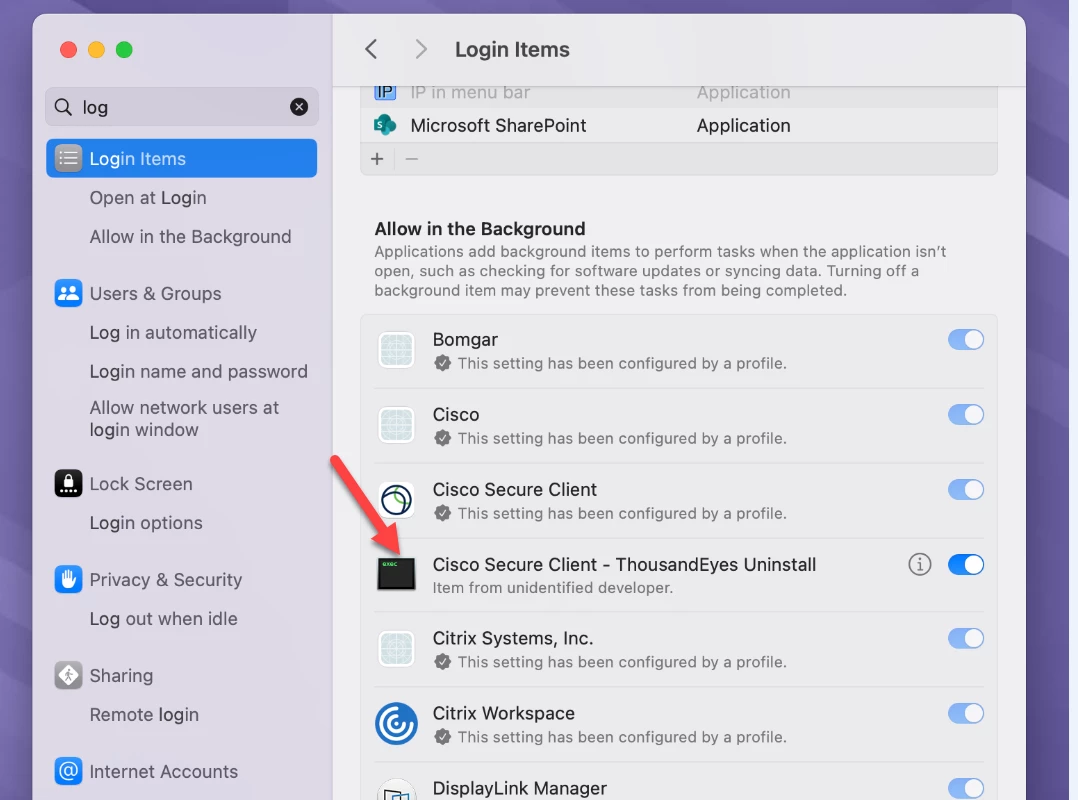
I am unable to find a way to added Cisco Thousand Eyes Uninstall to Managed Login Items as it is a EXEC file it doesn't have a bundle id or team identifier.

Hoping someone has setup a different EXEC that might know what I need to add the config profile.

Thanks
 

Best answer by dmccluskey

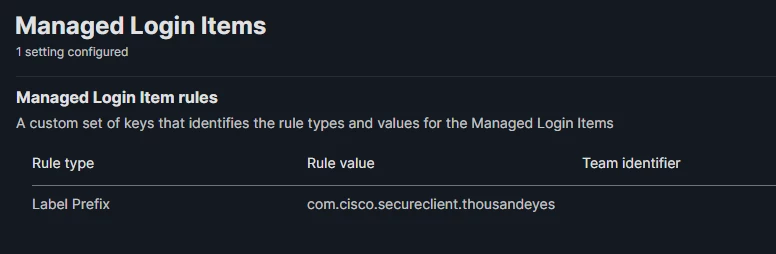
I figured out, thanks for the help. I used the mac eval utility to find it. 

This is it.


3 replies

jamf-42
Forum|alt.badge.img+17
  • Esteemed Contributor
  • August 7, 2024

rule type is wrong.. should be generally be rule type identifier and the ID or rule label then com.cisco.?? 

this has no output

codesign -dv /Path/To/Some.app 2>&1 | grep TeamIdentifier 


mvu
Forum|alt.badge.img+20
  • Jamf Heroes
  • August 7, 2024

Believe the ThousandEyes Agent app is located here:

/Applications/Cisco/Cisco\\ Secure\\ Client\\ -\\ ThousandEyes\\ Endpoint\\ Agent.app


Can you get the Team Identifer from there? We uninstall it via script.


dmccluskey
Forum|alt.badge.img+8
  • Author
  • Valued Contributor
  • Answer
  • August 7, 2024

I figured out, thanks for the help. I used the mac eval utility to find it. 

This is it.