Question

Managed Software Updates with Blueprints

  • September 16, 2026
  • 8 replies
  • 50 views

BookMac
Forum|alt.badge.img+14

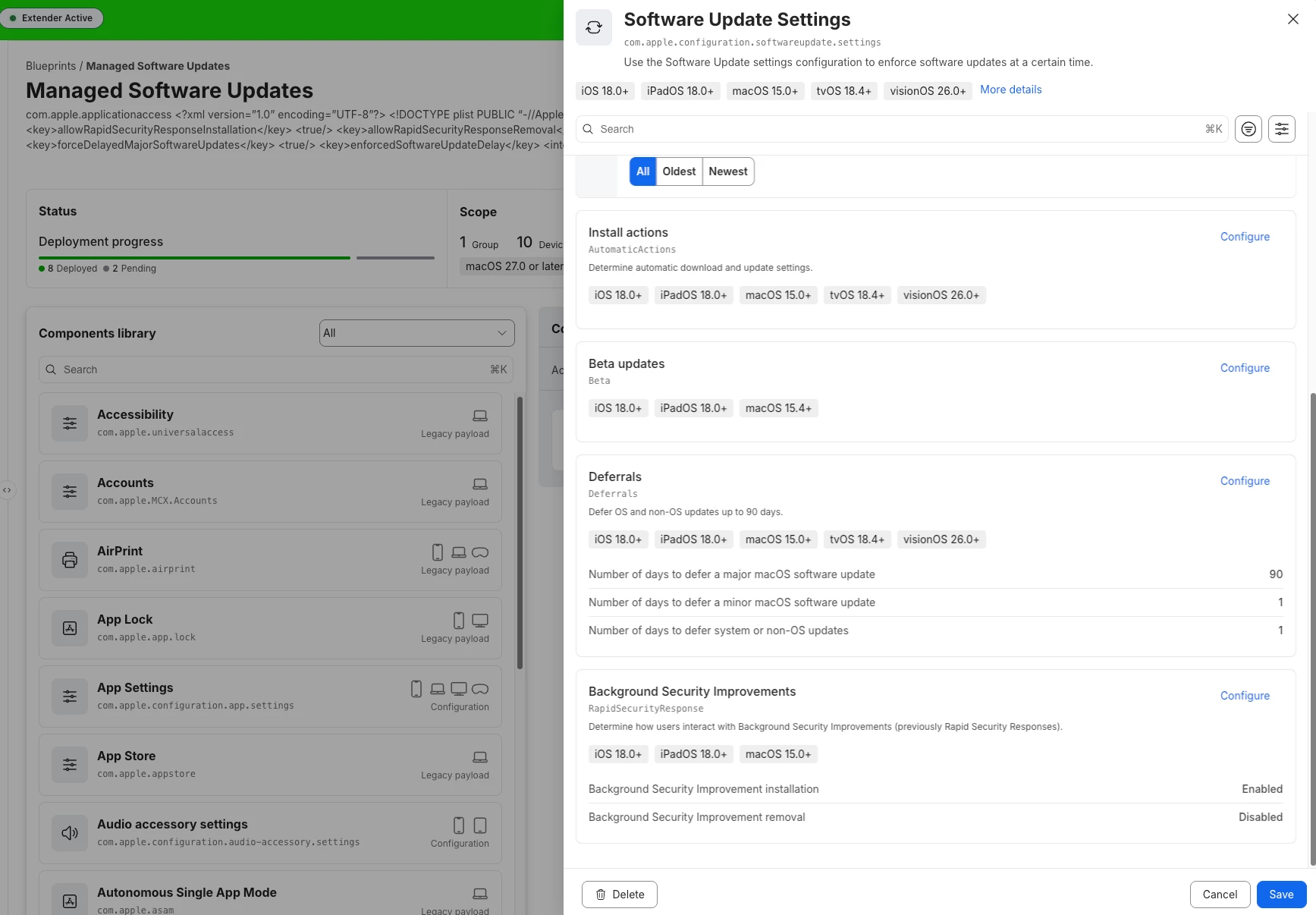
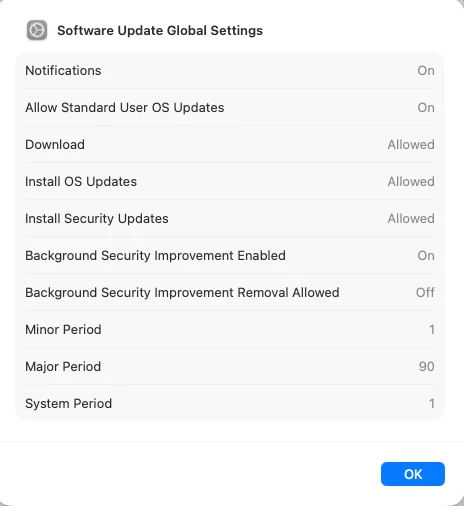
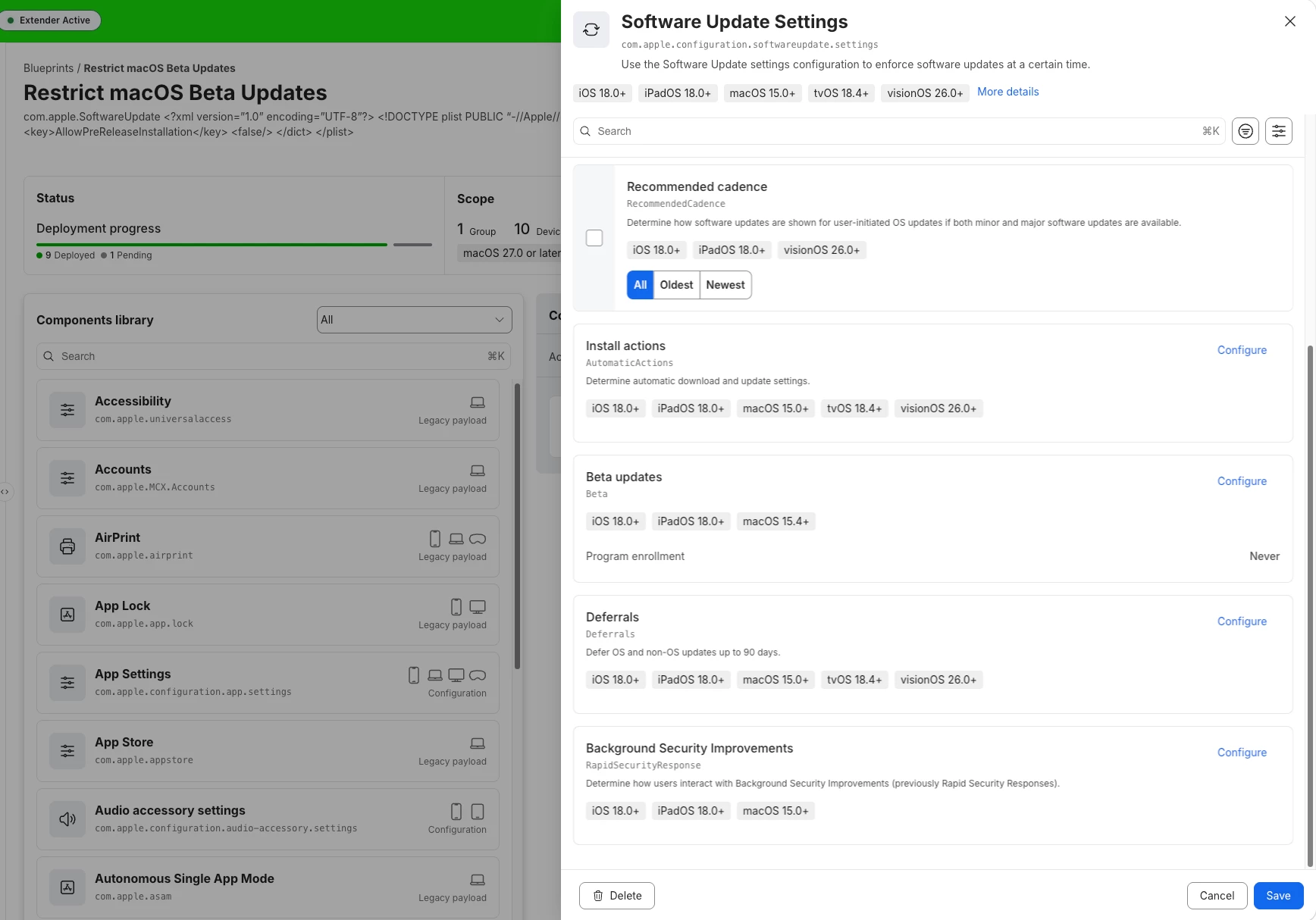
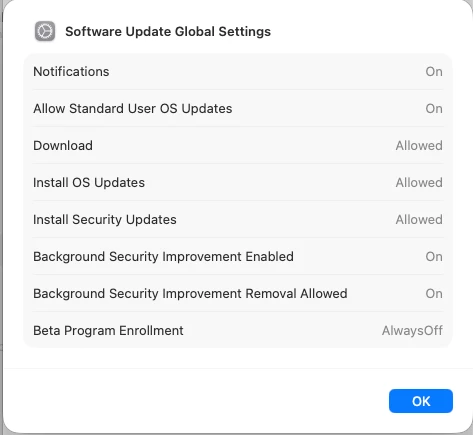
I need some help and have a question regarding how this works. I’ve just started deploying software update settings via DDM in my Jamf Pro production instance. I currently want to deploy four different blueprints—similar to the configuration profiles I used previously. I noticed that the MDM profile contains multiple entries for device declarations related to software updates, and settings are enabled there that I only actually configured in one of the blueprints. For example, I want to disable “Background Security Improvement removal”; I have explicitly disabled this in one blueprint, yet the setting appears as allowed in the other entries within the MDM profile. Can anyone shed some light on this? Two blueprints are visible in my screenshots. In one, the removal of “Background Security Improvement” is prohibited, while in the other, it is not set at all.


8 replies

Chubs
Forum|alt.badge.img+26
  • Jamf Heroes
  • September 16, 2026

Wait so I’m confused. Whats the ask?  


It seems the blueprints are doing exactly what they are meant to do according to your screenshots. BSIs aren’t available to be set via MDM configuration profiles, only RSRs (which I recently learned from an Apple rep are not the same thing). 


BookMac
Forum|alt.badge.img+14
  • Author
  • Jamf Heroes
  • September 16, 2026

I would have assumed that if I neither enable nor disable it in another blueprint, it would simply be ignored.
We basically have 3 different statuses. enabled, disabled and not set. but in the mdm profile on the mac it appears as enabled if i did not set it.
does that make sense? i don't get it.


Chubs
Forum|alt.badge.img+26
  • Jamf Heroes
  • September 16, 2026

Ah yes. So unset takes the default configuration that Apple sets. If you have a declaration set though, it’ll respect that over anything/everyhing else. 


Hopefully I’m understanding you correctly and providing decent information. 


PaulHazelden
Forum|alt.badge.img+14
  • Jamf Heroes
  • September 16, 2026

I have run into similar before, you have to be specific.
If you do not want it Enabled, then Disable it.
I think you will find not setting something should allow the end user the choice to set or not, and will show up as whatever the Apple Default setting is.
I say should there because I have worked in the world of Apple long enough to know that their world and the rest of the world are not the same.


BookMac
Forum|alt.badge.img+14
  • Author
  • Jamf Heroes
  • September 16, 2026

Okay, and what happens if it is configured as “Disabled” in one blueprint but left “Not Configured” in another blueprint? Will the more restrictive setting take precedence?


Forum|alt.badge.img+8
  • Valued Contributor
  • September 16, 2026

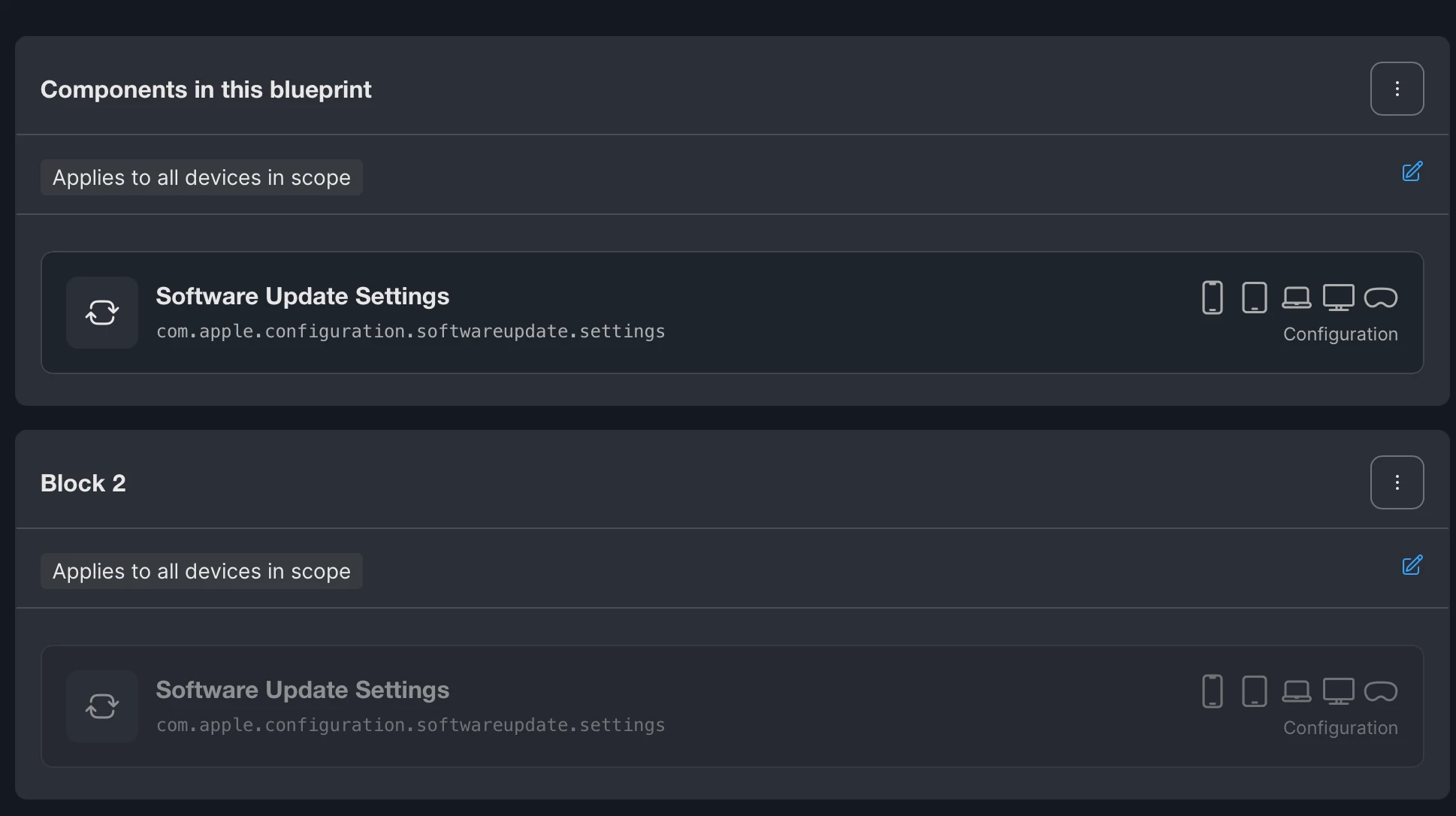
I’m trying to take the approach of blocks and predicates. I started out with multiple blueprints for updates and it rapidly became unruly.

I believe it follows the same as profiles so the more restrictive setting takes precedence.


Chubs
Forum|alt.badge.img+26
  • Jamf Heroes
  • September 16, 2026

Okay, and what happens if it is configured as “Disabled” in one blueprint but left “Not Configured” in another blueprint? Will the more restrictive setting take precedence?

It’s supposed to.  Most restrictive is supposed to take precedence.


PaulHazelden
Forum|alt.badge.img+14
  • Jamf Heroes
  • September 16, 2026

If its 2 Blueprints on the same device, the theory is Most restrictive will apply.