Solved

MDM Capability No

  • March 22, 2016
  • 110 replies
  • 579 views

Forum|alt.badge.img+5

Hi Guys,

We have noticed an issue this PM which shows our MDM Capability as "No" after imaging or enrolling via the URL.

Does anybody know what I can check to see what might be causing this?

2 Machines have the same problem now.

Thanks!

EDIT 23/03/16 14:00PM GMT - It seems from comments below that this is an Apple issue, multiple users have reported this to Apple. JAMF have also had multiple reports.

EDIT 24/03/16 11:30AM GMT - Fixed.

Best answer by CypherCookie

Just check this morning and APN is back up and new Mac's are getting the config profile!

110 replies

Forum|alt.badge.img+17
  • Valued Contributor
  • March 22, 2016

Same issue here - no matter what I do

As of yesterday computer I imaged with PreStage imaging it worked - -today all computers (3) I have imaged have come back as MDM Capability:NO
removedFrameWork and re-enrolled with quick add- removed MDM and re-pushed mdm - nothing works

Talked to support and they have others with the same issue - and are working will Apple to resolve.


davidacland
Forum|alt.badge.img+18
  • Valued Contributor
  • March 22, 2016

The usual culprits are:

  • Expired push cert
  • Expired or problematic tomcat cert
  • Blocked ports from the server to Apple, or the client devices to Apple
  • Issue with one of the MySQL tables (only had this once)
  • Something else

I haven't personally seen this caused from a client but there's always a first time.


golbiga
Forum|alt.badge.img+21
  • Employee
  • March 22, 2016

I'm seeing the same thing and so are others. If you go to your database and do the following,

use jamfsoftware;
select computer_name, computer_id, apn_token from computers;

You should see something like this

|computername        |         105 |                                                                         
|computername        |         106 |

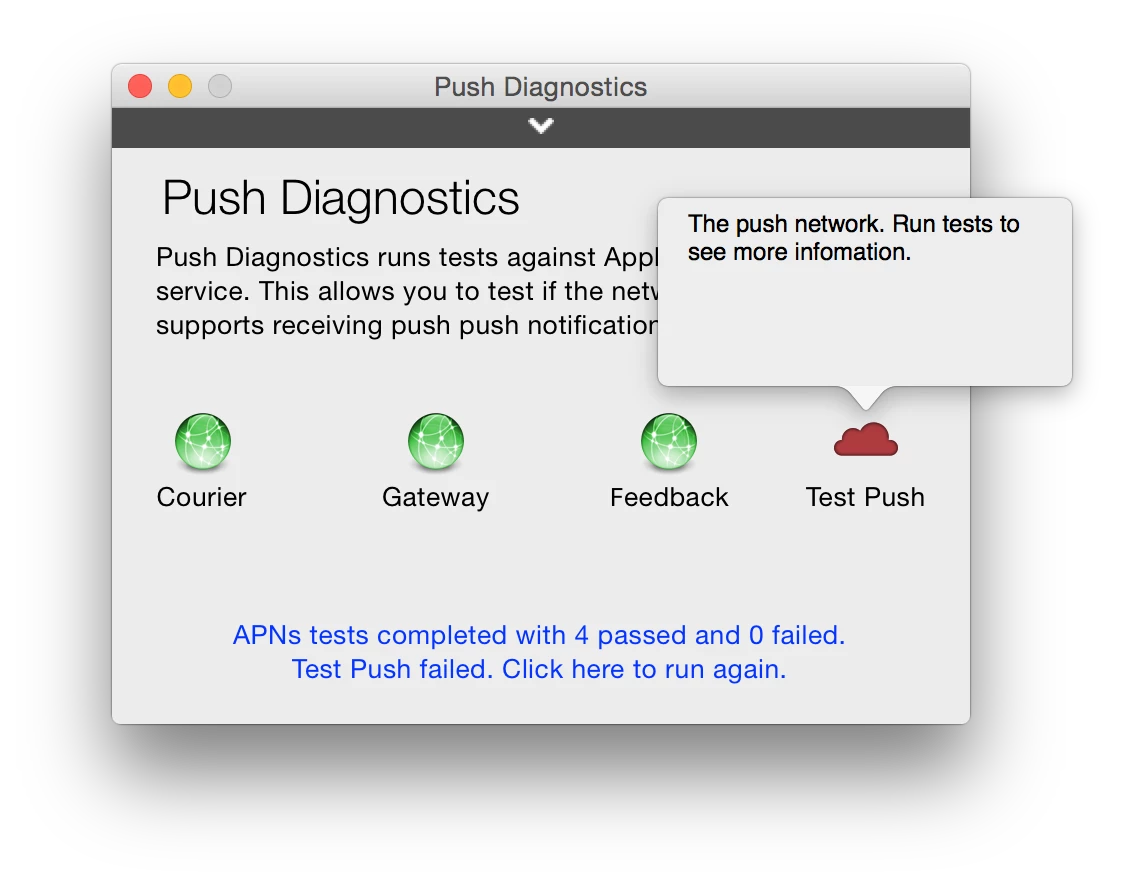
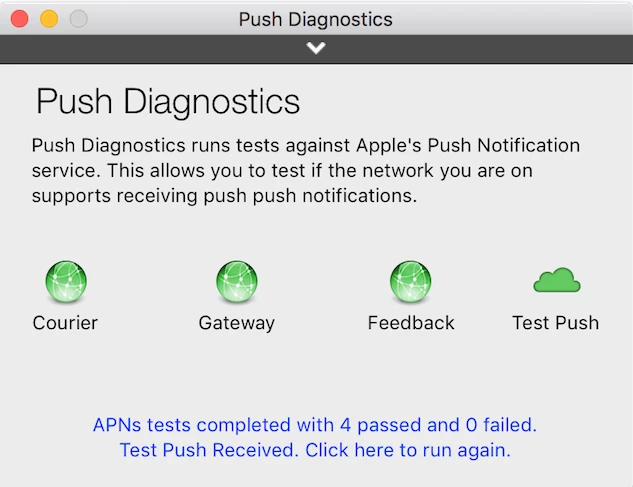
It doesn't look like the JSS is receiving the apn token from the MacBook affected. Also if you run https://itunes.apple.com/us/app/push-diagnostics/id689859502?mt=12 on that machine it should fail. I haven't found a workaround yet, but there are issues with DEP today so I'm wondering if this is related.

Allen


Forum|alt.badge.img
  • New Contributor
  • March 22, 2016

We're currently experiencing this same issue with newly enrolled devices. We've done multiple re-enrollements and the typical troubleshooting. Reaching out to our TAM to see if it is an issue with Apple.


Forum|alt.badge.img+5
  • Author
  • Contributor
  • March 22, 2016

ah, so this is a global issue rather than just us?


Forum|alt.badge.img+10
  • New Contributor
  • March 22, 2016

This looks like an Apple issue, but the status pages has not been updated to reflect an issue. http://www.apple.com/support/systemstatus/
https://developer.apple.com/system-status/


Forum|alt.badge.img+16
  • Valued Contributor
  • March 22, 2016

At the risk of being a "me too" guy, I'm seeing this as well. I'm somewhat glad that it's just just our network, though; I was about to yell at someone for messing with firewall rules without talking to me first. :)


Forum|alt.badge.img+16
  • Valued Contributor
  • March 22, 2016

Just talked to JAMF support. They've been seeing it all day and are working with Apple to get things restored. No ETR yet, but they believe it's an infrastructure issue.


Forum|alt.badge.img+8

I'm having the same issue.
Thanks @bvrooman for your feedback.


Forum|alt.badge.img+5
  • Contributor
  • March 22, 2016

Same issue here. New imaged via casper imaging and URL enrollment on a brand new machine did not work. Both laptops are not MDM capable. I called JAMF support, they have not yet gotten back to me. Just noticed this today. The mdm profile shows up in profile but doesnt do anything. Our configuration profiles dont work now.


Forum|alt.badge.img+5

We started seeing this issue as well this afternoon. Thought it was our SSL cert. Glad it's not! We haven't touched anything on our JSS for months!


Forum|alt.badge.img+10
  • Contributor
  • March 22, 2016

Count me in. One of my techs noticed this same behavior today as well. Thought my network admin changed something in the firewall because he just started blocking IOS updates to 9.3.


Forum|alt.badge.img+4
  • Contributor
  • March 22, 2016

Same issue here. I am not able to push any configuration profiles.

When I run the push diagnostics tool above - I get a cryptic error saying "The push network. Run tests to see more information." I re-run the tests, but I only get that same error message. Attaching screenshot:


Forum|alt.badge.img+5
  • Contributor
  • March 22, 2016

I hope they fix this asap. i need to encrypt some machines, now it does not give me the option to store the key in JSS.


donmontalvo
Forum|alt.badge.img+36
  • Hall of Fame
  • March 22, 2016

Working here in SoCal...


Forum|alt.badge.img+5

Maybe Apple fixed it. I'll check in the morning.


jhbush
Forum|alt.badge.img+27
  • Esteemed Contributor
  • March 23, 2016

@ryanstayloradobe so far it still seems broken as recently imaged machines are not getting a APNS token.


gskibum
Forum|alt.badge.img+13
  • Valued Contributor
  • March 23, 2016

Still not working for me. I noticed it about 6 hours ago.


gskibum
Forum|alt.badge.img+13
  • Valued Contributor
  • March 23, 2016

Expired certs breaking Mac App Store apps, a security update that blacklisted Apple's own ethernet drivers, and now this.

Just sayin'.


Forum|alt.badge.img+5
  • Author
  • Contributor
  • March 23, 2016

Anybody UK side tested this yet??


Forum|alt.badge.img+8
  • Contributor
  • March 23, 2016

Not working here in UK.

Getting the same error in Push Diagnostics as @tim.c.arnold


Forum|alt.badge.img+8
  • Contributor
  • March 23, 2016

Logged ticket with Apple and referenced this thread


Forum|alt.badge.img+5
  • Author
  • Contributor
  • March 23, 2016

I've just tested and still down.

What does this mean? I have 5 machines to enrol that I can't enrol as the machines won't go out with the correct security settings etc.

Does anybody have a link I can use to also raise a case with apple?


gskibum
Forum|alt.badge.img+13
  • Valued Contributor
  • March 23, 2016

@billystanton

I was able to enroll via URL. Then download the config profiles from the JSS, then copy them to the Mac for manual installation.


Forum|alt.badge.img+3
  • New Contributor
  • March 23, 2016

Seeing same issue here. New enrolled systems, MDM Capability No and can not get out using "Push Diagnostics". I can get out using "Push Diagnostics" on systems that were enrolled before yesterday