Hello together,
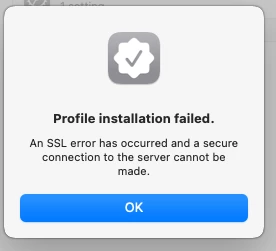
I run into an issue when I want to register a mac M1 with macOS Ventura to our Jamf Pro management. While installing the MDM profile, the installation stops with a message "mdm profile could not be installed, ssl failure" (I hope, this will be the right translation from German to English).
I tried to deactivate the ssl check on our Jamf Pro, but without any success.
All clients with macOS Monterey (version 12.6.1 included) can be registered and the MDM profile will be installed without any issues.
Has anyone an idea, where I could configure the MDM installation on mac M1® (and oder INTEL®) under macOS Ventura® ?
At this time, we are running Jamf Pro 10.41.0. Because of the certificate theme, I did not update to 10.42..
I would be glad for some thoughts :)
greetings,
NOVELLUS