Question

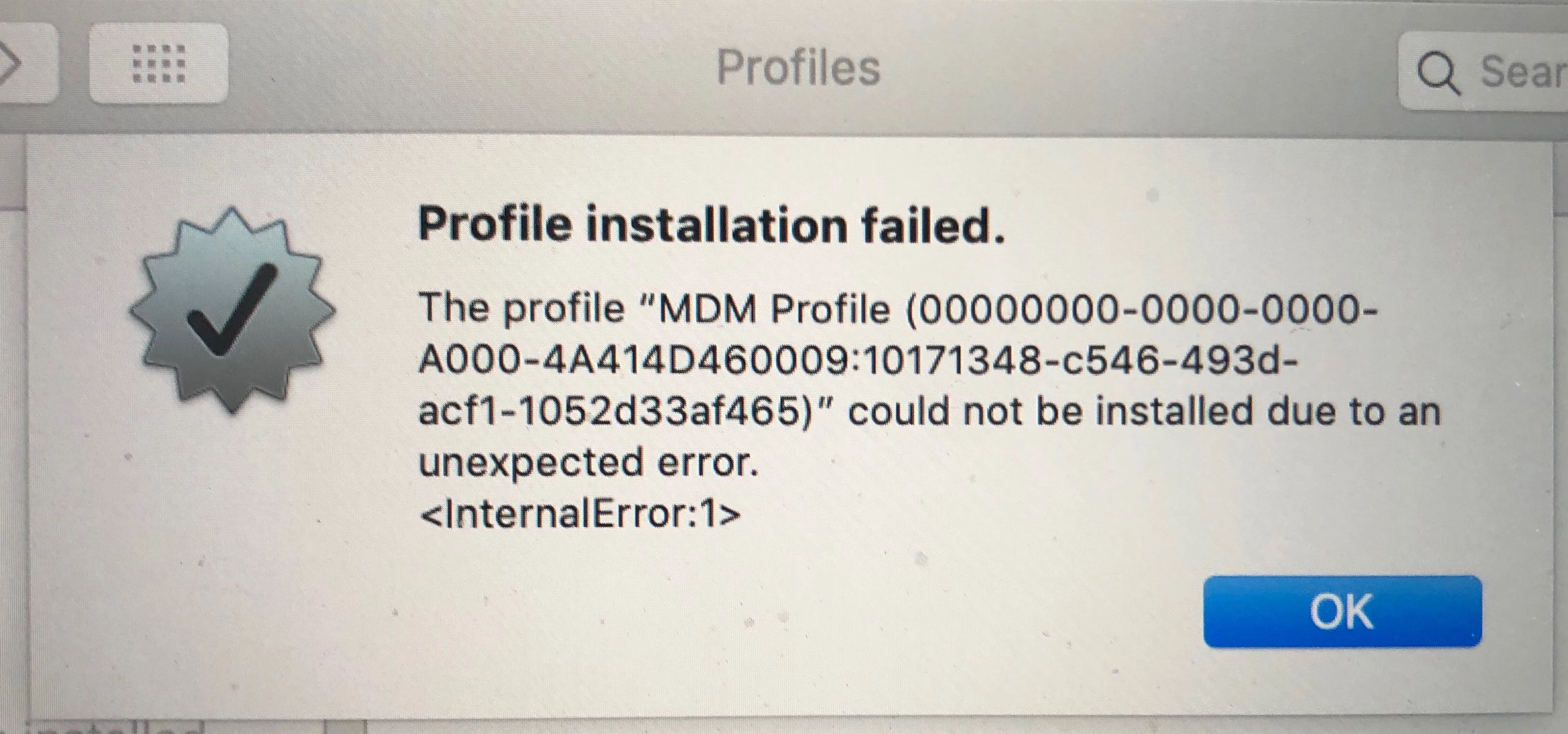
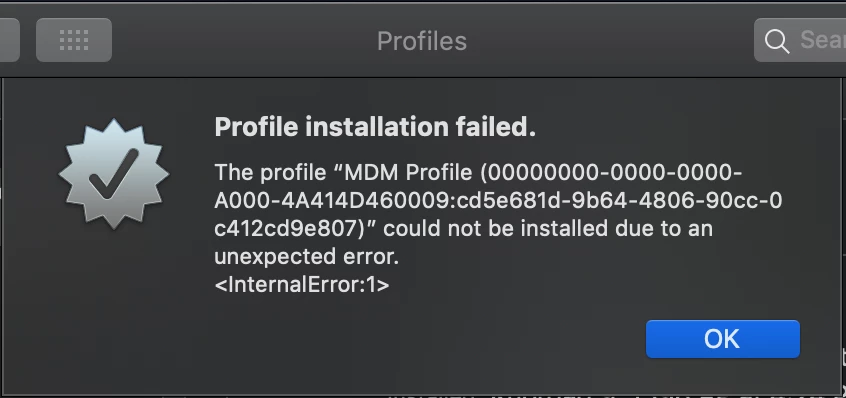
MDM Profile Unexpected Error <InternalError:1>

  • June 3, 2019
  • 14 replies
  • 227 views

Forum|alt.badge.img+1

Can anyone help me with this error I have not been able to find anything on why my MDM profile cert is failing. I am trying to use user initiated enrollment to test some things and getting this return error after my CA Cert downloads and installs.
14 replies

Forum|alt.badge.img+6
  • New Contributor
  • June 3, 2019

Is this a VM?

You will need to specify the model by editing the .vmx file for the virtual machine.

hw.model = “model_here”


Forum|alt.badge.img+1
  • New Contributor
  • July 23, 2019

Had this same error, turned out to be a duplicate user (username) in jamf, so the user could not be assigned to. check for duplicates, remove duplicate users, and try again. Worked immediately. Wish we had found this out before, because I spent $200 next day shipping a new laptop to this person, only for the same issue to occur when it hit DEP / MDM!!
:facepalm:
Note: you need fairly high level of permissions in jamf to delete a user, but it can be done.
Hope this helps!!


Forum|alt.badge.img+7
  • Contributor
  • October 3, 2019

We are still experiencing this issue and don't have any duplicate usernames.


Forum|alt.badge.img+4
  • Contributor
  • October 9, 2019


Hello everyone

Same issue here (with 2 laptops). I can't get the MDM profile to be installed
What I've already done: deleting the Mac from Jamf computers and deleting the user assigned
It seems there is no profile installed on this laptop anymore
Any help would be much appreciated
Best


Forum|alt.badge.img+12
  • Valued Contributor
  • October 9, 2019

Wasn't this also happening when a computer by accident ended up in the Devices group? Search for the serial number of the Mac under Computers and under Devices.


Forum|alt.badge.img+4
  • Contributor
  • October 9, 2019

The devices list is empty. The S/N search gives no result
I found out another topic with the same error: https://www.jamf.com/jamf-nation/discussions/8066/profile-installation-failed


Forum|alt.badge.img+7
  • Contributor
  • October 18, 2019

So for those of you that are still experiencing this, we resolved this by making sure their was an organisation name saved under the activation code window. It was an onprem instance and it somehow managed to not have an organisation name listed. Problem solved.


Forum|alt.badge.img+7
  • Contributor
  • December 18, 2019

I've found that I've been getting this message if I try and re-enrol a device using an invitation link. either with a new link or one that I can use multiple times. I think this is a JAMF bug and we have a call open with them about this now.


Forum|alt.badge.img
  • New Contributor
  • September 21, 2020

I had the same issues with about 5% of my users, looks like it is a wifi issue, enrollment worked when devices were re-connected to a hotspot


Forum|alt.badge.img+3
  • New Contributor
  • October 13, 2020

I had to try enrollment again with a different browser, i think because okta was hooked into the browser since i enabled it for SSO and self service.


Forum|alt.badge.img+3
  • New Contributor
  • October 13, 2020

(then it worked right away)


Forum|alt.badge.img
  • New Contributor
  • January 20, 2021

This issue only showed up when someone tried to use Chrome for the initial profile download. I had them switch to Safari and it worked.


Hasibravo
Forum|alt.badge.img+7
  • Contributor
  • October 22, 2021

This worked for me always that's why I thought to share with you guys. 

have deleted user device record from MDM  

Ask the user to re-enrol the device to MDM after deleting the profiles from preference by following the steps. 

In the Apple menu  > System Preferences, open the Profiles preference pane. 

In the left panel, select Self Service Configuration profile, and then click the minus (-) button to remove it. 

Restart your Mac then ask the user to re enrol it by URL.  


Ahadub
Forum|alt.badge.img+5
  • Contributor
  • December 11, 2023

we are seeing this also on a machine where someone went thru the setup assistant before it was assigned an MDM, then they logged in with their apple ID making the activation lock.  We went into the apple id and icloud and tried to remove the device but it persists.  Now the Mac is assigned an MDM in ABM and when we boot, we get our remote screen, the Mac starts to enroll, Jamf binary loads but not self service.