Question

Microsoft CoPilot shortcut on Dock item

  • August 21, 2024
  • 3 replies
  • 33 views

Asifahmed
Forum|alt.badge.img+9

Hello Team,

I am asked by manager that to make the Microsoft Copilot available as Dock item, as you know there is no separate app to install on macOS for CoPilot, so I created .webloc file which contains the URL https://copilot.microsoft.com with a CoPilot icon, but I am not able to place it on Dock by any command(Shell, Applescript), it is always showing me ? sign, any idea how to do it?

3 replies

AJPinto
Forum|alt.badge.img+26
  • Legendary Contributor
  • August 21, 2024

I would respond back to your manager with your first sentence. "There is no separate app to install on macOS for CoPilot". If he really wants it, then submit feedback and open a ticket with Microsoft. 


Asifahmed
Forum|alt.badge.img+9
  • Author
  • Contributor
  • August 21, 2024

I would respond back to your manager with your first sentence. "There is no separate app to install on macOS for CoPilot". If he really wants it, then submit feedback and open a ticket with Microsoft. 


Yes I did it, but just curious to know if any other solution is there, I can do one thing, I can write a script to place the .webloc file to logged in user's desktop, but to move it to Dock it is a challenge.


mvu
Forum|alt.badge.img+20
  • Jamf Heroes
  • August 21, 2024

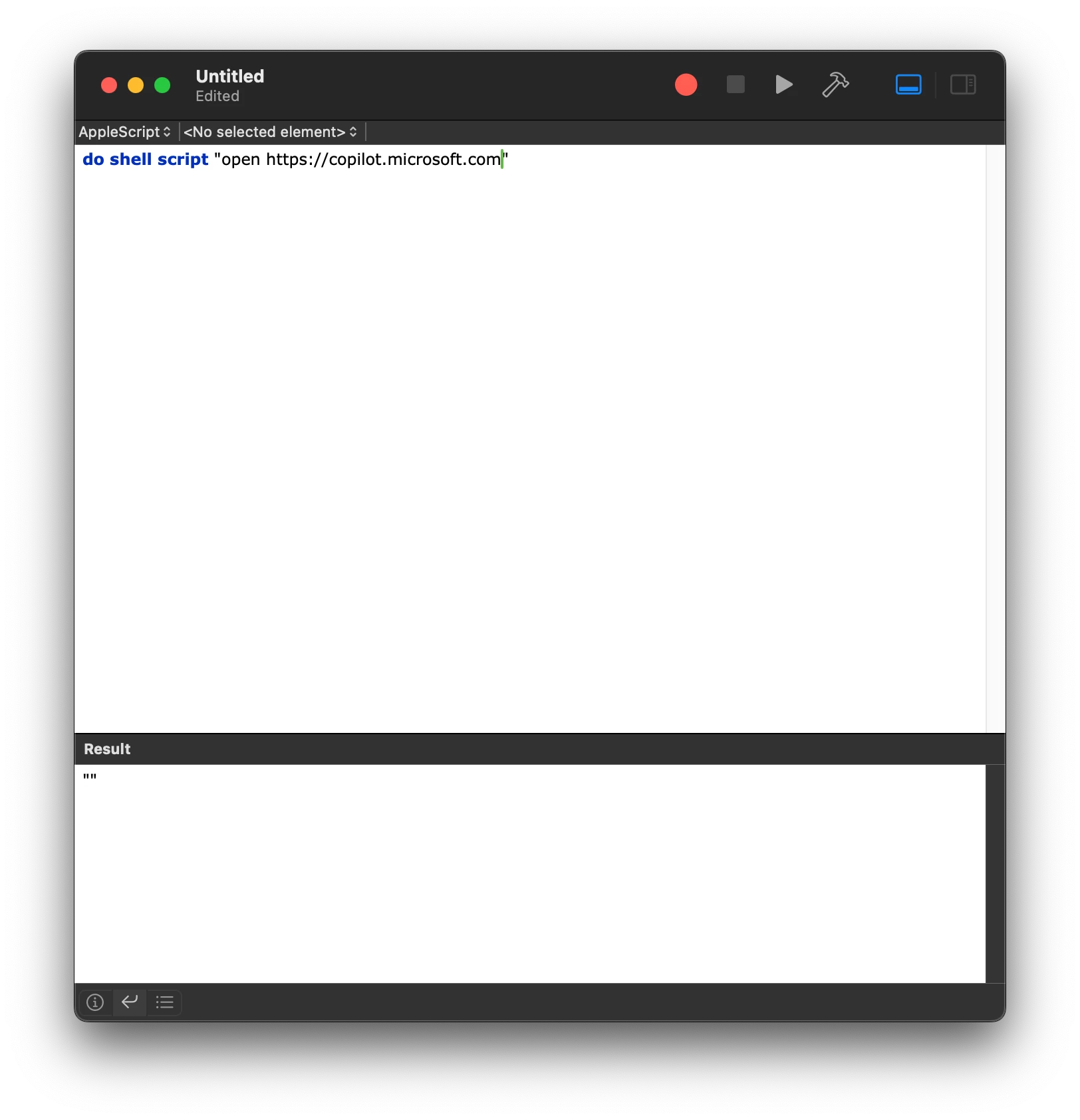
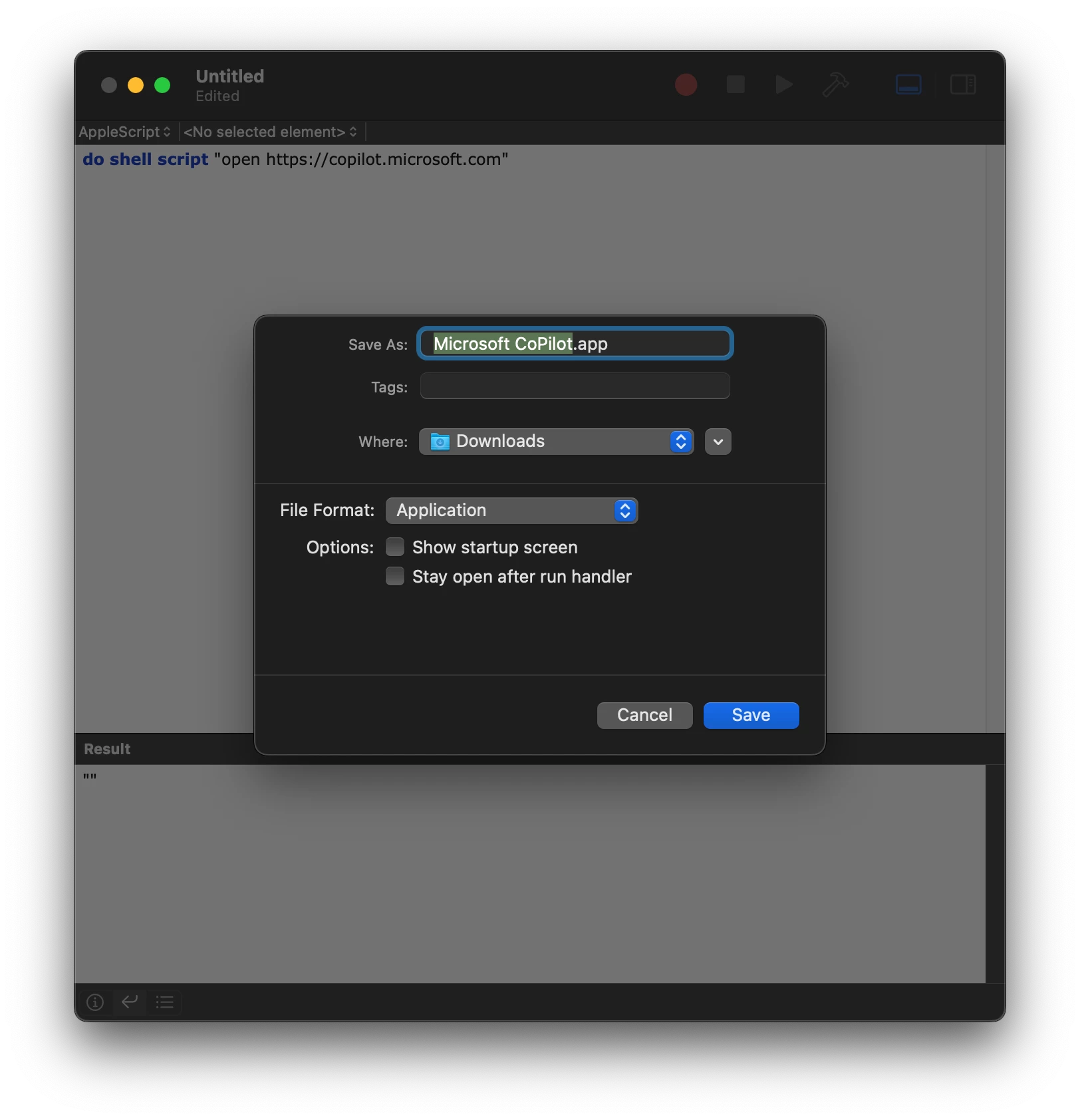
Use Script Editor and create an app? (AppleScript.)

Once you create it, save as an Application. Change the icon. Package. Set the dock. Push.