Question

Microsoft enterprise sso azure ad firefox and chrome

  • June 6, 2022
  • 6 replies
  • 101 views

Forum|alt.badge.img+4

Microsoft Enterprise SSO plug-in for Apple devices - Microsoft Entra | Microsoft Docs

Has anyone gotten this to work with Firefox or Chrome?  I only see examples where Safari works, but I have a requirement for the other browsers.

I've installed the latest version of company portal, made the configuration profile as explained in the link and added the plist file for the options:  browser_sso_interaction_enabled and disable_explicit_app_prompt.  I even tried adding the bundle names for chrome and firefox, but when I go to office.com I am greeted with a sign in prompt in the browser.  In the azure ad sign in logs, I don't see anything unless I go ahead and log in.

Edit:  This is working for chrome and firefox on our windows machines.
6 replies

Forum|alt.badge.img+4
  • Author
  • New Contributor
  • June 6, 2022

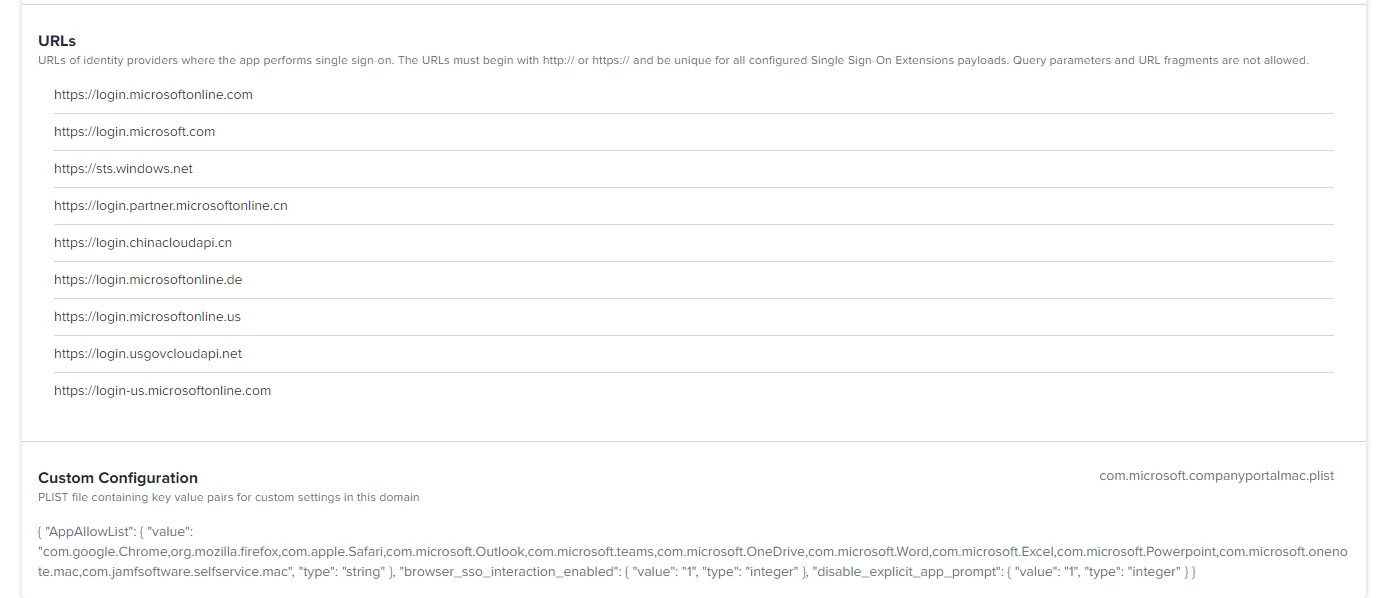
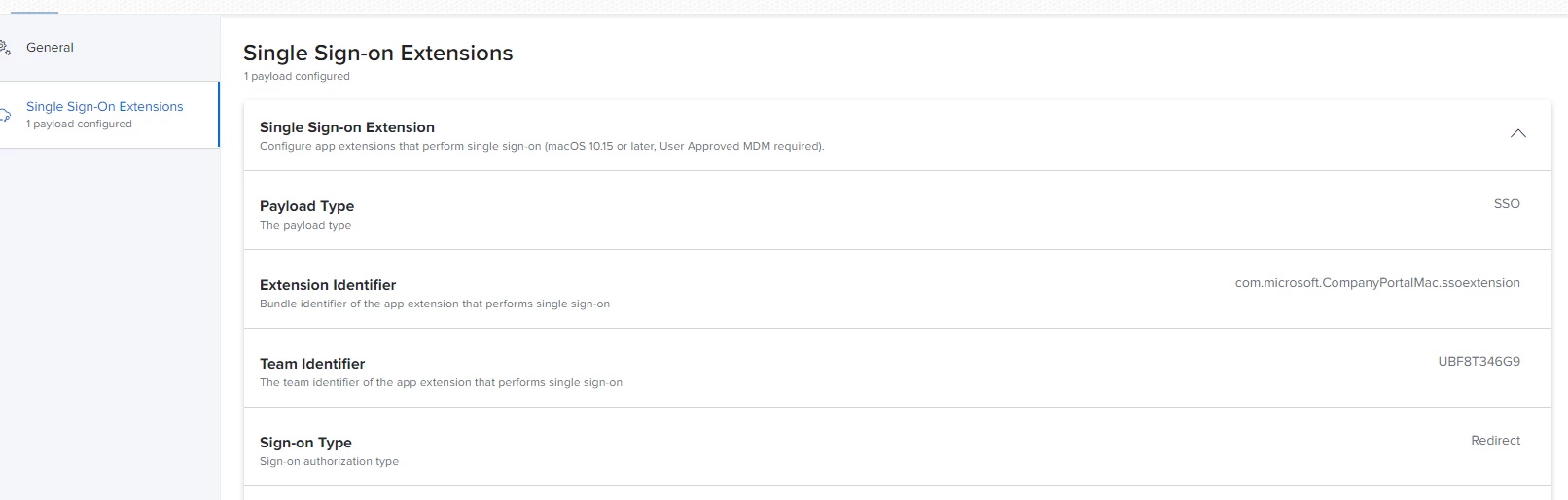
here is what my configuration profile looks like


Forum|alt.badge.img+8

Chrome is not supported with SSO on mac - information direct from Microsoft on Slack. Maybe at some point they will adapt the chrome browsers on mac to support the way SSO work on mac 


  • June 7, 2022

We struggle at this point, too. Chrome and Firefox doesn't work with SSO, but Safari and the MS-Office® apps do.

I worked out all the documentations, I found, but nothing works. Neither Chrome® , nor Firefox® 


Forum|alt.badge.img+4
  • Author
  • New Contributor
  • June 7, 2022

Thanks.  I just needed someone else to confirm that it currently isn't working.


Forum|alt.badge.img+2
  • New Contributor
  • October 9, 2023

Thanks.  I just needed someone else to confirm that it currently isn't working.


The MS SSO extension will only work with browsers/applications that use the Apple networking technologies - both FF and Chrome do not use this. 


Forum|alt.badge.img+1
  • New Contributor
  • January 31, 2024

here is what my configuration profile looks like


Hi Can you share your customer plist contents