Solved

Microsoft Teams plist to autostart

  • November 28, 2022
  • 5 replies
  • 46 views

SMR1
Forum|alt.badge.img+13
  • Valued Contributor

I'm trying to create a plist and add it using a config profile. I found the below 2 that I tried to modify, but after deploying the profile, Teams still doesn't autostart.


teams.plist · GitHub

Microsoft Teams forced Auto-Start for all Users - Jamf Nation Community - 248530

 

Best answer by DBrowning

Where are you creating that?


as a policy that runs on all machines ongoing and make it available offline

5 replies

DBrowning
Forum|alt.badge.img+24
  • Esteemed Contributor
  • November 28, 2022

This is the solution we are using.  


SMR1
Forum|alt.badge.img+13
  • Author
  • Valued Contributor
  • November 28, 2022

Where are you creating that?


DBrowning
Forum|alt.badge.img+24
  • Esteemed Contributor
  • Answer
  • November 28, 2022

Where are you creating that?


as a policy that runs on all machines ongoing and make it available offline


chrisB
Forum|alt.badge.img+7
  • Valued Contributor
  • November 29, 2022

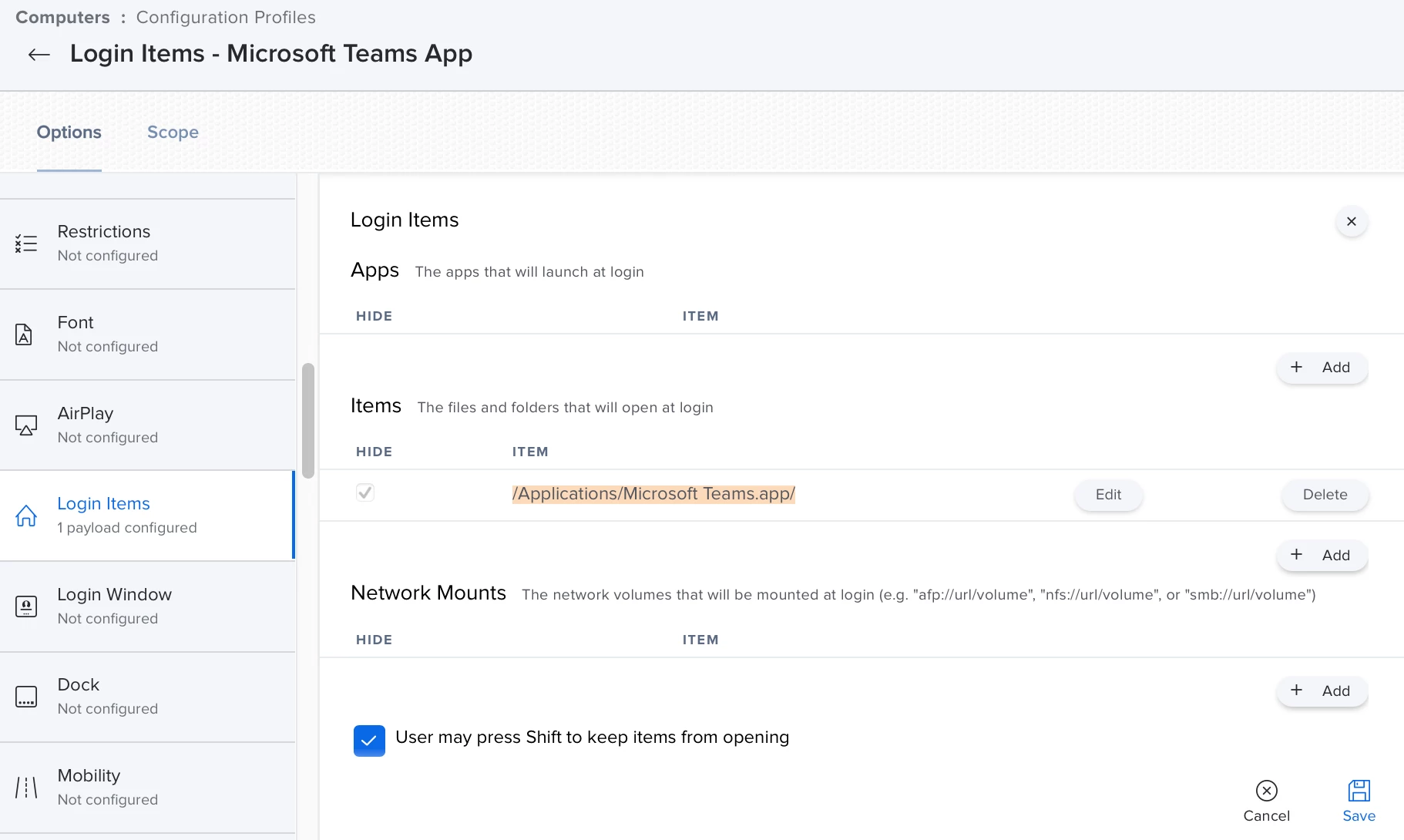
We're using a simple Configuration Profile for Login Items - note: the slash at the end is important:


Jay_007
Forum|alt.badge.img+7
  • Valued Contributor
  • November 29, 2022

We're using a simple Configuration Profile for Login Items - note: the slash at the end is important:


I also use this option. Although "Hide" doesn't seem to work for some reason. 


I guess the other option is scripting something like this:

https://community.jamf.com/t5/jamf-pro/adding-an-app-to-login-items/m-p/122779/highlight/true#M111896