Solved

Mobile Device Managment - ICloud // Wallpaper // Location Service

  • June 15, 2016
  • 3 replies
  • 28 views

Forum|alt.badge.img+7

Hello Community,

I have a few questions about "Mobile Device Managment". We want to manage our Iphones and Ipads. About this I have a few questions and I don't found the solution.

  1. Can I set a fix ICloud Account? If the user lost the Phone or Tablet that we can try to get the location.
  2. How I can change the Wallpaper for all coming Phones and Tablets? Can I create a profile for that?
  3. How I can enable the Location Service? Can I setup this settings with a Profile?

Many Thanks for help...

Christian

Best answer by St0rMl0rD

  1. you can, but not over MDM. you could technically have only one iCloud account logged into all of your iPads by logging in with that account manually, then disabling account changes via a configuration profile payload, deployed to those devices
  2. yes, check the JSS user manual for that
  3. not as far as I know, the only way to enable this is to manually enable it on the device

3 replies

Forum|alt.badge.img+12
  • Valued Contributor
  • Answer
  • June 16, 2016
  1. you can, but not over MDM. you could technically have only one iCloud account logged into all of your iPads by logging in with that account manually, then disabling account changes via a configuration profile payload, deployed to those devices
  2. yes, check the JSS user manual for that
  3. not as far as I know, the only way to enable this is to manually enable it on the device

Forum|alt.badge.img+7
  • Author
  • Contributor
  • June 18, 2016
you can, but not over MDM. you could technically have only one iCloud account logged into all of your iPads by logging in with that account manually, then disabling account changes via a configuration profile payload, deployed to those devices yes, check the JSS user manual for that not as far as I know, the only way to enable this is to manually enable it on the device

Many Thanks for help!


Forum|alt.badge.img+4
  • New Contributor
  • July 5, 2016
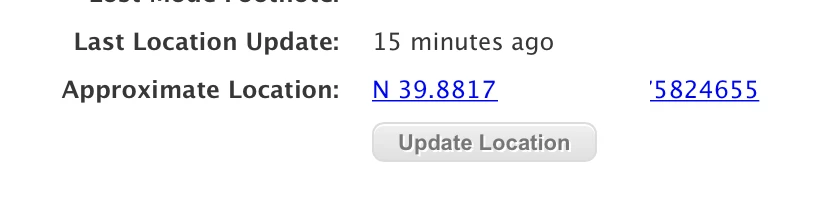
  1. You can locate lost devices and supervised devices from the JSS by enabling "lost mode" from the management tab of the lost device. When lost mode is enabled you can view the "Approximate Location" from the device's Hardware section in inventory. No Apple ID needed.

  2. Individual device: management > set wallpaper. Group of devices: Select the group > view > "Action" button in the bottom right > Send Remote Commands > Set Wallpaper.

  3. Yep, manually is your only option at this time.