Question

MS Defender .pkg failing to install in Self Service

  • May 24, 2023
  • 8 replies
  • 73 views

Forum|alt.badge.img+3

Hi,

Using Jamf cloud - very new to Jamf

Currently trying to setup MS defender and deploy the App to my test Mac Devices - followed this guide

https://learn.microsoft.com/en-us/microsoft-365/security/defender-endpoint/mac-jamfpro-policies?view=o365-worldwide

The defender app (.pkg) has been downloaded from our 365 defender Portal by our Admin)

I can deploy the MS Defender App manually.

In Self Service When clicking on install - after a moment - it reports 'item failed'

The Jamf Log on the device  it states 'The message could not be parsed'

Can anyone give some further advice as to where to investigate this issue - how would I check the content status on the jamf cloud ? - thinking this is the only difference between successfu;/unsuccessful install ?


Many Thanks

8 replies

mvu
Forum|alt.badge.img+20
  • Jamf Heroes
  • May 24, 2023

Does it fail in Self Service from a second test Mac?

If you go to:

Computers tab, Search, enter the test Mac serial number or something, History, Policy logs -- there should be more info there on the policy.


alexduffner
Forum|alt.badge.img+3
  • New Contributor
  • May 24, 2023

I have a few questions:

  1. Which version of Defender?
  2. On which macOS?
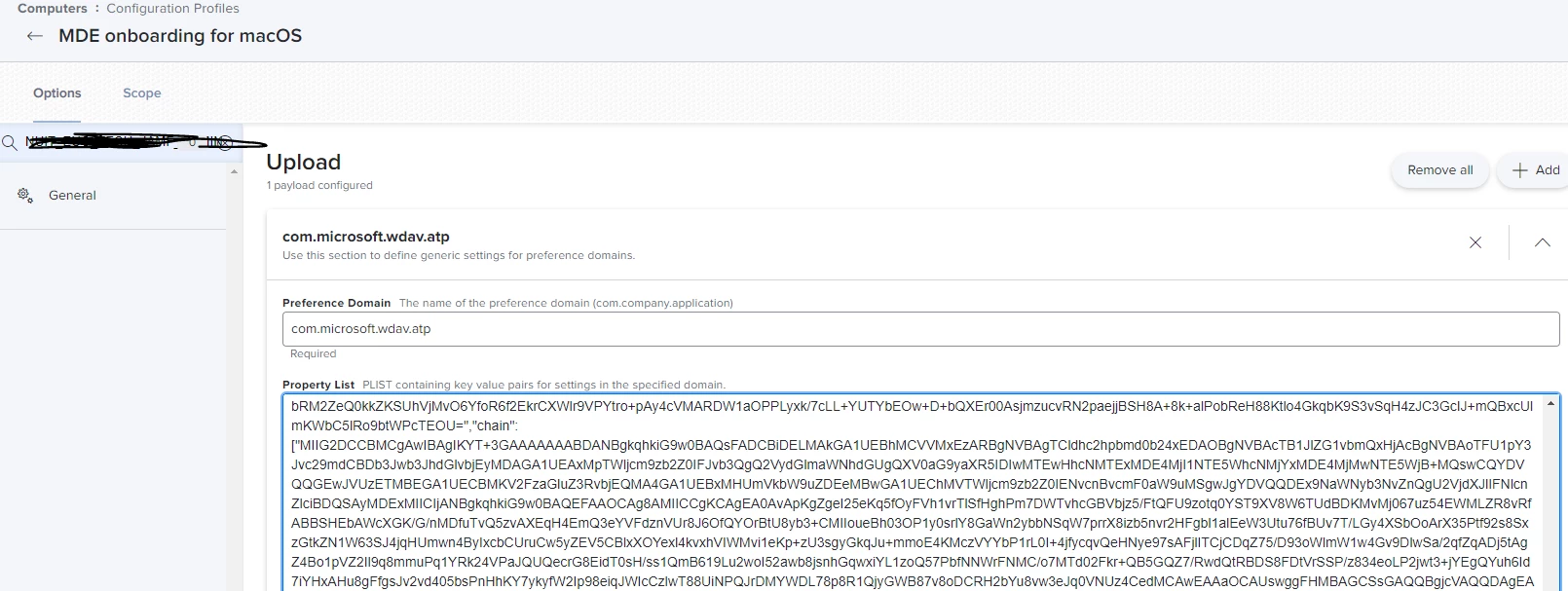
  3. Have you configured the Configuration Profile for Onboarding?
    Should look like this: https://learn.microsoft.com/en-us/microsoft-365/security/defender-endpoint/mac-jamfpro-policies?view=o365-worldwide#step-1-get-the-microsoft-defender-for-endpoint-onboarding-package

Forum|alt.badge.img+3
  • Author
  • New Contributor
  • May 24, 2023

Does it fail in Self Service from a second test Mac?

If you go to:

Computers tab, Search, enter the test Mac serial number or something, History, Policy logs -- there should be more info there on the policy.


Hi Obi-k,

Yes it failed on two different devices

Checked the policy log there isnt a log for this policy - only for the two policies where I'm adding separate admin accounts

thanks


Forum|alt.badge.img+3
  • Author
  • New Contributor
  • May 24, 2023

I have a few questions:

  1. Which version of Defender?
  2. On which macOS?
  3. Have you configured the Configuration Profile for Onboarding?
    Should look like this: https://learn.microsoft.com/en-us/microsoft-365/security/defender-endpoint/mac-jamfpro-policies?view=o365-worldwide#step-1-get-the-microsoft-defender-for-endpoint-onboarding-package

Hi Alex,

Thanks for helping

Macbook Pro 2021 OS: 13.3.1 build: 22e261

Mac Mini M1 2020 OS:12.3.0 build@ 21E230

Yes I set the MDE onboarding for Mac OS


Forum|alt.badge.img+3
  • Author
  • New Contributor
  • May 24, 2023

MS Defender Version 101.98.70 - downloaded by my 365 admin as .pkg


alexduffner
Forum|alt.badge.img+3
  • New Contributor
  • May 24, 2023

Hi Alex,

Thanks for helping

Macbook Pro 2021 OS: 13.3.1 build: 22e261

Mac Mini M1 2020 OS:12.3.0 build@ 21E230

Yes I set the MDE onboarding for Mac OS


Hi Jamie, which version of Defender?

Especially starting with macOS 12.3 you will need a current one, because of the removed python.

Here you can find the release notes:
https://learn.microsoft.com/en-us/microsoft-365/security/defender-endpoint/mac-whatsnew?view=o365-worldwide 


Additionally you can check your /private/var/log/install.log and filter for "wdav" :-)


Forum|alt.badge.img+11
  • Valued Contributor
  • May 24, 2023

Microsoft has a script they use for Intune management that curls the latest package for you.  I've modified it by removing the Wait for Apps and Check for Rosetta functions and it's been great.  I actually use all their scripts for Office, Edge and Defender.


https://github.com/microsoft/shell-intune-samples/tree/master/macOS/Apps


Forum|alt.badge.img+3
  • Author
  • New Contributor
  • May 30, 2023

Hi all,

no entries in /private/var/log/install.log and filter for "wdav" :(

Just installed an App Store via Self Service

Will take a look at the Curl Script - Ive also logged a ticket with JAMF 

Thanks