How to do we stop these notifications from popping up? Staff are receiving these throughout the day and it’s very annoying and disruptive. MB Air M2 and OS is 15.5.0 or later. Is there a config profile or settings to adjust in Jamf?
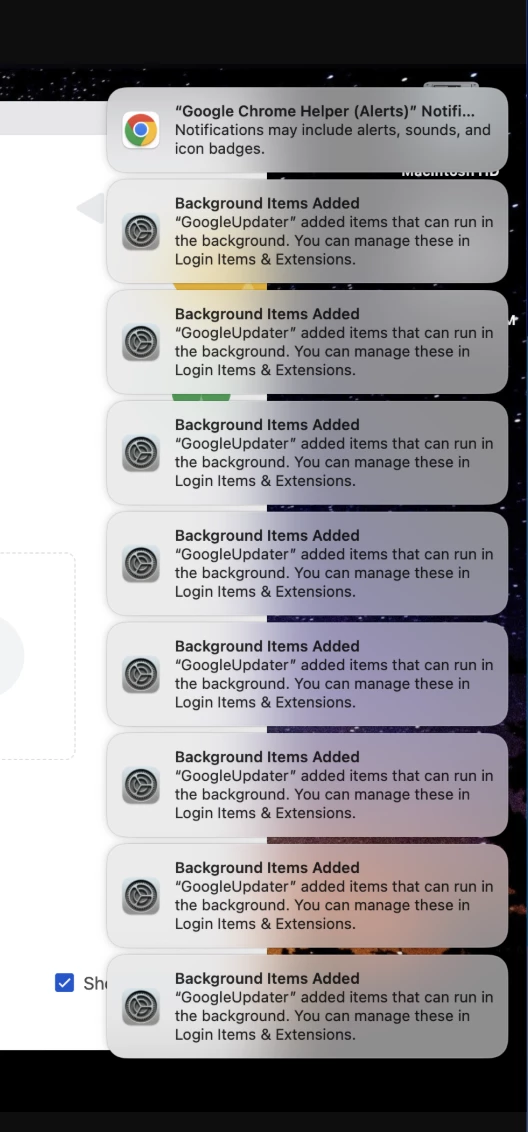

How to do we stop these notifications from popping up? Staff are receiving these throughout the day and it’s very annoying and disruptive. MB Air M2 and OS is 15.5.0 or later. Is there a config profile or settings to adjust in Jamf?
Best answer by Chubs
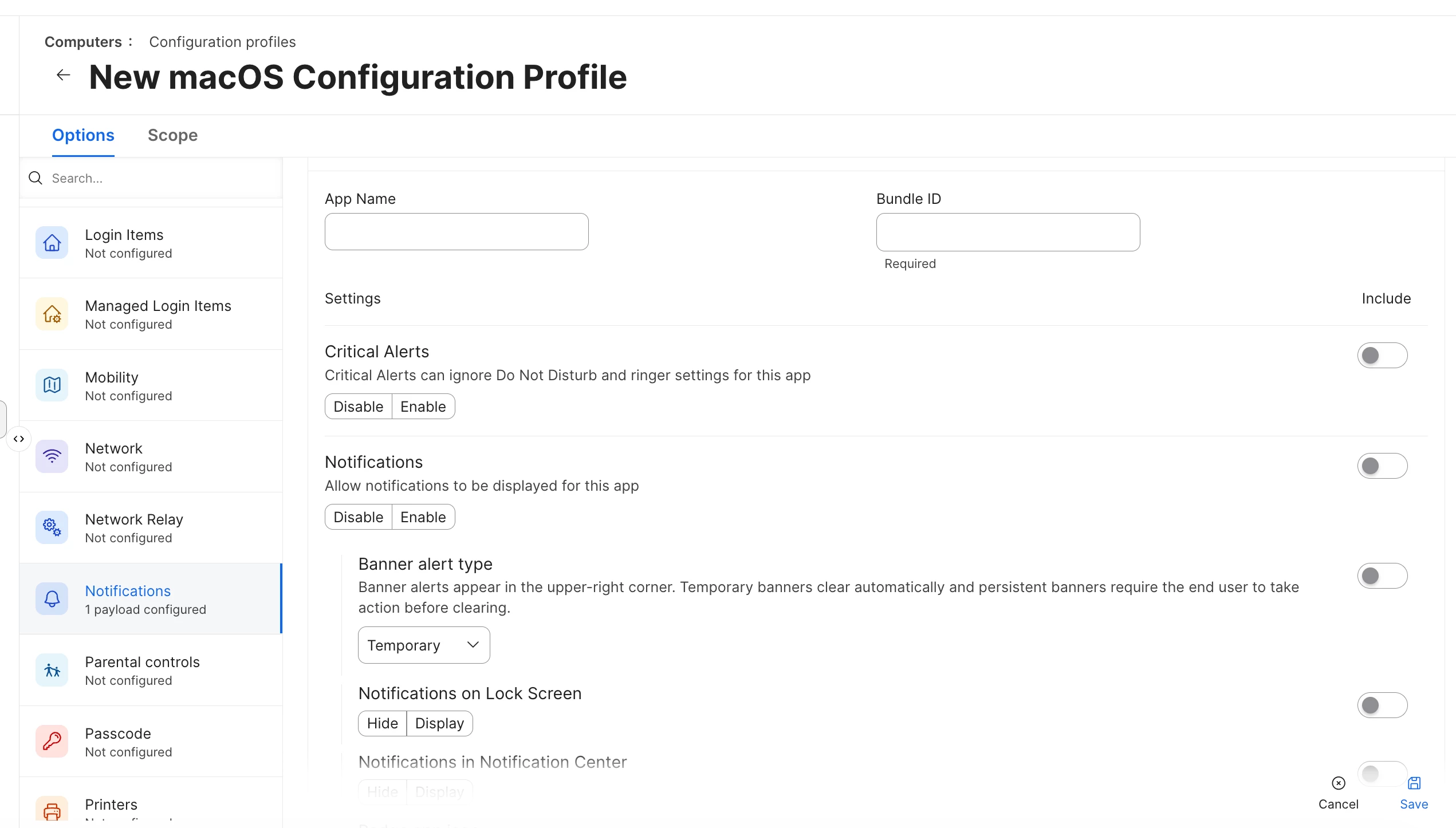
You need to use configuration profiles for this. The Option selection for this is Notifications.
You will need the bundle ID.
Here is the command for getting the Bundle ID for an application.
mdls -name kMDItemCFBundleIdentifier /Applications/AppName.appHere is a screenshot of what the profile looks like.
-Pat
This is the answer. They will get ONE notification about a managed login item...not 5000 of the app itself.
Enter your E-mail address. We'll send you an e-mail with instructions to reset your password.