
Solved

NinjaRMM - Remote Access Permissions

  • August 9, 2024
  • 4 replies
  • 1349 views

Forum|alt.badge.img+2

Hi all,

We use NinjaOne RMM alongside Jamf PRO for remote management of our MacOS devices, and in order to provide remote support we use the NinjaOne remote access app (NC Streamer).

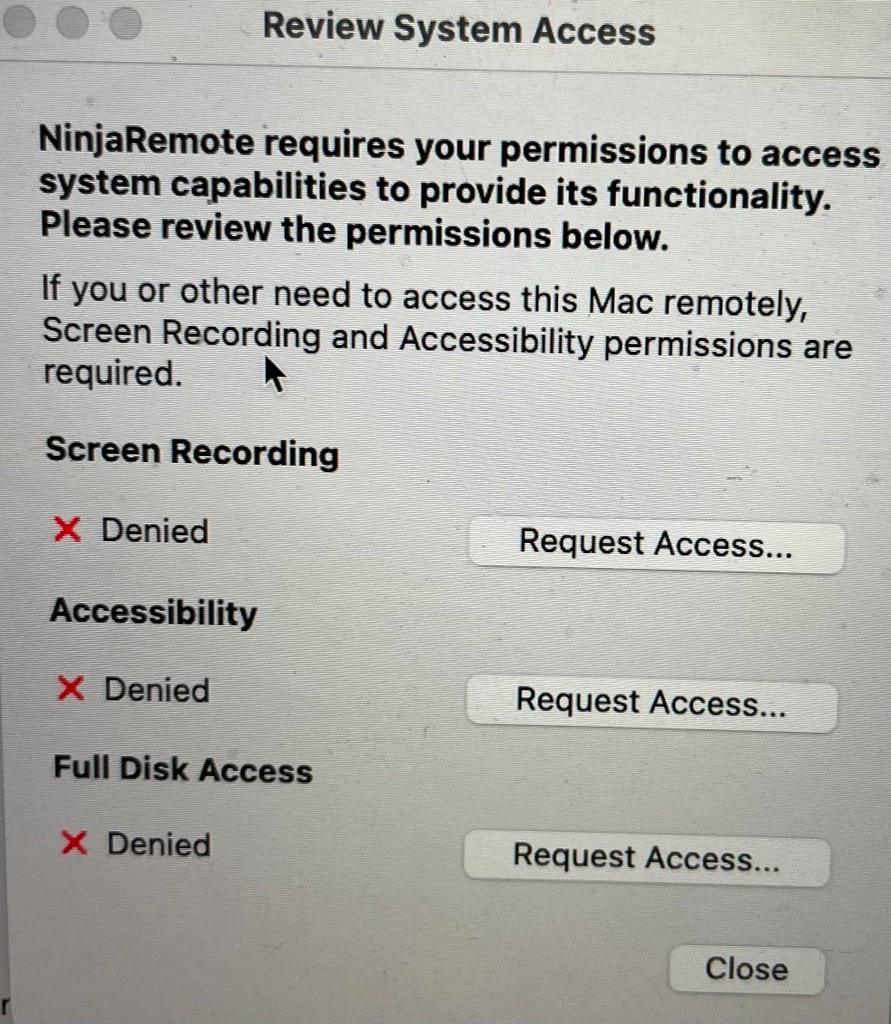
It requires these permissions to run:
I've created a configuration policy with the scope - Computers with NC Streamer, config below:
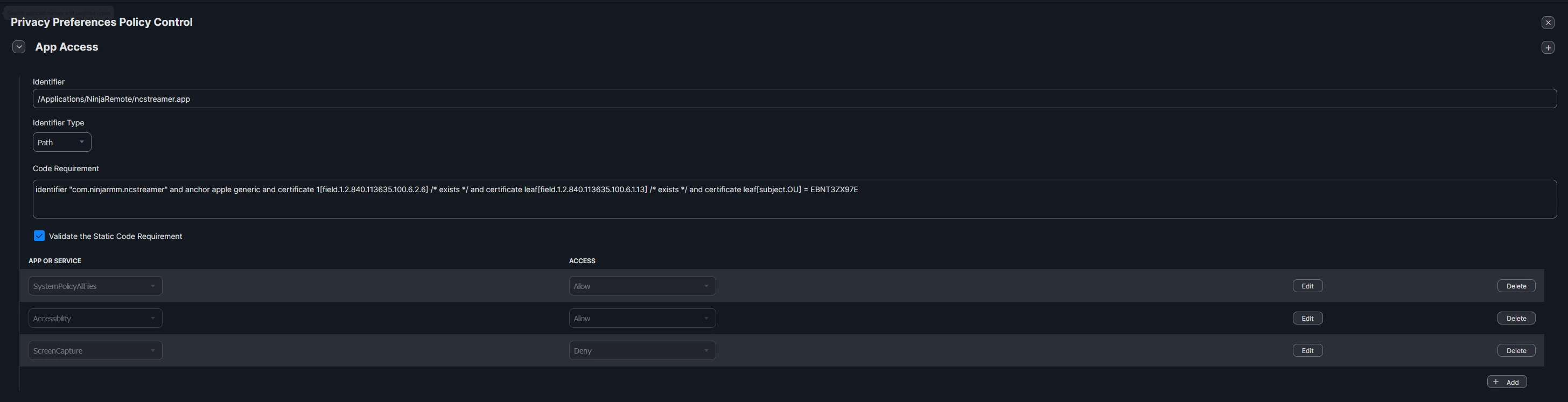
It isn't applying the permissions remotely. Have I got the right configuration?

Many thanks,

Best answer by jamf-42

I've alway set Identifier as bundle ID try:  

"com.ninjarmm.ncstreamer" Im guessing from info in Code Requirements 

You cannot set screen recording via profile. The user has to approve this. 


4 replies

jamf-42
Forum|alt.badge.img+17
  • Esteemed Contributor
  • Answer
  • August 9, 2024

I've alway set Identifier as bundle ID try:  

"com.ninjarmm.ncstreamer" Im guessing from info in Code Requirements 

You cannot set screen recording via profile. The user has to approve this. 


AJPinto
Forum|alt.badge.img+26
  • Legendary Contributor
  • August 9, 2024

You want to use the BundleID not the path to the application. It should be com.ninjarmm.ncsstreamer, you can confirm this with terminal or apps like ShowMeYourID.

HCS Technology Group - Show Me Your ID 3.0 (hcsonline.com)


Forum|alt.badge.img+2
  • Author
  • New Contributor
  • August 9, 2024

Thank you both!

The BundleID was not configured correctly. "com.ninjarmm.ncstreamer" is the correct BundleID and upon changing, the configuration policy applied correctly. Thank you!


mvu
Forum|alt.badge.img+20
  • Jamf Heroes
  • August 9, 2024

You want to use the BundleID not the path to the application. It should be com.ninjarmm.ncsstreamer, you can confirm this with terminal or apps like ShowMeYourID.

HCS Technology Group - Show Me Your ID 3.0 (hcsonline.com)


Handy app. Thanks for sharing.

