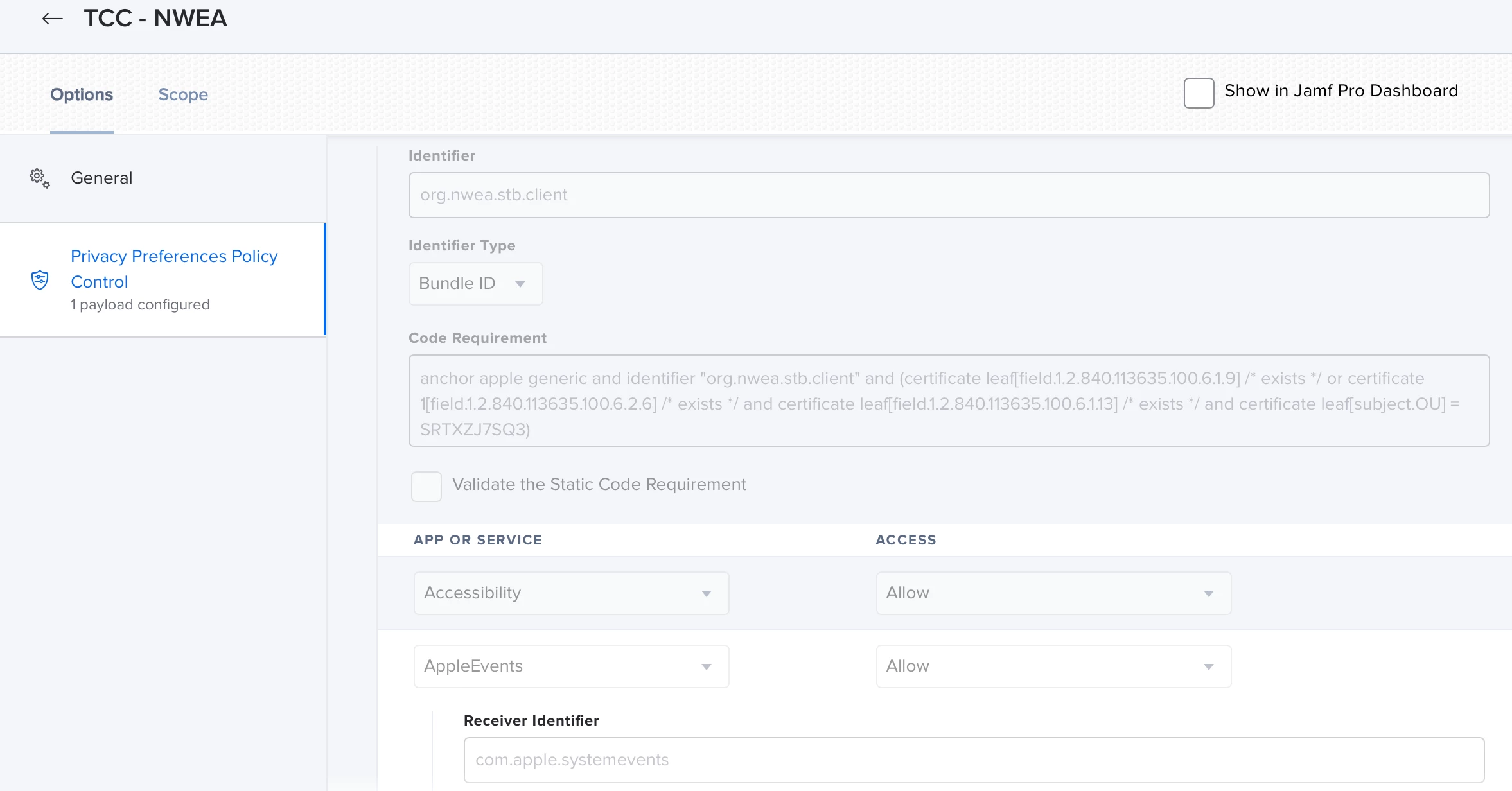
Hello, I am looking for a solution for the accessibility settings that the NWEA testing app asks for after installation from self service. I have created a package using composer for both Catalina and Big Sur and placed them in self service. The apps are installing on the laptops but now they are asking for the Admin password to make changes in Security and Privacy/Accessibility. We are using both standard user and admin user accounts depending on the location (elementary-standard user, middle school-admin). I would like to avoid this during first launch of the app since we do not want to have to give out the admin credentials to the elementary school users.

Question
NWEA accessibility settings for Catalina/Big Sur
 +1
+1


Enter your E-mail address. We'll send you an e-mail with instructions to reset your password.