
Question

OCSPD/Google Chrome high CPU usage - macOS Sierra Issues

  • June 14, 2016
  • 7 replies
  • 40 views

Forum|alt.badge.img+5

Hi All,

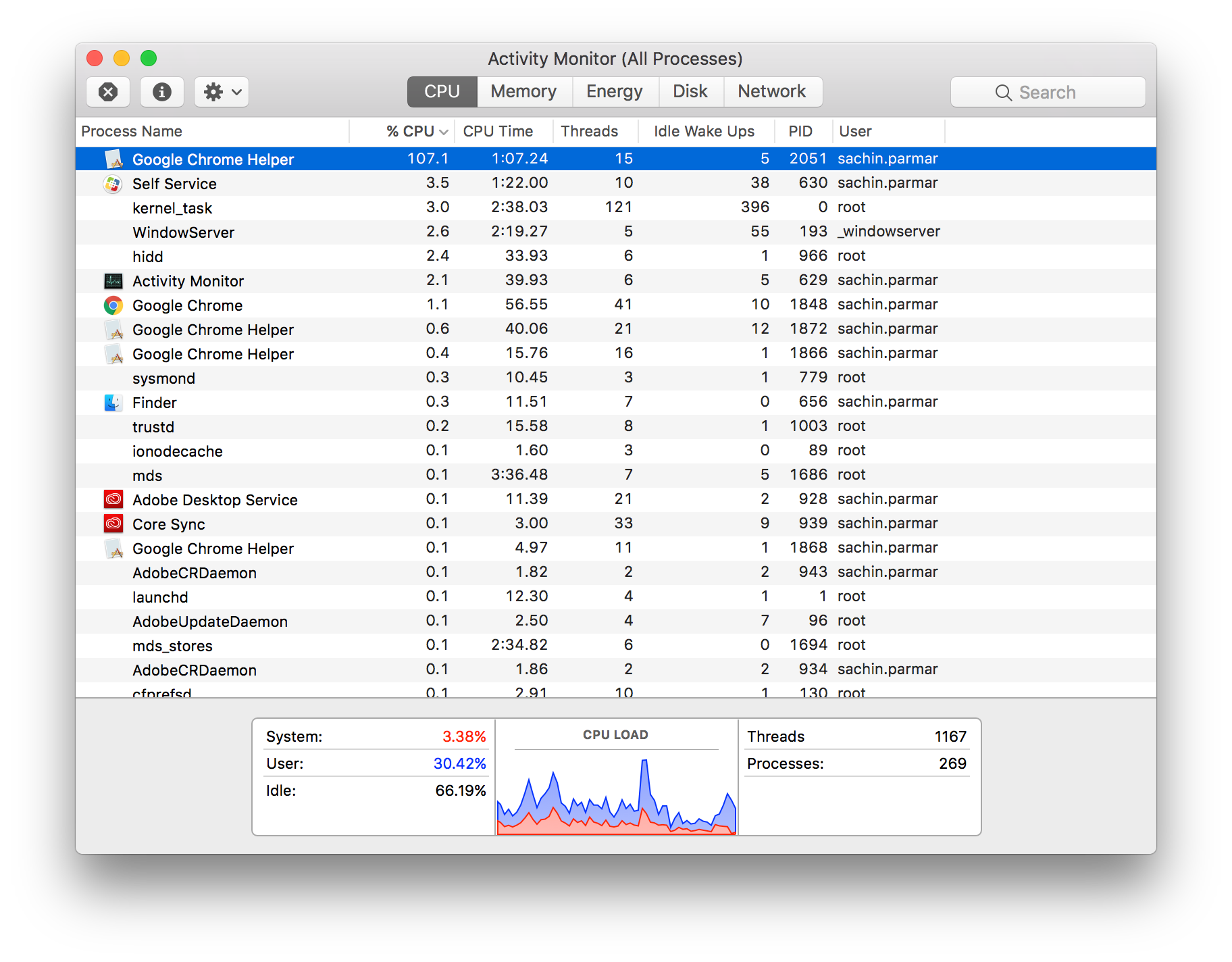
Anyone noticing their CPU usage unusually high and fan's spinning after the macOS Sierra update, well i've narrowed it down to a process, so couple of things so far seem to have done the trick, one clear the OCSPD cache from /var/db/crls and deleting the contents and restarting, also Google Chrome Helper on version 51.0.2704.84 (64-bit) causing me some high CPU usage issues.

Google Chrome Helper running at 107% CPU usage, time to use Safari now.

Update #2 - Google Chrome definitely causing issues so i'd stick with Safari Version 10.0 (12602.1.32.7) for now
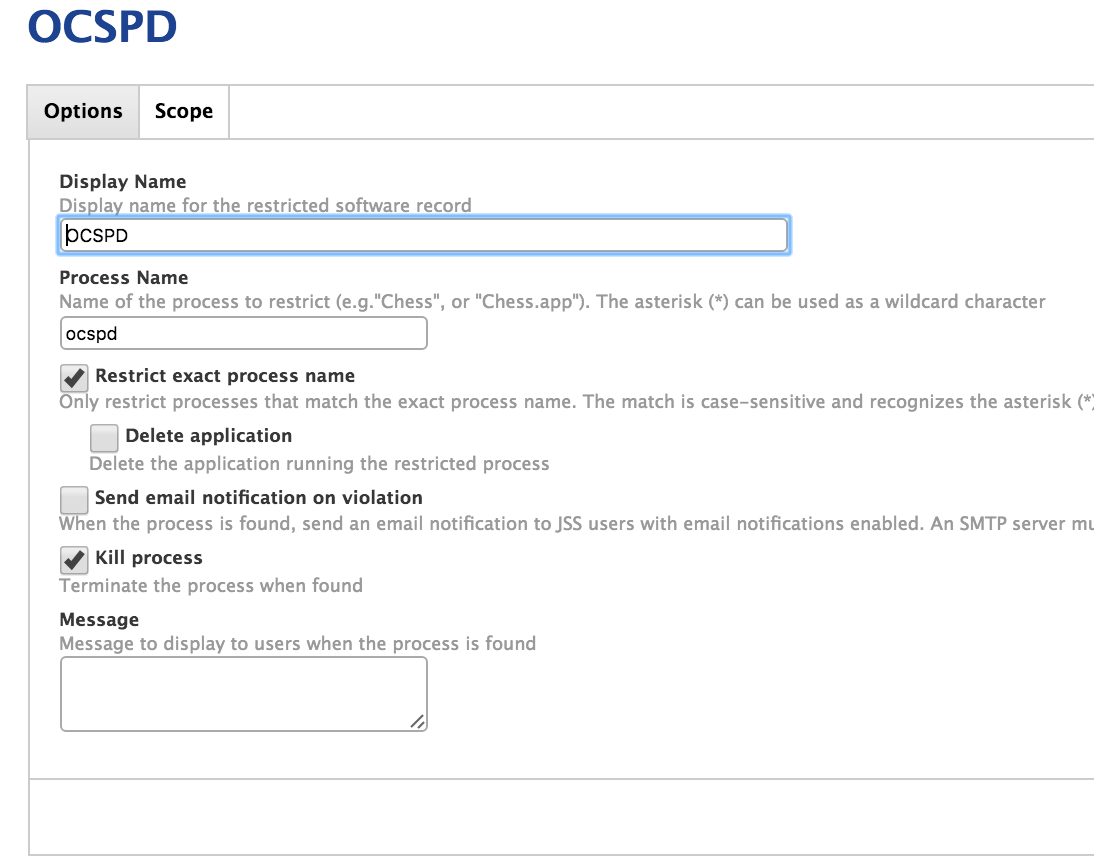
I've made a Restricted Software policy for the OCSPD and targeted it to my test machine and it seems to have settled down the fan's going crazy:
Update #2: Credit to the IT Nerd article here

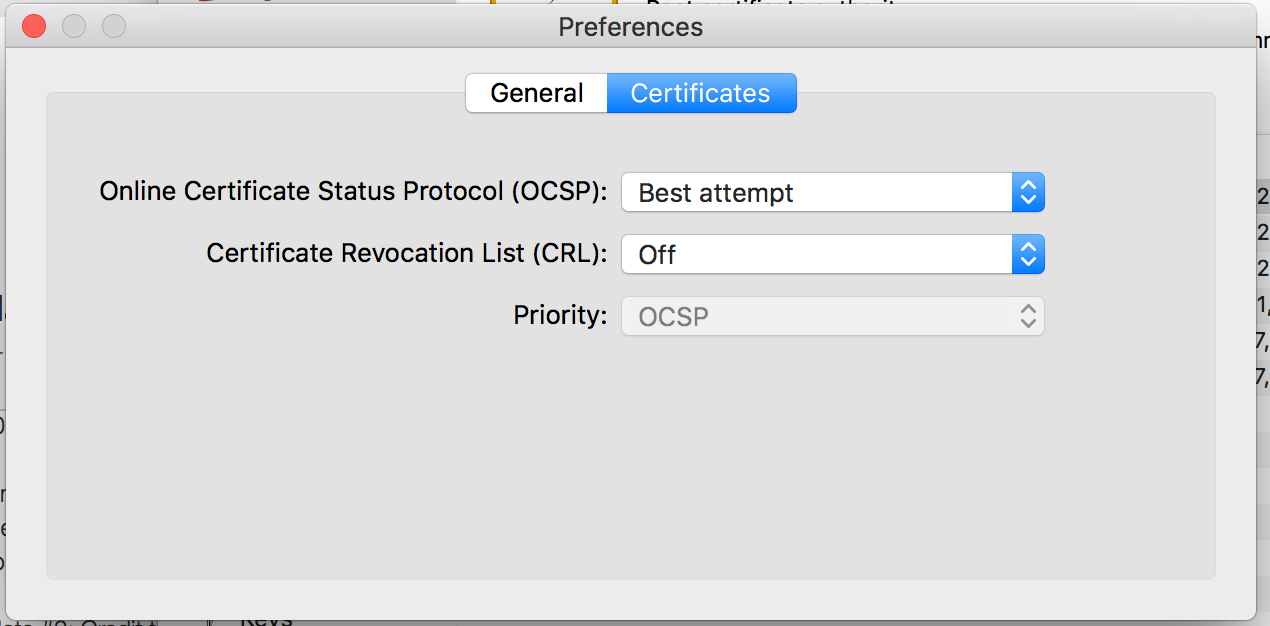
Setting the following in Keychain Preferences in the Certificate's tab seem to clear the OCSPD issue:
I'll report back any other findings!

Anyone else having other issues?

Sachin

7 replies

Forum|alt.badge.img+8
  • Contributor
  • June 15, 2016

Kerberos seems to be broken too. Ticket Viewer crashes so I can't get a ticket.

Also Citrix Receiver doesn't seem to recognise the Root CAs in keychain.


Forum|alt.badge.img+8
  • Contributor
  • June 15, 2016

Ah, sorted the Citrix one. Seems the CA had gone from the system keychain and it doesn't reference the login one.


Forum|alt.badge.img+5
  • Author
  • Contributor
  • June 15, 2016

@al_platt Kerberos and Ticket Viewer seems fine for me, as does @bentoms's version of ADPassMon


Forum|alt.badge.img+8
  • Contributor
  • June 15, 2016

Hmm, neither working for me, might try another machine. AdPassMon was being tricky before anyway so may be related to something else!

Good to know though.


Forum|alt.badge.img+12
  • Contributor
  • June 15, 2016

I can't even bind to AD. I updated a bound machine and it didn't like that. Unbound and now I can't re-bind.

Claiming invalid credentials!


Forum|alt.badge.img
  • New Contributor
  • June 21, 2016

I have the same issue. When open chrome , my Mac was frozen, and have to force shut down.
System: macOS Sierra ( DB 1 )


Forum|alt.badge.img+5
  • Contributor
  • September 14, 2016

I've always had issues with Chrome being a resource hog. The culprit for me was the keystone launch agent.