Answer

Office 2016 VL Suite installer 15.21.1 installer ??

  • April 28, 2016
  • 20 replies
  • 37 views

Forum|alt.badge.img+20

I have the Office 2016 Suite VL 15.17 installer, updates are out for each application at 15.21.1

is there a more current Office 2016 Suite VL 15.21.1 installer ? so I don't have to have the 15.21.1 updates run after each install of 15.17 ?

I see this http://macadmins.software/ and on 4/12/16 shows 15.21.1 Suite Download

I ask my colleage that has access to the MS VL to get the Office 2016 VL 15.21.1 suite installer but he then says

No new version is available yet from MSVL. ???

Is it available ?

Best answer by iJake

I see it on VLSC.

20 replies

Forum|alt.badge.img+8
  • Contributor
  • April 28, 2016

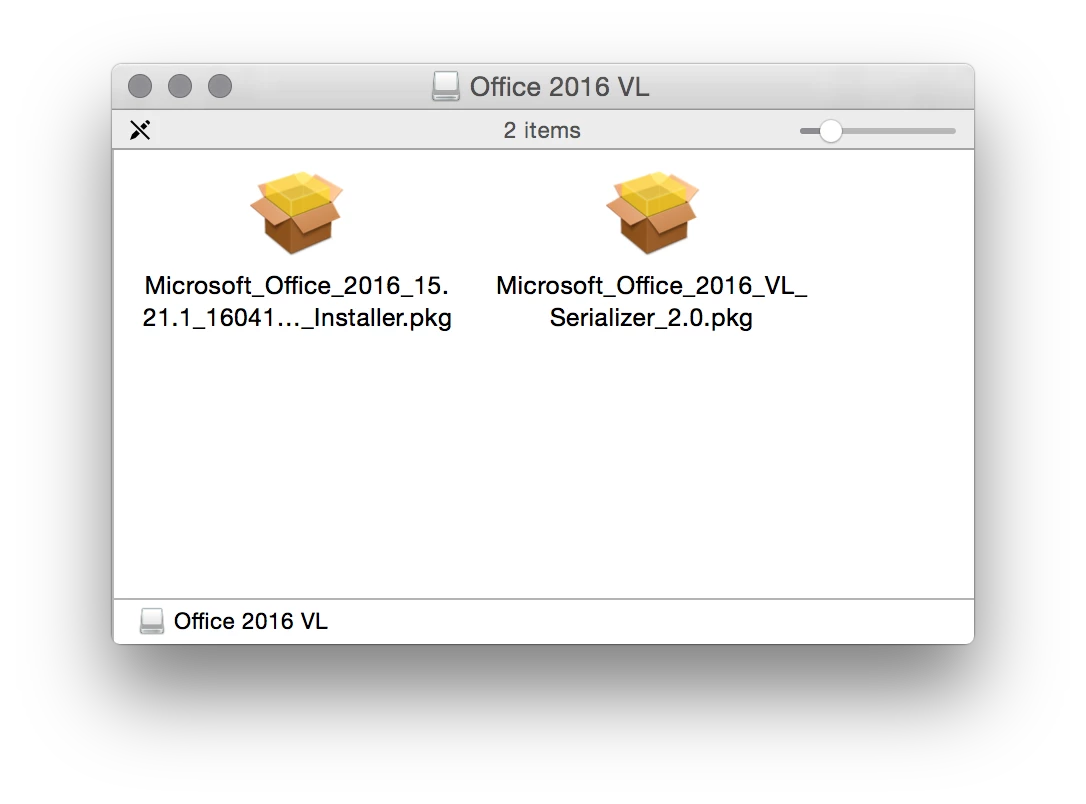
VL is still on 15.17. You can use the 15.21.1 pkg download and then run the VL serializer to get it working though.


Forum|alt.badge.img+6
  • Contributor
  • April 28, 2016

Or wait until next Monday, the day 15.21.1 VL seems to become available.


mm2270
Forum|alt.badge.img+24
  • Legendary Contributor
  • April 28, 2016

Hi @Jakov Is there an official or semi official statement anywhere on Microsoft making the 15.21.1 VL installer available next Monday? I'm very interested, because we've been working on our Office 2016 install and deployment and its kind of a pain to need to install the VL version and then a bunch of yuuuge updaters afterwards to get the install up to date. If I knew for sure they'd be releasing an updated VL installer soon-ish I'd put a hold on our deployment to make things much easier on ourselves. So, any links you can provide on that or is this something mentioned on the Microsoft slack discussions maybe?


iJake
Forum|alt.badge.img+21
  • Contributor
  • April 28, 2016

I was told by Microsoft that the 15.21.1 will be released on 5/2/16 but since we didn't want to wait we just updated our full installer to use the retail PKG and then added the VL Serializer. Works great.


mm2270
Forum|alt.badge.img+24
  • Legendary Contributor
  • April 28, 2016

Thanks for the post @iJake. I'm just looking into the VL Serializer now. While I've seen it mentioned here, first time even looking at it. So basically, I would take the latest full non serialized installer and couple it with the serializer package in a policy and it makes it into a volume license installation? Is that the deal? I assume it needs to be installed after the main Office install, correct? I'll read up on the various posts here as well, but thought I'd ask here if its really as simple as that.


iJake
Forum|alt.badge.img+21
  • Contributor
  • April 28, 2016

Correct, the big secret is that all of us VL customers have the same serial # and the VL installs that. So, run it after the main Office 2016 install. Note, it doesn't do any clean up so it expects a non-serialized environment.


Forum|alt.badge.img+20
  • Author
  • Contributor
  • April 28, 2016

5/2/2016 is close enough, I'll wait a few more days.


Forum|alt.badge.img+20
  • Author
  • Contributor
  • May 3, 2016

Has anyone seen if Microsoft Office 2016 suite installer for Mac VL v15.21.1 has been released?


mm2270
Forum|alt.badge.img+24
  • Legendary Contributor
  • May 3, 2016

We checked yesterday mid day ET and it wasn't up yet. They still had the version from Jan of this year. I'm going to do another check this afternoon. MS may have missed their scheduled release date, unless it was posted later in the day.
I hope they get it up there soon if its not there already. Trying to finalize our Office 2016 deployment and I really want to use a single installer. The VL Serializer pkg works, but I'd rather not do it that way if I can help it. One thing I noticed is that the license in the About menus still shows as a Retail license, not a Volume license when using the retail install + serializer. Its not a huge deal, but I wish it updated that text to show it now as a volume license instead.

EDIT: We just checked and its there now. It did appear yesterday, though not sure on the exact time. We probably checked too early in the day yesterday. I'm going to run some tests with it now!


Forum|alt.badge.img+20
  • Author
  • Contributor
  • May 3, 2016

I've just been installing using v15.17 without the serializer.pkg. I apply the applychoices.xml file (does not install the check for updates stuff, only installs word/excel/ppoint/onenote). I handle the updates getting installed with policies.

just waiting for the more recent suite release.


mm2270
Forum|alt.badge.img+24
  • Legendary Contributor
  • May 3, 2016

Yeah, it should be there now (v 15.21.1_160411) At least it is for us.


iJake
Forum|alt.badge.img+21
  • Contributor
  • Answer
  • May 3, 2016

I see it on VLSC.


Forum|alt.badge.img+20
  • Author
  • Contributor
  • May 6, 2016

with v15.21.1 I am using the same choices.xml file (as with v15.17) to not install Outlook and Auto Updates. Outlook does not install but Auto Updates (check for updates) shows up under the HELP menu and if clicked a popup appears saying

'Microsoft autoupdate cannot be opened' Microsoft autoupdates might not be properly installed on your computer. To restore it, reinstall your Microsoft Application.

with v15.17 the check for updates did not appear in the HELP menu as intended, but now with 15.21.1 it appears

I do not see this /Library/Application Support/Microsoft/MAU2.0/Microsoft AutoUpdate.app

below is my choices.xml

<?xml version="1.0" encoding="UTF-8"?> <!DOCTYPE plist PUBLIC "-//Apple//DTD PLIST 1.0//EN" "http://www.apple.com/DTDs/PropertyList-1.0.dtd"> <plist version="1.0"> <array> <dict> <key>attributeSetting</key> <integer>0</integer> <key>choiceAttribute</key> <string>selected</string> <key>choiceIdentifier</key> <string>com.microsoft.outlook</string> </dict> <dict> <key>attributeSetting</key> <integer>0</integer> <key>choiceAttribute</key> <string>selected</string> <key>choiceIdentifier</key> <string>com.microsoft.autoupdate</string> </dict> </array> </plist>

Forum|alt.badge.img+20
  • Author
  • Contributor
  • May 13, 2016

yep, 15.21.1 is out, but keeping autoupdate uninstalled via choices.plist works but Check for Updates is visible in the Help menu and it gives a false message to users that might click it.


Forum|alt.badge.img+8
  • Contributor
  • May 13, 2016

Hey tcandela,

Anyway I can email you? Had a question about Office 2016!

-Kevin


Forum|alt.badge.img+20
  • Author
  • Contributor
  • May 14, 2016

@kquan yes, email me (how can we arrange this so my email address is not shown to everyone) ?

want to find out why the 15.21.1 installer and/or the 15.21.1 updates breaks the 'choices.xml' leaving out 'check for updates' in the help menu .


Forum|alt.badge.img+20
  • Author
  • Contributor
  • May 14, 2016

@kquan I have a new Jamf Discussion particularly for this 'check for updates' issue, it is # 19932


bentoms
Forum|alt.badge.img+35
  • Hall of Fame
  • May 15, 2016

@tcandela On the macadmins Slack, there is a #microsoft-office channel where some MS folks are hanging out & are very, very receptive to issues etc.

Might be worth asking there.

If @kquan joins there too, then you could also DM each other.


Forum|alt.badge.img+8
  • Contributor
  • May 16, 2016

@tcandela I signed up for slack and my username is kquan. feel free to message me when you can! thanks for the idea of using slack @bentoms !!


Forum|alt.badge.img+7
  • Contributor
  • May 18, 2016

Is the VL Serializer downloaded from the Microsoft Portal?

We have a few copies of Office floating around in our environment that reverted backed to a retail license.