

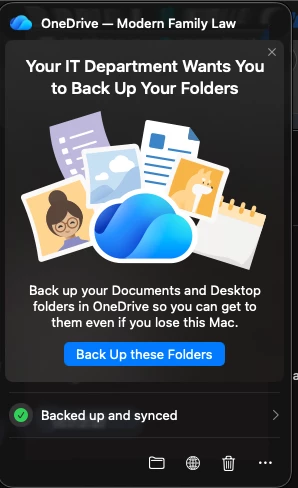
I have gotten as far as the OneDrive icon prompts and says “Your IT department wants you to backup your folders” and if they click the botton it does work, but I’d like to have this just forced with no choice.
This is what I have setup as far as a policy
{
"title": "Microsoft OneDrive Folder Backup",
"description": "Silently enable OneDrive Folder Backup for Desktop and Documents and prevent users from turning it off.",
"type": "object",
"properties": {
"KFMSilentOptIn": {
"title": "Tenant ID",
"description": "Microsoft 365 tenant ID used to silently enable OneDrive Folder Backup.",
"type": "string",
"property_order": 10
},
"KFMSilentOptInDesktop": {
"title": "Back up Desktop",
"description": "Silently move the user's Desktop folder to OneDrive.",
"type": "boolean",
"default": true,
"property_order": 20
},
"KFMSilentOptInDocuments": {
"title": "Back up Documents",
"description": "Silently move the user's Documents folder to OneDrive.",
"type": "boolean",
"default": true,
"property_order": 30
},
"KFMBlockOptOut": {
"title": "Prevent users from turning off Folder Backup",
"description": "Prevents users from stopping backup for Desktop and Documents.",
"type": "boolean",
"default": true,
"property_order": 40
},
"KFMSilentOptInWithNotification": {
"title": "Show notification after backup starts",
"description": "Display a notification after Desktop and Documents are redirected.",
"type": "boolean",
"default": false,
"property_order": 50
}
}
}