Question

Paltform SSO MacOS Tahoe

  • January 6, 2026
  • 11 replies
  • 130 views

tdenton
Forum|alt.badge.img+12

Hello All


Happy New year.


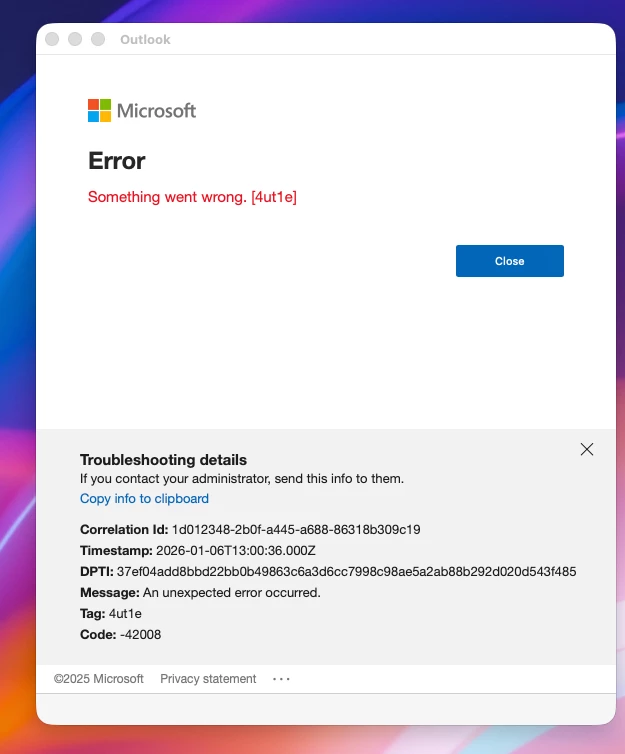
For those using Paltform SSO with Microsoft Entra, as anyone come across this error which seems to happen when Outlook has been left open for a period of time. It wasnt an issue before testing SSO.


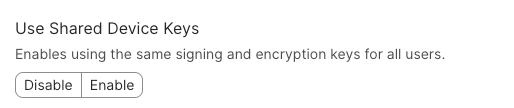
I though it had something to do with this setting in SSO config profile, but changing the value has’nt made much difference.



Thanks
Tom​​​​​​​

11 replies

PMullins1
Forum|alt.badge.img+14
  • Jamf Heroes
  • January 6, 2026

Yet another reason to not upgrade to Tahoe yet.

Sorry this is happening to you. Would be nice if M$ gave us more info in the error message.


howie_isaacks
Forum|alt.badge.img+23
  • Esteemed Contributor
  • January 8, 2026

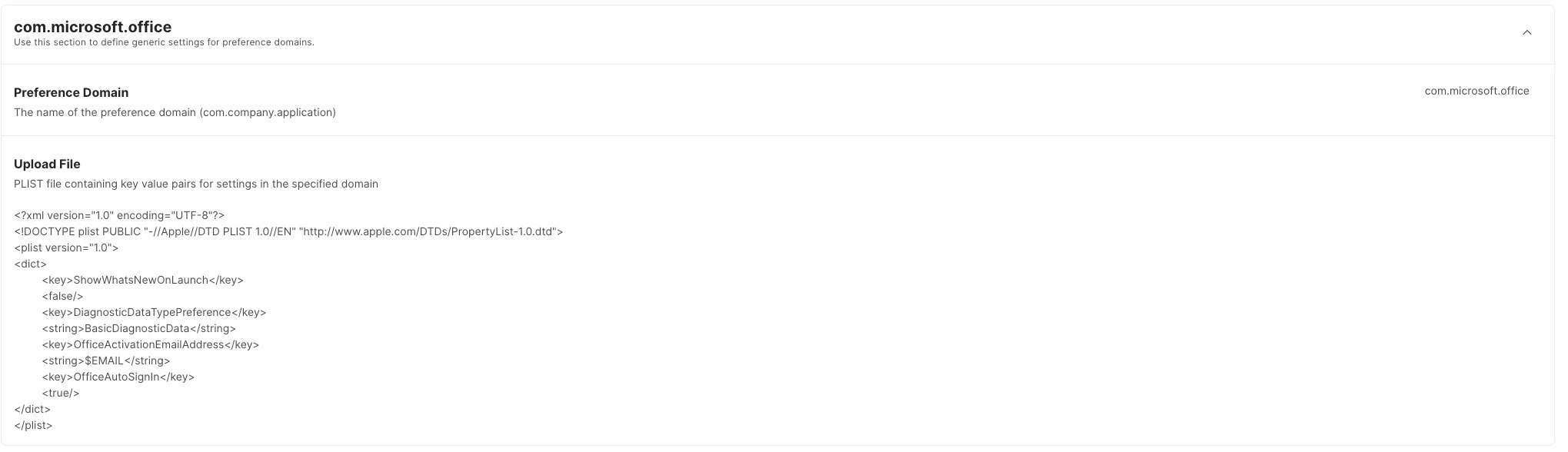
Fortunately, none of my users have reported issues. Do you have any profiles set up for managing Outlook or Office in general? We use a profile that automatically activates Office. This profile makes it easy for users to launch Outlook and Teams, and they have to do very little to get started with these apps. Several of my PSSO users are running macOS Tahoe. We have not seen this happening. It would be helpful if we knew more about how you are deploying Office apps. Here are the PLIST payloads that I use for Office in a configuration profile. We have Jamf Pro integrated with Entra ID, so the users’ email addresses get collected and fed into the profile when it installs.

com.microsoft.office

<?xml version="1.0" encoding="UTF-8"?>
<!DOCTYPE plist PUBLIC "-//Apple//DTD PLIST 1.0//EN" "http://www.apple.com/DTDs/PropertyList-1.0.dtd">
<plist version="1.0">
<dict>
<key>ShowWhatsNewOnLaunch</key>
<false/>
<key>DiagnosticDataTypePreference</key>
<string>BasicDiagnosticData</string>
<key>OfficeActivationEmailAddress</key>
<string>$EMAIL</string>
<key>OfficeAutoSignIn</key>
<true/>
</dict>
</plist>

com.microsoft.autoupdate2

<?xml version="1.0" encoding="UTF-8"?>
<!DOCTYPE plist PUBLIC "-//Apple//DTD PLIST 1.0//EN" "http://www.apple.com/DTDs/PropertyList-1.0.dtd">
<plist version="1.0">
<dict>
<key>ChannelName</key>
<string>Production</string>
<key>AcknowledgedDataCollectionPolicy</key>
<string>RequiredDataOnly</string>
<key>UpdateCheckInterval</key>
<integer>720</integer>
<key>StartDaemonOnAppLaunch</key>
<true/>
<key>HowToCheck</key>
<string>AutomaticDownload</string>
</dict>
</plist>

com.microsoft.Outlook

<?xml version="1.0" encoding="UTF-8"?>
<!DOCTYPE plist PUBLIC "-//Apple//DTD PLIST 1.0//EN" "http://www.apple.com/DTDs/PropertyList-1.0.dtd">
<plist version="1.0">
<dict>
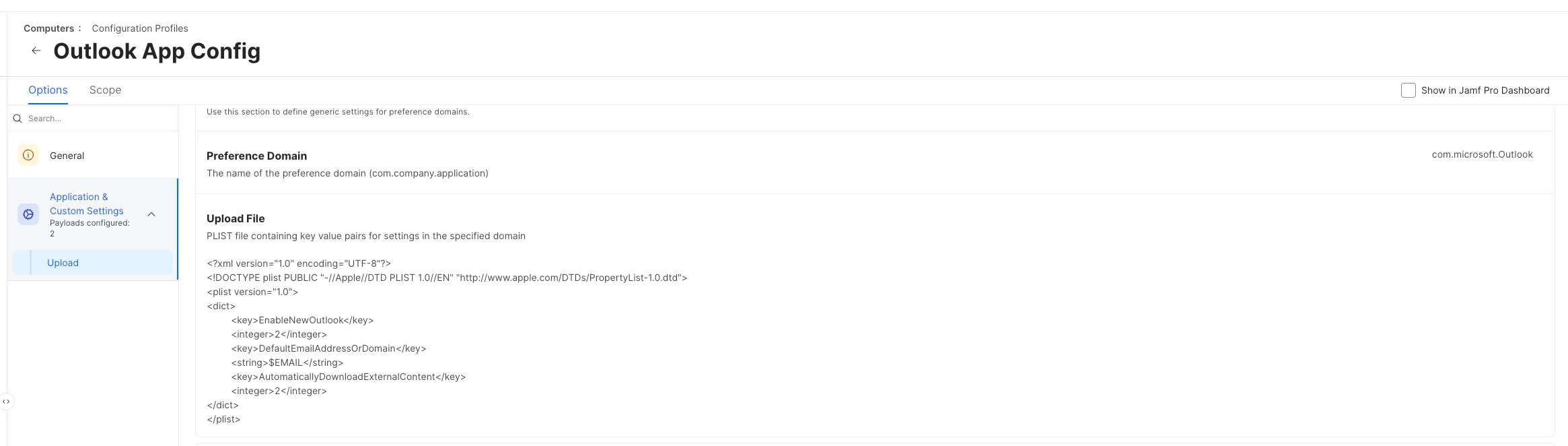
<key>EnableNewOutlook</key>
<integer>2</integer>
<key>DefaultEmailAddressOrDomain</key>
<string>$EMAIL</string>
<key>AutomaticallyDownloadExternalContent</key>
<integer>2</integer>
</dict>
</plist>


tdenton
Forum|alt.badge.img+12
  • Author
  • Valued Contributor
  • January 9, 2026

@howie_isaacks  Intreresting.

We currently deploying all office apps using the Jamf App catalogue.

I have seprate config profile which manages com.microsoft.autoupdate2 is a bit more basic than yours as Jamf catalogue handles the updates which seems to work well. So i dont think I need that.


Im intrested in the config you have for Outlook and Teams are you deploying theses as seprate config profiles or all in one Office Config profile.


Will create the Outlook & Teams profiles in Jamf and see if it makes any difference to error Im getting. Strangly none of my other users who are testing Platform SSO are getting this issue.

Will report back later today it normal happens over lunch if I leave outlook Open.


Thanks
Tom


  • Visitor
  • January 9, 2026

We are facing the same problem. Doesn’t matter which OS we are using (currently Sequoia and Tahoe)
What we noticed was that it mainly affects MS Team and MS Outlook when the device wakes up from hibernation. It seems to be that the session token will be dropped and not refreshed (or re-created). 

@howie_isaacks we have also integrated Entra ID with Jamf Pro and our PLIST are looking similar to yours. 

what we have also tested, if we are removing PSSO from a device, the issue ist gone. 


tdenton
Forum|alt.badge.img+12
  • Author
  • Valued Contributor
  • January 9, 2026

Gald Im not the only one ​@CUA_CAS I also have ticket open with Microsoft & Jamf.


tdenton
Forum|alt.badge.img+12
  • Author
  • Valued Contributor
  • January 9, 2026

@howie_isaacks  The oultook profile eventual kicked in I assume the experience is nicer if its fresh machine. I did remove my outlook profile before I deployed it down to my machine.

Its seems to have picked up my account for teams but even with Paltform SSO config in place Im still be prompted for a Password.


Tom


  • Visitor
  • January 9, 2026

@tdenton The User experience between the MS Apps are slightly different. 
Even with PSSO enabled, Outlook and Teams still prompt the user for a password. In these apps, PSSO appears to pass through only the user identity, which seems to be working as intended.
For applications like Word and Excel, however, both the username and the password are passed through seamlessly.


tdenton
Forum|alt.badge.img+12
  • Author
  • Valued Contributor
  • January 9, 2026

@CUA_CAS oh right I assume that I shouldnt recivie a password prompt for any office apps once platform SSO is enabled. It would be helpfull if the experience was the same accross all apps.


tdenton
Forum|alt.badge.img+12
  • Author
  • Valued Contributor
  • January 9, 2026

@howie_isaacks it would seem that Outlook plist as help I did get it this morning, but didnt get anything over lunch. It also help with teams issues as got banner just to sign in again rather than having quite and reopen.
Still early days but will continue to monitor it.

Can I confirm you Config profile like something like this


howie_isaacks
Forum|alt.badge.img+23
  • Esteemed Contributor
  • January 9, 2026

@howie_isaacks  Intreresting.

We currently deploying all office apps using the Jamf App catalogue.

I have seprate config profile which manages com.microsoft.autoupdate2 is a bit more basic than yours as Jamf catalogue handles the updates which seems to work well. So i dont think I need that.


Im intrested in the config you have for Outlook and Teams are you deploying theses as seprate config profiles or all in one Office Config profile.


Will create the Outlook & Teams profiles in Jamf and see if it makes any difference to error Im getting. Strangly none of my other users who are testing Platform SSO are getting this issue.

Will report back later today it normal happens over lunch if I leave outlook Open.


Thanks
Tom

All those PLIST payloads are in one profile. The profile has worked well. In situations when there’s a name change resulting in an email address change I have a policy that can be ran to remove and reinstall the profile so that the profile receives the new email address.


howie_isaacks
Forum|alt.badge.img+23
  • Esteemed Contributor
  • January 9, 2026

@howie_isaacks it would seem that Outlook plist as help I did get it this morning, but didnt get anything over lunch. It also help with teams issues as got banner just to sign in again rather than having quite and reopen.
Still early days but will continue to monitor it.

Can I confirm you Config profile like something like this


Yes. That’s how it’s setup. I’m glad this is helping.