Solved

Policy for pushing printers to laptops

  • Apr 10, 2023 5:30 PM UTC
  • 4 replies
  • 110 views

Forum|alt.badge.img+6

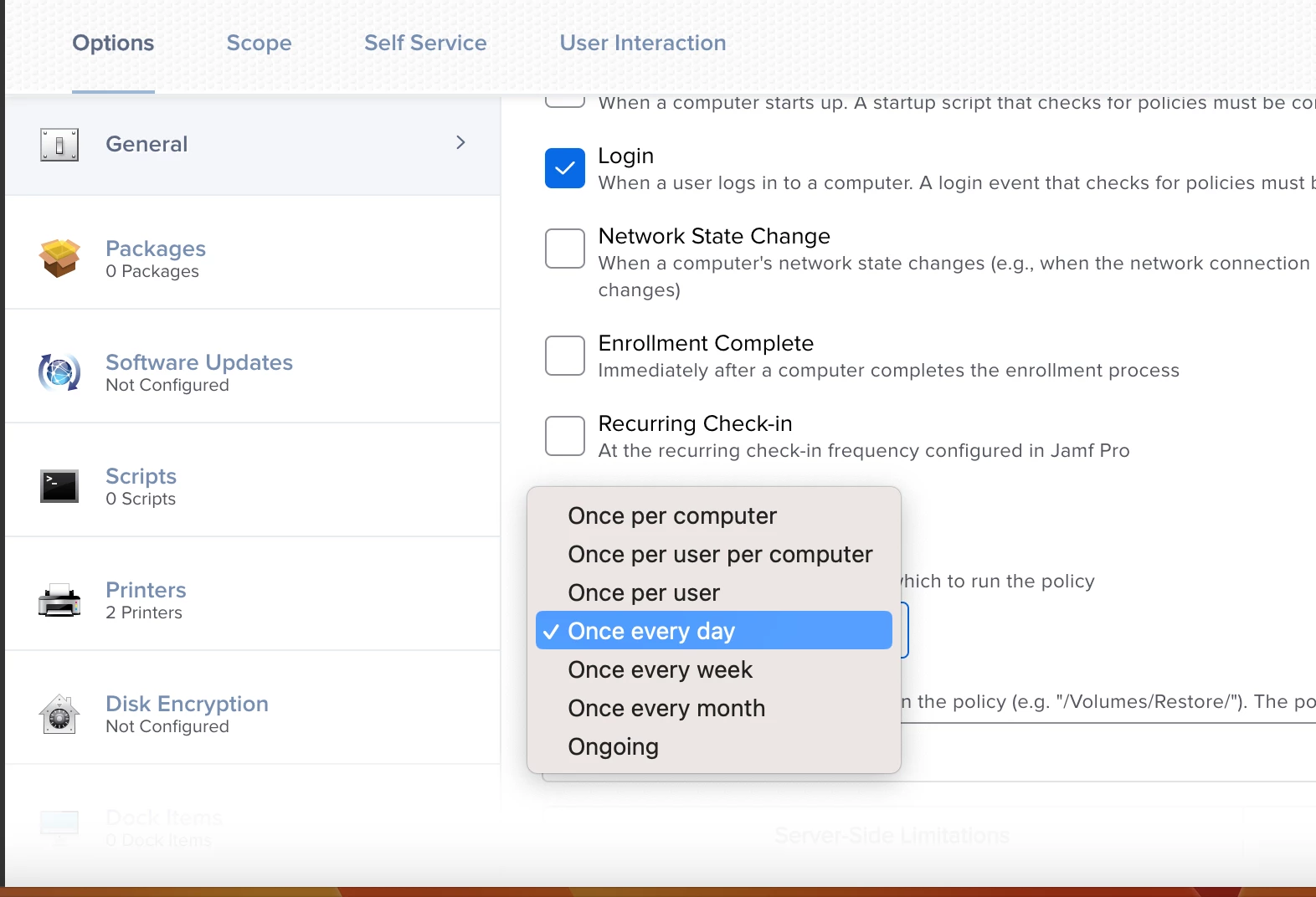
I am using jamf pro to push a policy that will install new printers to users laptop. My question is for execution frequency does it matter which one i choose. What is the difference between once per computer and once everyday or once a week? 
Best answer by DBrowning

If you chose every day or week it will re-push the printer everyday/week.  if you just use once per computer, it will only run once and won't run again unless the policy is flushed or the computer is wiped and resetup.

View original

4 replies

DBrowning
Forum|alt.badge.img+26
  • Esteemed Contributor
  • Answer
  • Apr 10, 2023 5:47 PM UTC

If you chose every day or week it will re-push the printer everyday/week.  if you just use once per computer, it will only run once and won't run again unless the policy is flushed or the computer is wiped and resetup.


Forum|alt.badge.img+6
  • Author
  • Contributor
  • Apr 10, 2023 5:50 PM UTC

If you chose every day or week it will re-push the printer everyday/week.  if you just use once per computer, it will only run once and won't run again unless the policy is flushed or the computer is wiped and resetup.


Got it. Is it ok to have more than one trigger? For example could I select startup and login as a trigger to push this policy?


DBrowning
Forum|alt.badge.img+26
  • Esteemed Contributor
  • Apr 10, 2023 5:56 PM UTC

yeah you can have more than i trigger.  For a printer I would suggest using the Recurring check-in.


Forum|alt.badge.img+6
  • Author
  • Contributor
  • Apr 10, 2023 6:16 PM UTC

yeah you can have more than i trigger.  For a printer I would suggest using the Recurring check-in.


Got it. Thanks for the help.