Question

Question about Apps from jamf app catalog updates

  • September 18, 2026
  • 5 replies
  • 42 views

JDubs
Forum|alt.badge.img+1

I need to update Docker to the current version across the fleet.  Rather than downloading, repackaging, and then deploying via policy, I saw the Jamf App catalog has a docker entry for it.


My question is if I set it up as...

target group: all managed devices

Initial Deployment: Self Service

Update Method: Automatically Update

Will that

  1. not push to devices that don’t have it installed
  2. update automagically to devices that do
    1. or will it update devices that only installed, initially, from self service?

 

5 replies

mvu
Forum|alt.badge.img+23
  • Jamf Heroes
  • September 18, 2026

That’s a good question. I had to check my method for Jamf Apps cause I couldn’t remember.

Somebody else can chime in, but this is my read:

1. Yes, that correct. 
2. Yes, it will automagically update Docker. For some of my apps, we set the Update Method to Manual. This gives us time test app versions. Also, our users get annoyed with Chrome updates, so I manually let it rip Friday evenings. But for your Docker setup, it’ll update on it’s own.
3. If I understand correctly, Docker will be available for Macs that don’t have it installed. If they install it manually (directly from elsewhere) or from Self Service, #2 will take over.


Forum|alt.badge.img+16
  • Valued Contributor
  • September 18, 2026

The way I understand it (maybe I’m wrong) is if you have it setup for Self Service it won’t install on any device unless the user goes into Self Service and kicks it off. I don’t think it matters whether or not Docker is already installed or not. I thought if it’s installed on a device they still have to go into Self Service to install the newer version, but again, I could be wrong with that.

I have two App Installers setup for Docker. One that targets a smart group which includes all devices but excludes devices that already have Docker installed - this is setup as a Self Service deployment.

The second Docker App Installer is setup for an automatic install (required) deployment that is targeting a smart group that only contains existing Docker installs. 

The reason I setup the two App Installers workflow for each app was because I ran into issues when I needed to uninstall/reinstall the device wouldn’t show the app in Self Service because it had already installed once before. I would have to manually trigger the App Installer to kind of re-evaluate in order for it to reinstall on that device. 

With two setup, if I remove Docker from the device it will fall into the smart group for the Self Service deployment allowing me to reinstall it. Once it’s reinstalled it’s removed from that smart group and added to the other one which will make sure it stays updated.


mvu
Forum|alt.badge.img+23
  • Jamf Heroes
  • September 18, 2026

Interesting. Yeah, I see what you mean now when I click All in Self Service. So my #3 would be wrong.


I wonder if you can still consolidate into 1 App Installer. After you delete Docker, did you try to run a manual inventory update with sudo jamf recon? Then refresh Self Service to see if it appears?


Forum|alt.badge.img+16
  • Valued Contributor
  • September 18, 2026

Yeah I tried that but I couldn’t get it to go. It’s been a long time since I tested that and maybe they made improvements to the workflow but I want to say that I had to exclude that particular device from the smart group that I was targeting, then remove that exclusion and then it worked. 


shrisivakumaran
Forum|alt.badge.img+10

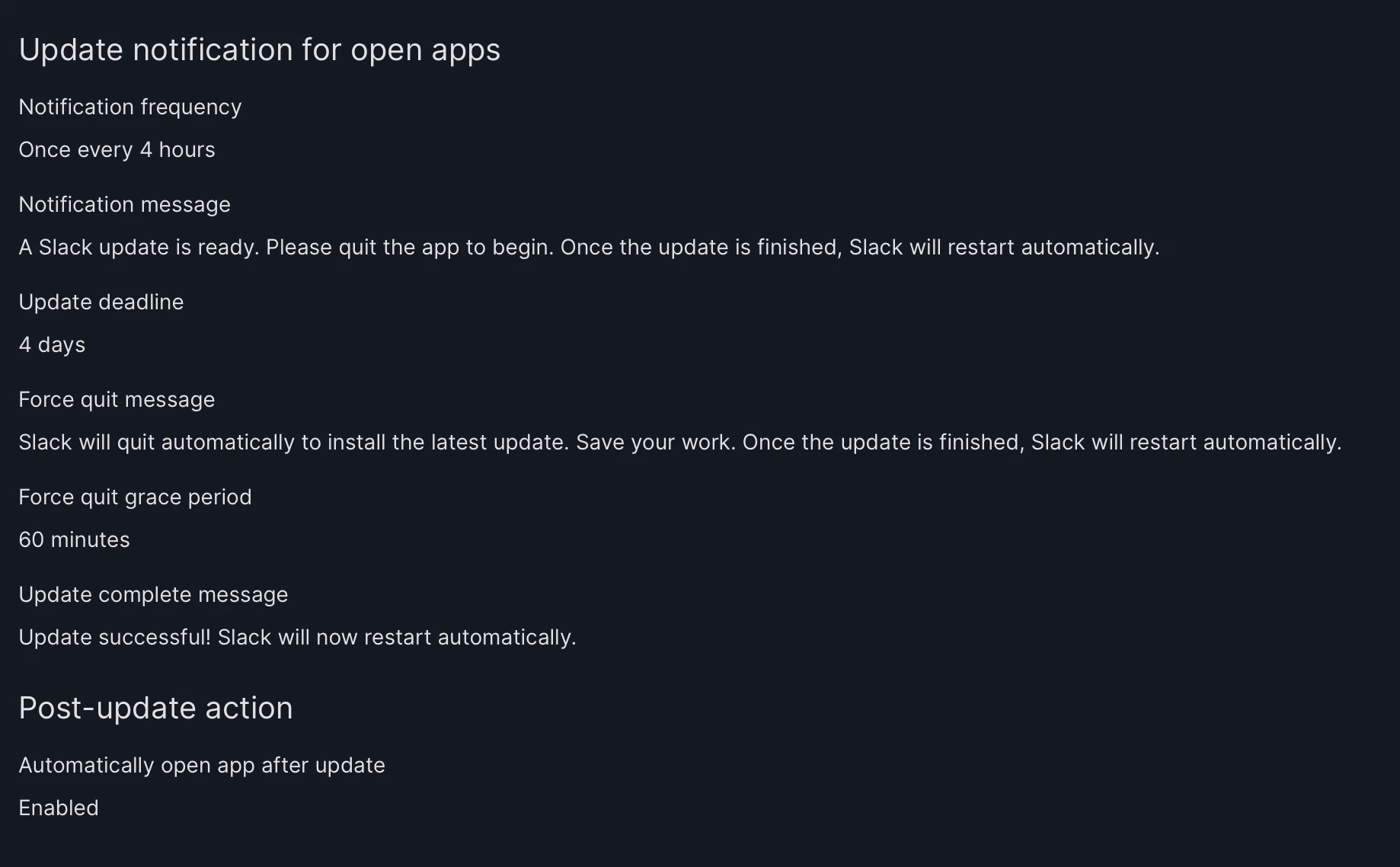
I’m not sure about the default values in End user experience in each app, I set it like below which will update as per deadline and will show message as per custom.