


Hi all,
I wanted to share a script I've been working on: Jamf Pro Recovery Lock Clear and Erase.
It lets an admin or technician clear the Recovery Lock, erase an Apple silicon Mac, or both, just by entering its serial number in Self Service. It's handy when you reimage, retire or sell a Mac.
The script runs on the technician's own Mac, not on the Mac being erased.
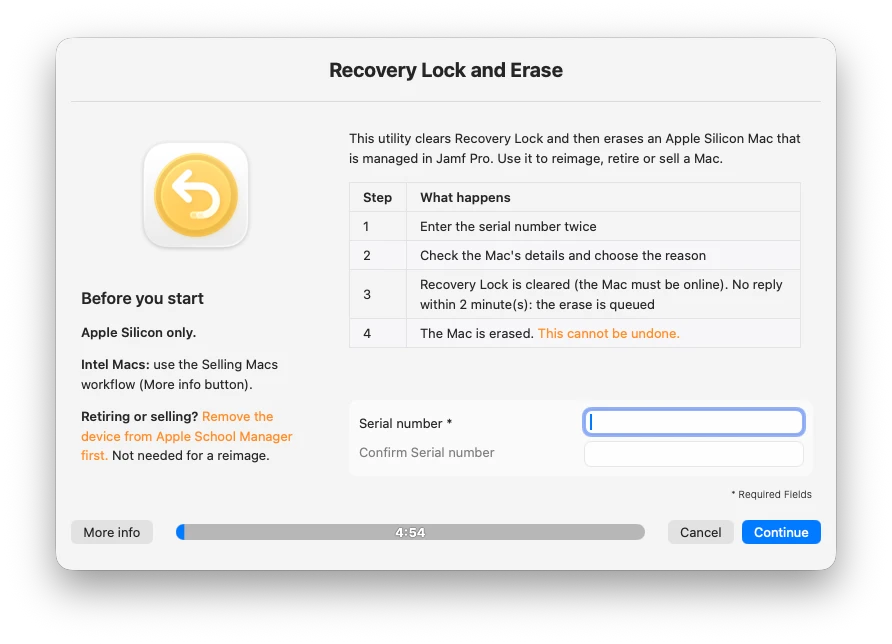
How it works
- Enter the serial number twice
- Check the Mac's details (name, user, email, model, last check-in)
- Pick a reason and type
ERASE - The script clears the Recovery Lock, then sends the erase command
- If the Mac is offline, the commands are queued in Jamf Pro
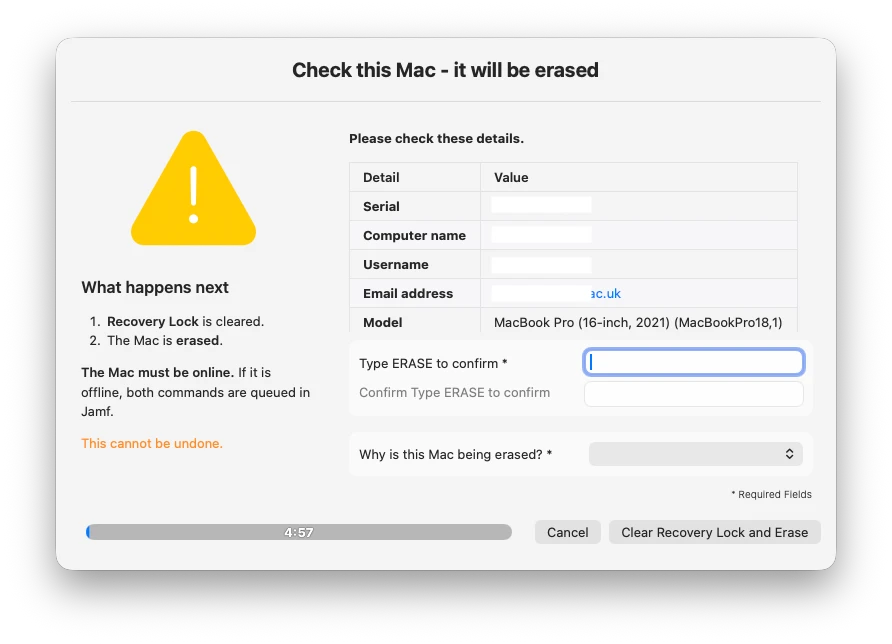
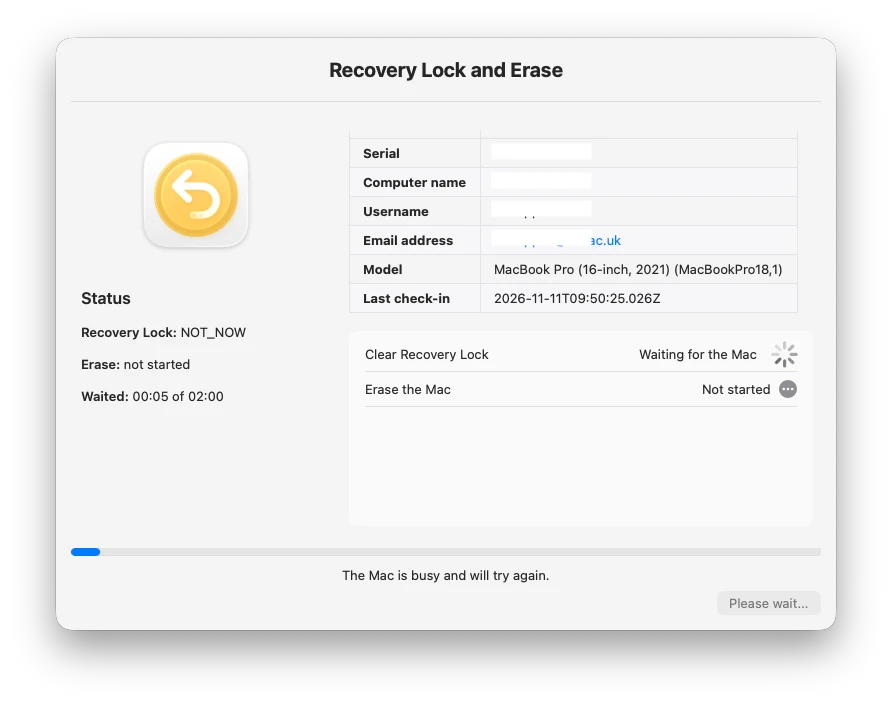
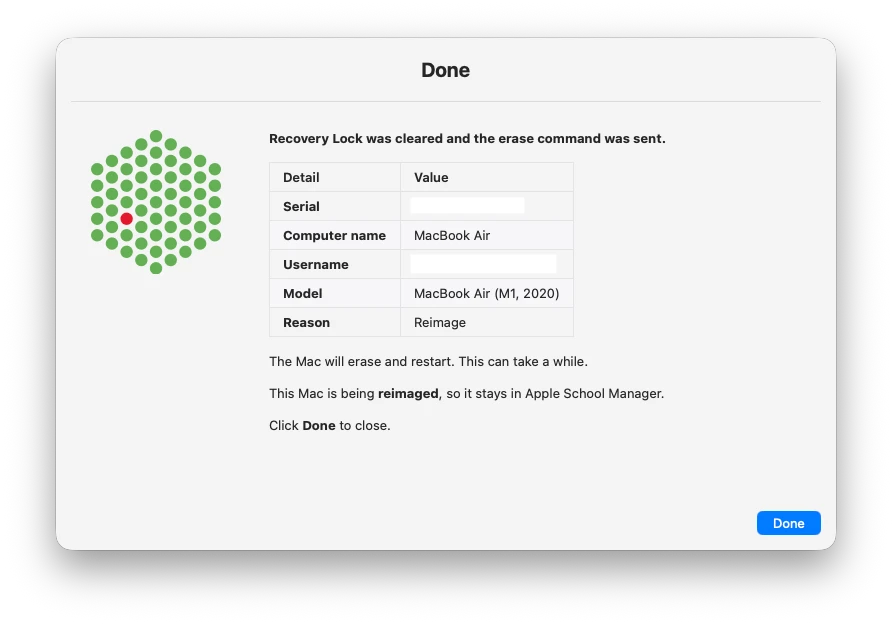
Highlights
- Three modes: clear and erase, clear only, or erase only
- Dry run by default
- Stops if the serial has no match or duplicate records, or the Mac is unmanaged
- No erase if the Recovery Lock command returns an error
- swiftDialog windows and a log file for each run
- Optional Slack and Microsoft Teams alerts (thanks to ScottEKendall on GitHub for adding Teams support)
Requirements
- Jamf Pro API client with only these privileges: Read Computers, View MDM command information in Jamf Pro API, Send Set Recovery Lock Command, Send Computer Remote Wipe Command
- Technician Mac on macOS 15 or later with swiftDialog
- Target Mac: Apple silicon and managed in Jamf Pro (Intel is not supported)
Setup and documentation
Script and README:
https://github.com/karthikeyan-mac/Mac-Admins-Toolkit/tree/main/Jamf-Pro-Recovery-Lock-Clear-and-Erase
Blog post:
https://karthikmacadmin.com/blog/jamf-pro-recovery-lock-clear-and-erase/
A quick heads-up
- The erase is permanent. Test in a non-production tenant on a spare Mac first.
- Scope the policy to technician Macs and limit it to their user group.
- Policy parameters are visible in Jamf policy logs, so use a limited API role.
- Feedback is welcome through GitHub issues.
Hope it's useful to someone else in the community!
This script is not affiliated with or endorsed by Jamf Software LLC.