Question

Remote Management Message On Lock Screen

  • Oct 20, 2017 12:46 PM UTC
  • 18 replies
  • 1330 views

Forum|alt.badge.img+11

Has anyone else encountered this yet and has a fix or work around?

On the lock screen of an iOS 11 device (that is managed and supervised) a box appears at the bottom that says "This device is managed remotely. You can leave remote management in Settings."

This message could be very bad if students see this. Has anyone figured out a way to remove the message or even modify it? I'd be happy leaving the first sentence and removing the second :)

18 replies

tdclark
Forum|alt.badge.img+21
  • Contributor
  • Oct 20, 2017 1:50 PM UTC

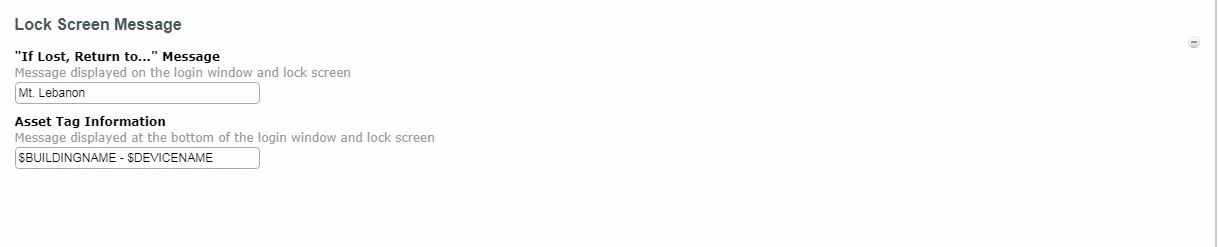
This box comes from your Config Profile for those devices. Check there under Lock Screen Message.


Forum|alt.badge.img+11
  • Author
  • Valued Contributor
  • Oct 20, 2017 2:01 PM UTC

Nope. That message isn't coming from the lock screen setup.


Forum|alt.badge.img+6
  • Contributor
  • Oct 20, 2017 2:21 PM UTC

I set a lock screen message on our devices and do not see a remote management message on lock screens. Our devices arent locked behind a passcode though so not sure if thats why I have no seen it.


Forum|alt.badge.img+11
  • Author
  • Valued Contributor
  • Oct 20, 2017 2:25 PM UTC

No passcodes on the devices. The only time I saw it was a user initiated enrollment (I wonder if that has something to do with it).


Forum|alt.badge.img+6
  • Contributor
  • Oct 20, 2017 2:28 PM UTC

Possibly because all of our devices are enrolled via DEP.


Forum|alt.badge.img+11
  • Author
  • Valued Contributor
  • Oct 20, 2017 2:31 PM UTC

Ditto....with iOS 11 you can add any device into your DEP that you wish (and our Special Ed Dept decided to purchase an iPad and instead of going through us as usual, they purchased it 3rd party). Luckily you can enroll it via dep but it takes a few extra steps to do it.


Forum|alt.badge.img+6
  • Contributor
  • Oct 20, 2017 2:35 PM UTC

You can enroll it via DEP but they have the option of opting out of it for 30 days as well I believe.


Forum|alt.badge.img+11
  • Author
  • Valued Contributor
  • Oct 20, 2017 2:49 PM UTC

Ugh...that I did not know.


Forum|alt.badge.img+6
  • Contributor
  • Oct 20, 2017 3:01 PM UTC

Im assuming you are using Apple Configurator to add it to your DEP instance?


Forum|alt.badge.img+11
  • Author
  • Valued Contributor
  • Oct 20, 2017 3:05 PM UTC

In this one iPad instance, yes.


Forum|alt.badge.img+11
  • Author
  • Valued Contributor
  • Oct 20, 2017 3:26 PM UTC

So JAMF got back to me on this and it's part of Apple's Security guidelines. It happens when a non DEP device gets managed and supervised via AC2 and is in DEP after that. They said the message goes away in 30 days.


Forum|alt.badge.img+6
  • Contributor
  • Oct 20, 2017 3:49 PM UTC

Figured. Now be aware that the person can opt out of DEP within that 30 day timeframe.


Forum|alt.badge.img+3
  • New Contributor
  • Jan 26, 2018 1:12 AM UTC

Hi everyone,

I'm also seeing this, but as I'm still within the 30-day window I'm unable to confirm if the bypass option does disappear after. This is slightly annoying, but can accept if it does disappear after 30.


Forum|alt.badge.img
  • New Contributor
  • Feb 28, 2018 8:54 PM UTC

Does anyone out of the 30 day window know if this message and the option to opt out in the settings disappears after 30 days? I am having this same issue of the iPads giving that message on the lock screen.


dvasquez
Forum|alt.badge.img+16
  • Valued Contributor
  • May 24, 2019 6:58 PM UTC

Does anyone know if this affects the vpp apps pushed to devices that were manually supervised due to purchasing from a 3rd party resource, I am just curious?

I am curious to know if the 30 grace period might reek havoc on managed application.

Sorry to chime in late.


Forum|alt.badge.img

After a device has left remote management, is there a grace period before it can be re-added?


Sorry to resurrect an old thread, but my question is:  Does the 30 day window to opt out start when the device is first added to DEP, or does it start once the device is actually enrolled?


atomczynski11
Forum|alt.badge.img+19

After enrollment.
https://support.apple.com/guide/apple-configurator-mac/add-devices-apple-school-manager-business-apd7a57d9560/mac


After you set up the devices, they behave like any other device already in Apple School Manager or Apple Business Manager with mandatory supervision and device management service enrollment. You can then shut down the device and store it until you need it or send it to the user. When you give the device to a user, they have a 30-day provisional period to release the device from Apple School Manager, supervision, and the device management service. This 30-day provisional period begins after successfully assigning and enrolling the device in a device management service that links to Apple School Manager or Apple Business Manager.