Solved

Remove News from Today View

  • April 18, 2023
  • 4 replies
  • 46 views

Hayden_Webb
Forum|alt.badge.img+6

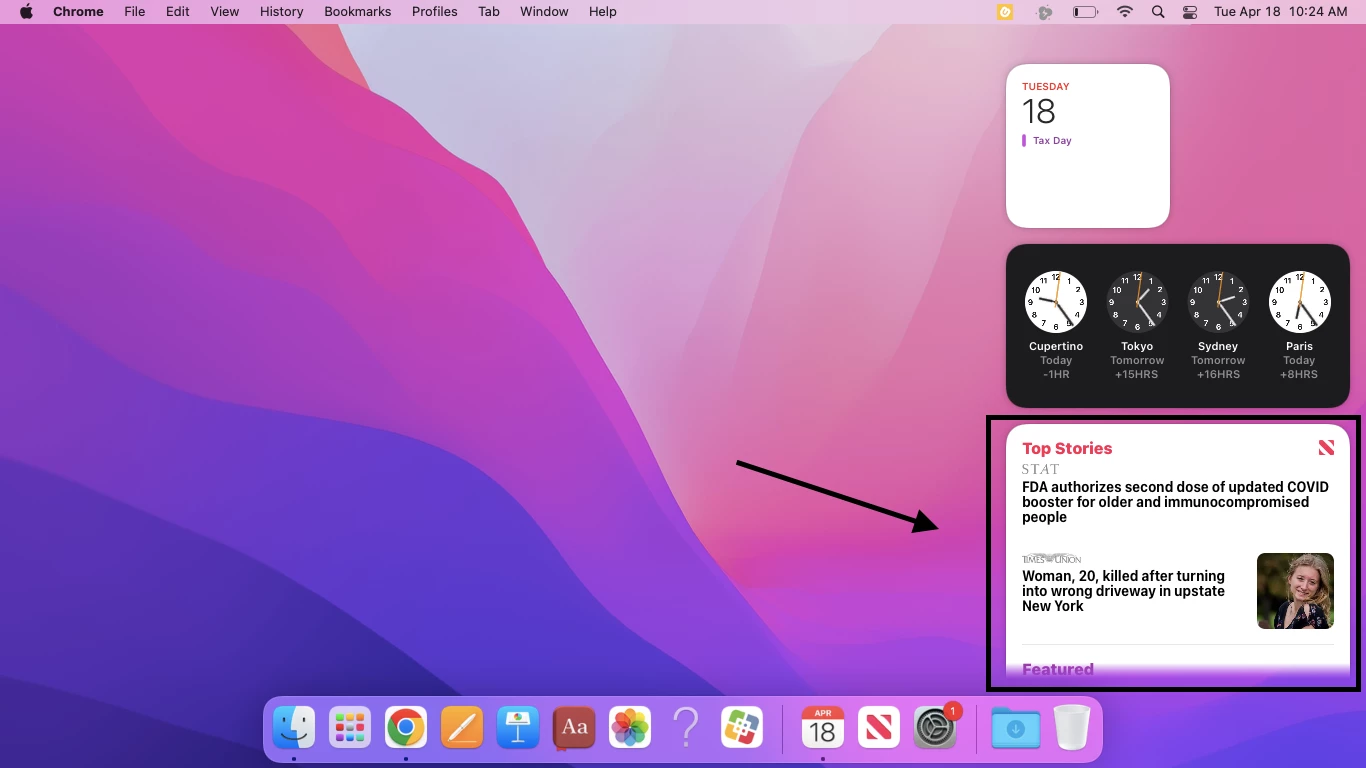
Is there a way to remove the news previews from the Today View widgets? There are inappropriate news articles that show up for students and parents are wanting this blocked. I have the widgets blocked but it doesn't remove them from that view.

Best answer by sdagley

@Hayden_Webb It looks like the widget data is stored in ~/Library/Containers/com.apple.notificationcenterui/Data/Library/Preferences/com.apple.notificationcenterui.plist but nothing in that plist has a label that would be useful in identifying what you'd need to remove


4 replies

dmccluskey
Forum|alt.badge.img+8
  • Valued Contributor
  • April 18, 2023

Have you tried to delete the news app, that might remove the widget.


rm -rf /Applications/News.app/


Hayden_Webb
Forum|alt.badge.img+6
  • Author
  • Contributor
  • April 18, 2023

Have you tried to delete the news app, that might remove the widget.


rm -rf /Applications/News.app/


It's a system app built into the OS so I don't think it can be removed without disabling SIP, unfortunately.


sdagley
Forum|alt.badge.img+25
  • Jamf Heroes
  • Answer
  • April 18, 2023

@Hayden_Webb It looks like the widget data is stored in ~/Library/Containers/com.apple.notificationcenterui/Data/Library/Preferences/com.apple.notificationcenterui.plist but nothing in that plist has a label that would be useful in identifying what you'd need to remove


Hayden_Webb
Forum|alt.badge.img+6
  • Author
  • Contributor
  • April 24, 2023

@Hayden_Webb It looks like the widget data is stored in ~/Library/Containers/com.apple.notificationcenterui/Data/Library/Preferences/com.apple.notificationcenterui.plist but nothing in that plist has a label that would be useful in identifying what you'd need to remove


I talked to the staff and said this might not be possible and they said it's fine, so I'll close this discussion.