Solved

Restrict Apple ID on MacBook

  • March 12, 2024
  • 11 replies
  • 102 views

Forum|alt.badge.img+3

Hi, is there a way to prevent users signing in to the MacBook with an Apple ID?


In a Configuration Profile in Restrictions, I have the following:


Preferences -> -> Disable Selected Items -> Apple ID Preference Pane, iCloud, Internet Accounts

Functionality -> Disable -> Allow Internet Accounts modification in System Settings (macOS 14 or later, supervised)


But users can still go into System Settings and sign in to their Apple ID. 

Best answer by YanW

Also, the other parts of the configuration profile is working i.e. I have blocked access to the users and groups section, and that is correctly being blocked for the user. 


One of the versions after Ventura 13.6 started not working. It'll work on all Sonoma. Sometimes, I'll have to do "Send Blank Push" in order to disable the Apple ID. You either keep it at 13.6 or upgrade them to Sonoma. 

11 replies

AJPinto
Forum|alt.badge.img+26
  • Legendary Contributor
  • March 12, 2024

Sounds like you may have a problem with your configuration profile as that is the payload that would disable it. Have you confirmed the configuration profile is installed on the devices and you dont have another configuration profile managing the same settings?


Forum|alt.badge.img+3
  • Author
  • New Contributor
  • March 13, 2024

Sounds like you may have a problem with your configuration profile as that is the payload that would disable it. Have you confirmed the configuration profile is installed on the devices and you dont have another configuration profile managing the same settings?


Thanks for the quick reply.

I can see the configuration profile is installed okay.

There were some old configuration profiles managing some of those same settings but they were not scoped to anyone. To be safe, I deleted those old configuration profiles now and wiped the machine.

I still have the same issue though.


Forum|alt.badge.img+3
  • Author
  • New Contributor
  • March 13, 2024

Sounds like you may have a problem with your configuration profile as that is the payload that would disable it. Have you confirmed the configuration profile is installed on the devices and you dont have another configuration profile managing the same settings?


Also, the other parts of the configuration profile is working i.e. I have blocked access to the users and groups section, and that is correctly being blocked for the user. 


YanW
Forum|alt.badge.img+11
  • Contributor
  • Answer
  • March 13, 2024

Also, the other parts of the configuration profile is working i.e. I have blocked access to the users and groups section, and that is correctly being blocked for the user. 


One of the versions after Ventura 13.6 started not working. It'll work on all Sonoma. Sometimes, I'll have to do "Send Blank Push" in order to disable the Apple ID. You either keep it at 13.6 or upgrade them to Sonoma. 


Forum|alt.badge.img+3
  • Author
  • New Contributor
  • March 13, 2024

One of the versions after Ventura 13.6 started not working. It'll work on all Sonoma. Sometimes, I'll have to do "Send Blank Push" in order to disable the Apple ID. You either keep it at 13.6 or upgrade them to Sonoma. 


That was the issue, I upgraded to Sonoma and it worked. Thanks everyone for your help.


Forum|alt.badge.img
  • New Contributor
  • April 11, 2024

I upgraded to Sonoma, it will look like it's locked, and then when you close and reopen settings it's unlocked again. Any suggestions?


Forum|alt.badge.img+1
  • New Contributor
  • July 10, 2024

I upgraded to Sonoma, it will look like it's locked, and then when you close and reopen settings it's unlocked again. Any suggestions?


I am having the same issue. Were you able to resolve it?


YanW
Forum|alt.badge.img+11
  • Contributor
  • July 10, 2024

I am having the same issue. Were you able to resolve it?


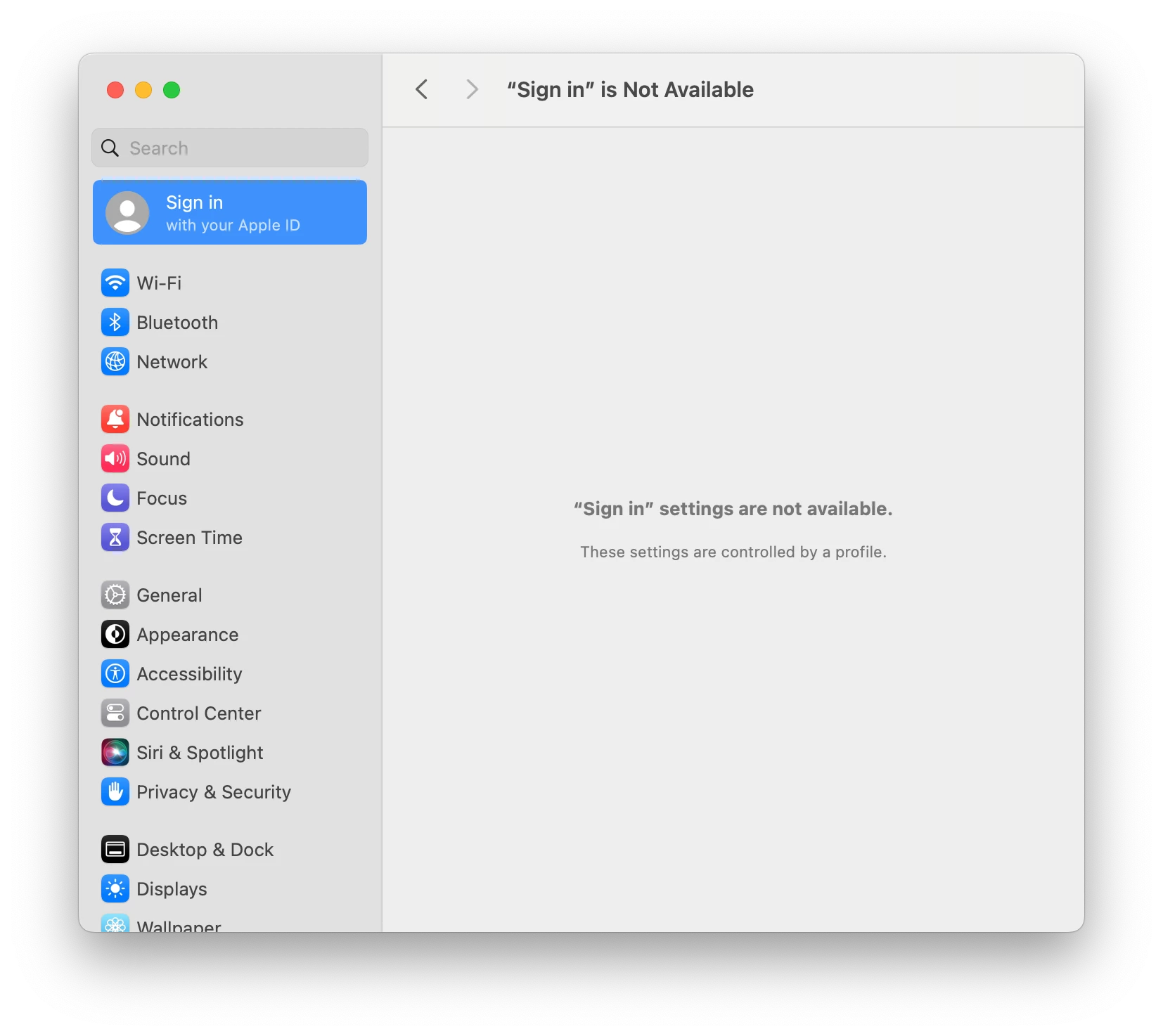
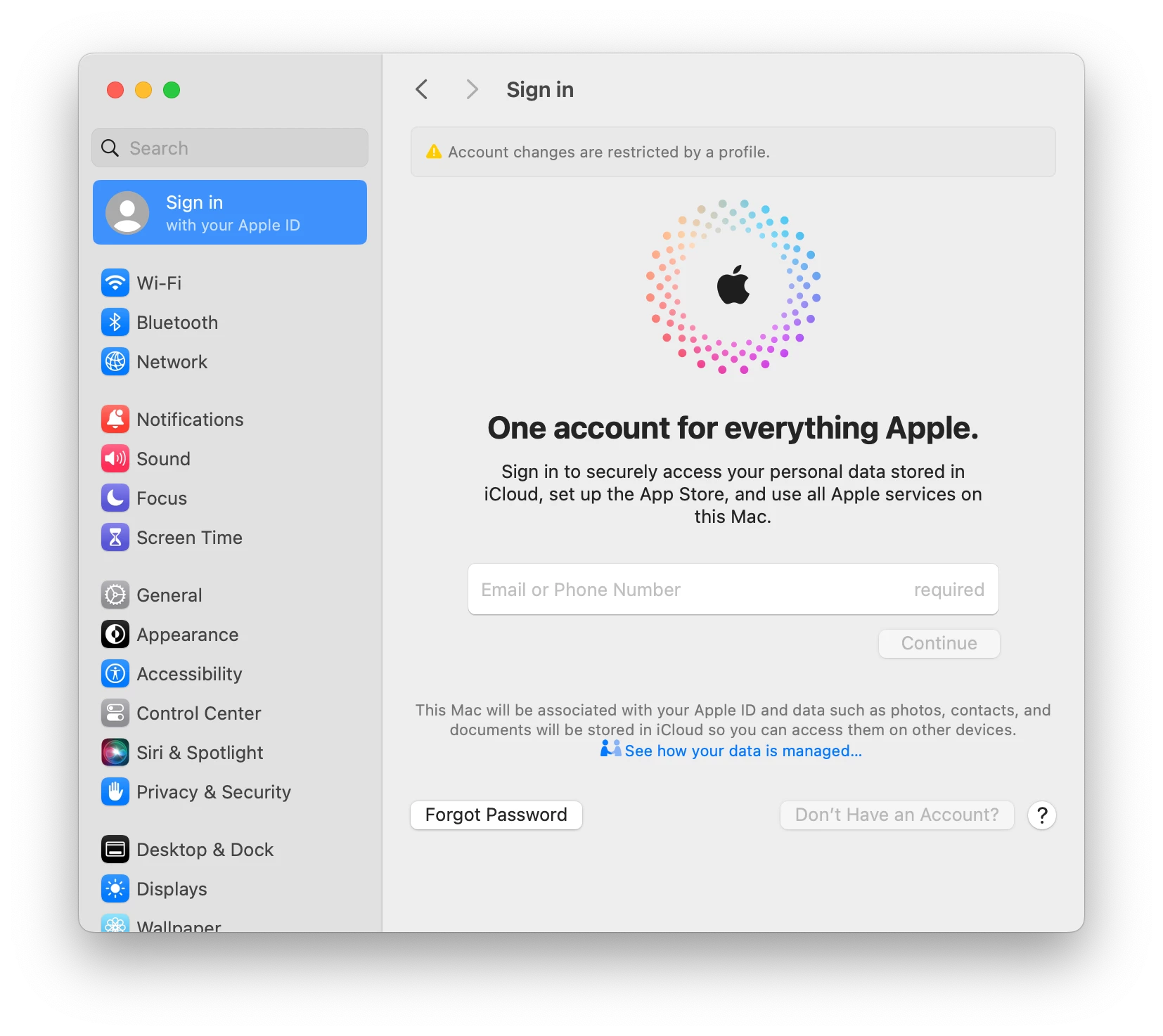
It toggles between these 2 views, because we use .plist/JSON and the restrictions payload to block it. Make sure you also uncheck "Allow Internet Accounts modification in System Settings...." in Functionality.

"Account changes are restricted by a profile" 


Forum|alt.badge.img+1
  • New Contributor
  • July 15, 2024

It toggles between these 2 views, because we use .plist/JSON and the restrictions payload to block it. Make sure you also uncheck "Allow Internet Accounts modification in System Settings...." in Functionality.

"Account changes are restricted by a profile" 


For us it toggles between "Sign in is not available" and being fully functional (you can type in the Email or Phone Number field). We do have "Allow Internet Accounts..." unchecked. 


MPL
Forum|alt.badge.img+8
  • Valued Contributor
  • August 14, 2024

For us it toggles between "Sign in is not available" and being fully functional (you can type in the Email or Phone Number field). We do have "Allow Internet Accounts..." unchecked. 


Can confirm that we are also experiencing the same issue


Forum|alt.badge.img+3
  • Author
  • New Contributor
  • August 14, 2024

As far as I remember, we solved this by updating all the MacOS on the MacBooks to the latest version.