So Jamf Remote has a "Save As" button... but I'm not sure how to make use of it and I can't find documentation. It saves an XML document with the policy configuration as a .casper file, but Jamf Remote doesn't seem to have a way to open any type of file. What's the purpose of the save feature if Remote can't load previously saved configurations?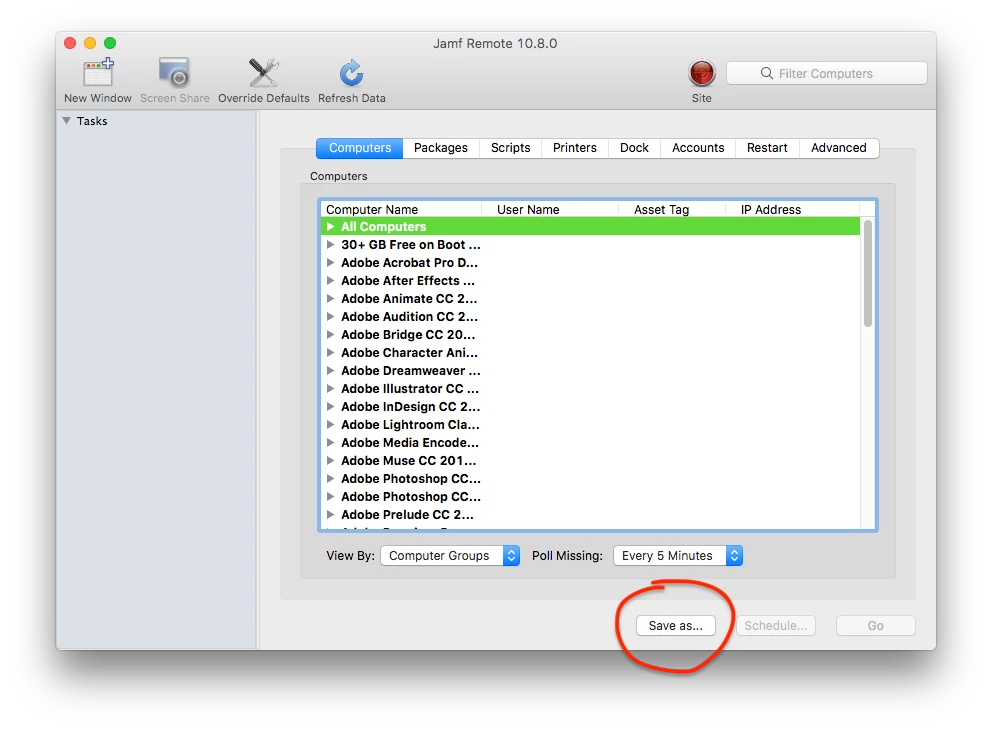

Solved
Saving in Jamf Remote
 +10
+10Best answer by dan-snelson
@isaacnelson Double-clicking the Remote Action.casper required me to manually select Jamf Remote to open the document and then the selected items were populated as expected.


Enter your E-mail address. We'll send you an e-mail with instructions to reset your password.