Question

Screen Timeout Config Profile

  • April 24, 2024
  • 4 replies
  • 185 views

Forum|alt.badge.img+2

New to Jamf so I need help with a Mac screen timeout config profile when device is running on Battery, not plugged to power. I need the timeout to be set as 10 minutes.

4 replies

sdagley
Forum|alt.badge.img+25
  • Jamf Heroes
  • April 24, 2024

@chimka9ja There isn't a Configuration Profile to set screen timeout behavior when  Mac is on batter power, but you can configure that using the pmset tool. Here's an article describing the settings available via that tool (the images are from an older version of macOS and don't correspond to the current version, but the tool itself still works): https://eclecticlight.co/2017/01/20/power-management-in-detail-using-pmset/


AJPinto
Forum|alt.badge.img+26
  • Legendary Contributor
  • April 24, 2024

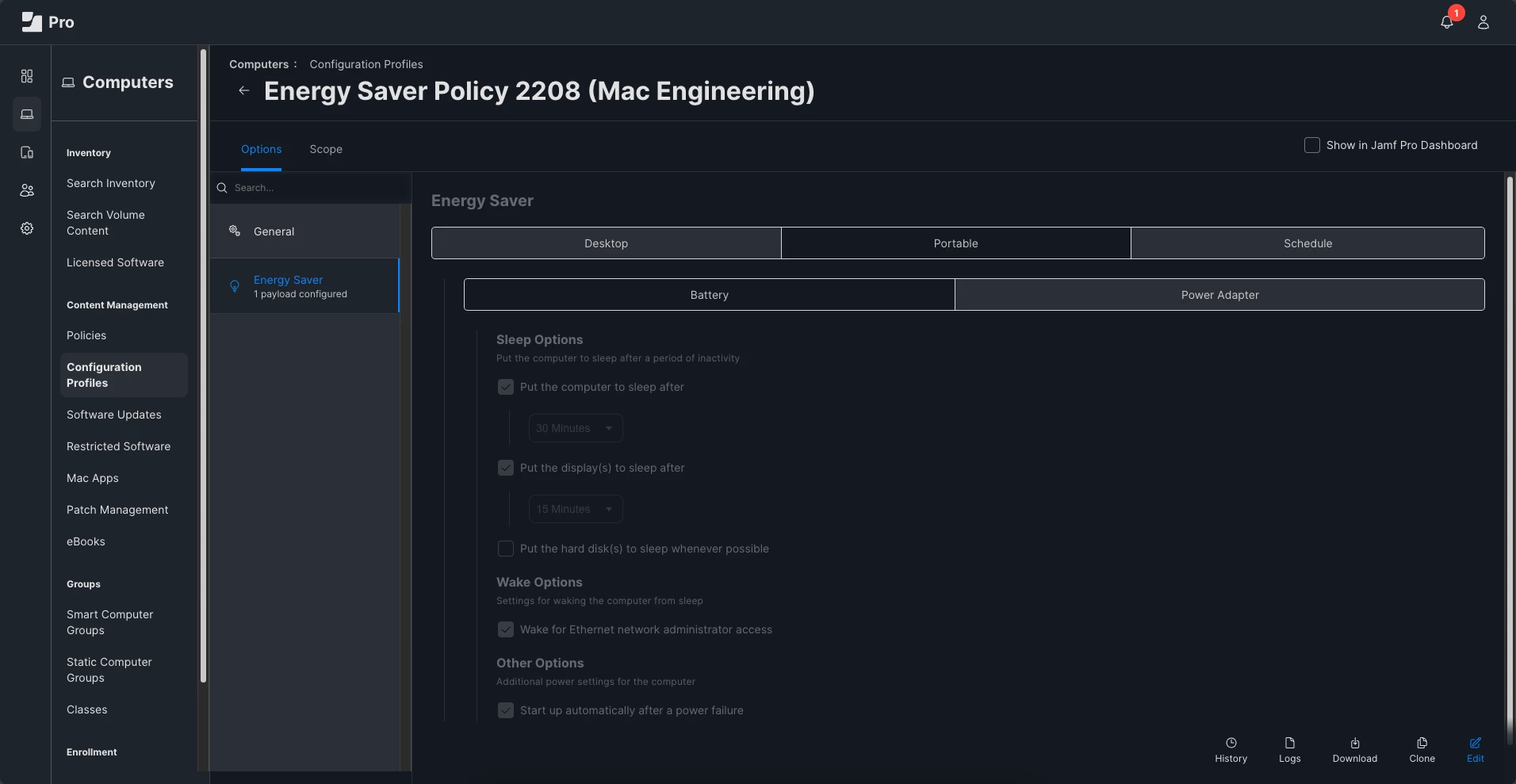
Is that not with an Energy Saver Configuration Profile? Just set the portable > Battery configuration and not the Portable > Power Adapter. 


sdagley
Forum|alt.badge.img+25
  • Jamf Heroes
  • April 24, 2024

Is that not with an Energy Saver Configuration Profile? Just set the portable > Battery configuration and not the Portable > Power Adapter. 


@AJPinto Thanks, I don't know how I missed the existence of that profile :-) The profile based approach is good for settings that are required, and for settings a user is allowed to change but an initial setting other than the default is needed pmset would still be applicable.


Forum|alt.badge.img+2
  • Author
  • New Contributor
  • April 24, 2024

Is that not with an Energy Saver Configuration Profile? Just set the portable > Battery configuration and not the Portable > Power Adapter. 


Hi mate, this looks like it. I'll check and give you a feedback. Thanks.