
Hi All,
Has anyone seen Jamf Self Service fail to run an otherwise-valid policy? Been looking at this for a while
We use Alectrona Patch to install 99% of our Self Service apps with the below script. Whenever i run one of these policies through JSS i get an “Item Failed.” notification. The symlink
sudo patch install <id> works perfectly when run manually as root, so i think this is a Jamf error rather than a patch error, though i am speaking to them about it.
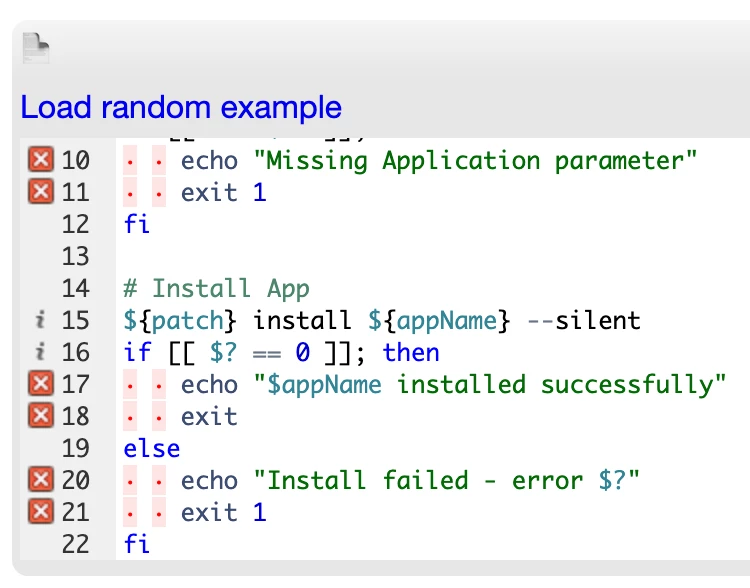
#!/bin/zsh

# Variables
patch="/Library/Application Support/Alectrona/Patch/patch"
appName=$4


# Check script parameter values
if [[ -z "$4" ]]; then
    echo "Missing Application parameter"
    exit 1
fi

# Install App
${patch} install ${appName} --silent
if [[ $? == 0 ]]; then
    echo "$appName installed successfully"
    exit
else
    echo "Install failed - error $?"
    exit 1
fi
The Jamf policy itself looks completely normal: enabled, no exclusions, no site restriction, ongoing frequency, Running jamf policy -id X -verbose from terminal throws a “No policies were found for the ID X” error and it fails the same way from an actual Self Service click.
Meanwhile a plain recurring check-in policy through JSS on the same Mac runs clean. full recon, inventory submits fine. We do have zScaler SSL inspection enabled but i’ve ruled that out as the cause. I am seeing multiple macs with this issue, so i don't think its an enrolment issue with this specific mac. Errors are happening on multiple macs across multiple internet connections and ISPs
When checking the logs of the policy the computers that are scoped sit as 'Pending' and looking at the policy logs form the computer record, it looks like the attempt isn't even registered with the daemon on the machine, which would make sense if the Mac thinks the policy doesn't exist or isn't scoped to it.
jamf.log does log the attempt followed by a log line to remove the existing launchd tasks. on some policies it’s jamfhelper and others its bgrecon.
I am genuinely stuck on why a correctly scoped, enabled policy just won’t resolve. Building a fresh policy using the same script does the same thing.
Any ideas?