Question

Set TimeZone on Mac during prestage

  • May 26, 2026
  • 4 replies
  • 141 views

Forum|alt.badge.img+2

Hi,


I’m looking how to automatically set TimeZone on Macs after the enrollement step.

How can i do this?

Thank you

4 replies

angryant
Forum|alt.badge.img+5
  • Contributor
  • May 26, 2026

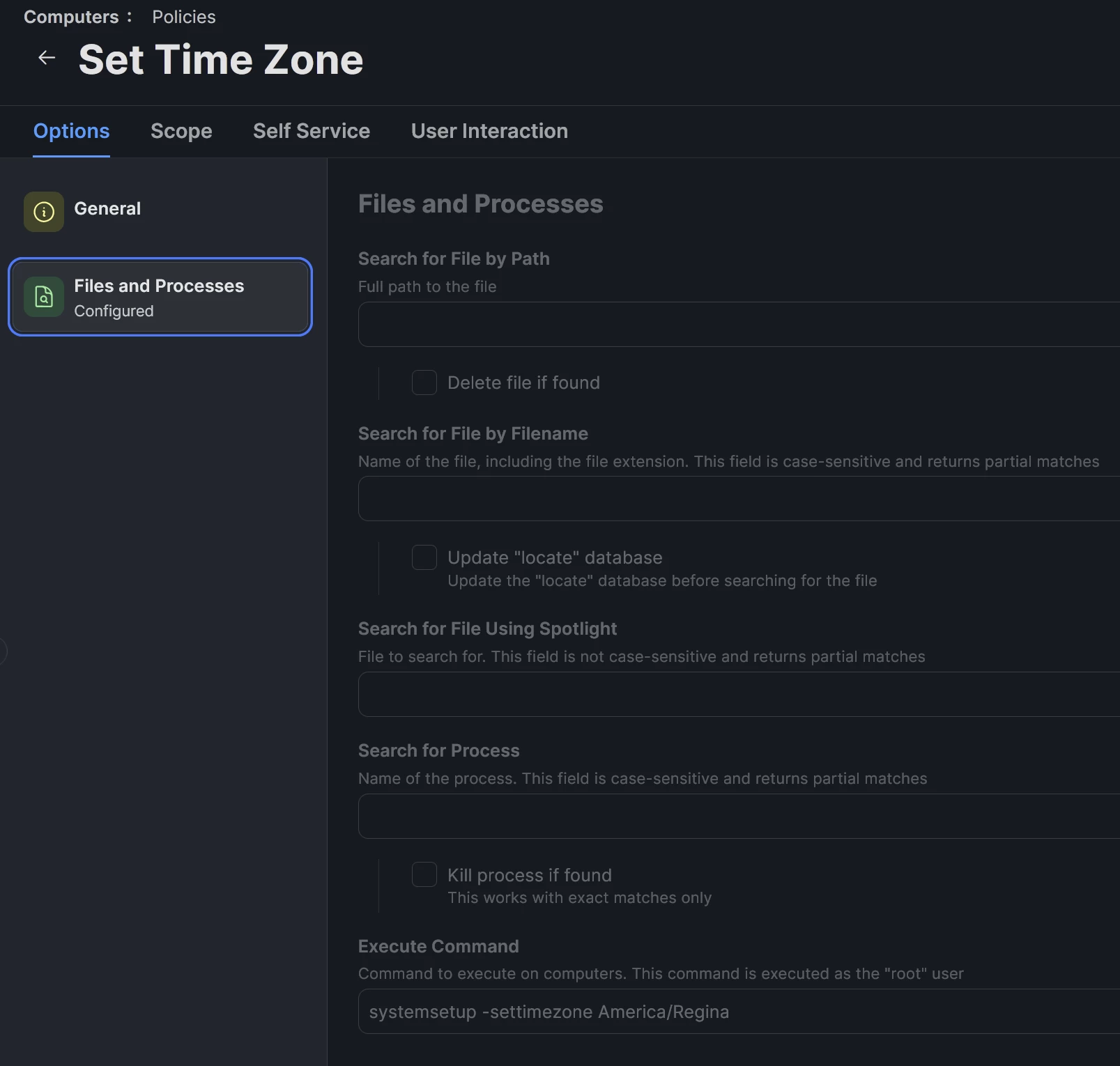
systemsetup -settimezone Europe/London


Run this in Terminal for a list of valid timezones  sudo systemsetup -listtimezones


dletkeman
Forum|alt.badge.img+18
  • Jamf Heroes
  • May 26, 2026


What ​@angryant said above. This is my Time Zone policy.  I call this during Jamf Setup Manager.  Works flawlessly.


easyedc
Forum|alt.badge.img+16
  • Esteemed Contributor
  • May 27, 2026

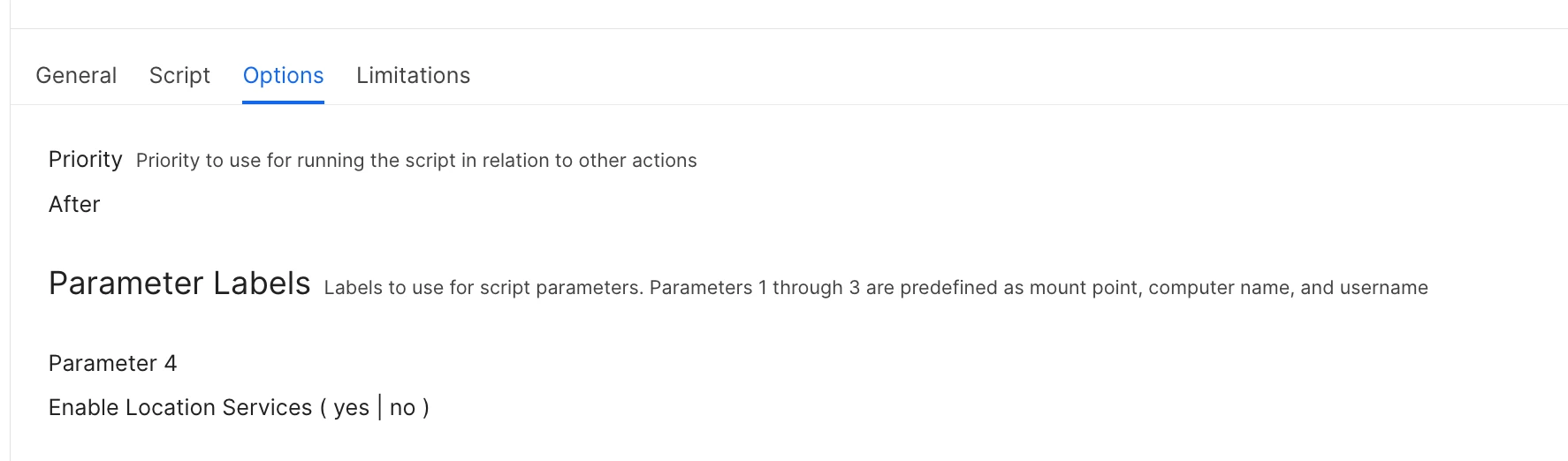
Alternatively - prompt the user or run a script to enable location services and let the system handle it. Here’s a script Professional Services provided long ago that still works for me.  You can hard code yes or no to enable or disable, or make it ad-hoc with a parameter $4 entry.  

#!/bin/bash
#
####################################################################################################
#
# The Apple Software is provided by Apple on an "AS IS" basis. APPLE
# MAKES NO WARRANTIES, EXPRESS OR IMPLIED, INCLUDING WITHOUT LIMITATION
# THE IMPLIED WARRANTIES OF NON-INFRINGEMENT, MERCHANTABILITY AND FITNESS
# FOR A PARTICULAR PURPOSE, REGARDING THE APPLE SOFTWARE OR ITS USE AND
# OPERATION ALONE OR IN COMBINATION WITH YOUR PRODUCTS.
#
# IN NO EVENT SHALL APPLE BE LIABLE FOR ANY SPECIAL, INDIRECT, INCIDENTAL
# OR CONSEQUENTIAL DAMAGES (INCLUDING, BUT NOT LIMITED TO, PROCUREMENT OF
# SUBSTITUTE GOODS OR SERVICES; LOSS OF USE, DATA, OR PROFITS; OR BUSINESS
# INTERRUPTION) ARISING IN ANY WAY OUT OF THE USE, REPRODUCTION,
# MODIFICATION AND/OR DISTRIBUTION OF THE APPLE SOFTWARE, HOWEVER CAUSED
# AND WHETHER UNDER THEORY OF CONTRACT, TORT (INCLUDING NEGLIGENCE),
# STRICT LIABILITY OR OTHERWISE, EVEN IF APPLE HAS BEEN ADVISED OF THE
# POSSIBILITY OF SUCH DAMAGE.
#
####################################################################################################
#
# DESCRIPTION
# The purpose of this script is to configure Location Services.
#
#####################################################################################################
#
# DEFINE VARIABLES & READ IN PARAMETERS
#
####################################################################################################
#
# OS X Version
sw_vers_Full=$(/usr/bin/sw_vers -productVersion)
sw_vers_Major=$(/usr/bin/sw_vers -productVersion | /usr/bin/cut -d. -f 1,2)
sw_vers_MajorNumber=$(/usr/bin/sw_vers -productVersion | /usr/bin/cut -d. -f 2)
# Jamf Environmental Positional Variables.
# $1 Mount Point
# $2 Computer Name
# $3 Current User Name - This can only be used with policies triggered by login or logout.
# Declare the Enviromental Positional Variables so the can be used in function calls.
mountPoint=$1
computerName=$2
username=$3

#
# HARDCODED VALUE FOR "EnableLocationServices" IS SET HERE
# Jamf Parameter Va1ue Label - Enable Location Services ( yes | no )
EnableLocationServices="yes"
# CHECK TO SEE IF A VALUE WAS PASSED IN PARAMETER 4 AND, IF SO, ASSIGN TO "EnableLocationServices"
# If a value is specificed via a Jamf policy, it will override the hardcoded value in the script.
if [ "$4" != "" ];then
EnableLocationServices=$4
fi
#
/bin/echo "$computerName" is running macOS version "$sw_vers_Full"
/bin/echo "EnableLocationServices: $EnableLocationServices"
#
#####################################################################################################
#
# Functions to call on
#
####################################################################################################
#
### Ensure we are running this script as root ###
rootcheck () {
#/bin/echo "Begin rootcheck"
if [ "$(/usr/bin/whoami)" != "root" ] ; then
/bin/echo "This script must be run as root or sudo."
exit 1
fi
#
#/bin/echo "End rootcheck"
}
###
#
####################################################################################################
#
# SCRIPT CONTENTS
#
####################################################################################################
rootcheck
# set time zone automatically using current location
if [ "$EnableLocationServices" = "yes" ]; then
/bin/echo "Enable Location Services"
# write enabled key turn on location services
/usr/bin/defaults write /var/db/locationd/Library/Preferences/ByHost/com.apple.locationd LocationServicesEnabled -bool true
/usr/bin/killall locationd
else
/bin/echo "Disable Location Services"
# write disable key turn on location services
/usr/bin/defaults write /var/db/locationd/Library/Preferences/ByHost/com.apple.locationd LocationServicesEnabled -bool false
/usr/bin/killall locationd
fi
exit 0


howie_isaacks
Forum|alt.badge.img+23
  • Esteemed Contributor
  • June 1, 2026

I can see the usefulness of this but we make sure that the location services prompt appears during Setup Assistant. We tell all of our users that they need to allow location services to ensure that their clock gets set to the correct timezone. This has worked very well for us.